EasyManua.ls Logo

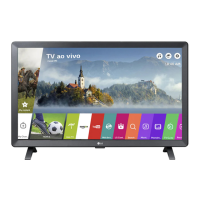
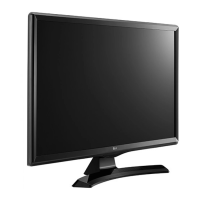
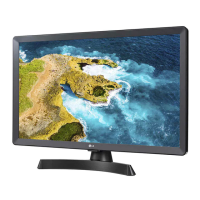
LG 24TL520S - User Manual

LG 24TL520S
19 pages
Print Icon
To Next Page IconTo Next Page
Loading...
www.lg.com
28TK420S 24TL520S
28TL520S
24TL510S
28TL510S
Safety and Reference
OWNER’S MANUAL
LED TV*
*LG LED TV applies LCD screen with LED backlights.
Please read this manual carefully before operating your TV and retain it for future
reference.
Copyright © 2019 LG Electronics Inc. All Rights Reserved.
Question and Answer IconNeed help?

Do you have a question about the LG 24TL520S and is the answer not in the manual?

Summary

Product Information and Preparation

Safety Precautions (Unapproved Items)

Warning against using unapproved items to ensure safety and product longevity, with warranty implications.

Lifting and Moving the TV

Safe Handling and Transportation

Guidance to prevent TV damage during handling and transportation, including safe holding and movement techniques.

Screen Protection During Handling

Warning to avoid touching the screen and joystick button during handling to prevent damage.

Setting Up the TV

Stand Attachment Safety

Caution against carrying the TV upside-down by the stand to prevent falls and injuries.

Mounting on a Wall

Screw Length Caution for Wall Mounts

Warnings about using incorrect screw lengths for wall mounting to prevent damage or detachment.

Remote Control Operations

Remote Control Handling Caution

Safety warnings for battery usage and proper remote control aiming for optimal performance.

Remote Control Button Functions

Detailed descriptions of various buttons on the remote control and their functions.

Maintenance and Troubleshooting

Cleaning and Surface Protection

Instructions for cleaning TV surfaces, screen, and power cord, plus precautions against screen damage and chemicals.

Remote Control and Display Problems

Steps for remote control issues, no image/sound, and sudden TV power-off.

Safety Warnings and Symbols

Critical Placement and Stability Warnings

Critical safety warning about TV placement to prevent falls and injuries.

Furniture Stability and Child Safety

Guidelines for selecting stable furniture and educating children about climbing risks.

SMART TV Quick Setup Guide

Troubleshooting Network Problems

Gateway Connection Errors

Solutions for gateway connection failures, including router reset and power cycle.

DNS Resolution Errors

Steps to resolve DNS errors, including checking router firmware and ISP registration.

TV Connectivity Troubleshooting

Actions to take when the TV itself shows connectivity issues, including IP settings.

SmartShare Software and Firmware Updates

Summary

Product Information and Preparation

Safety Precautions (Unapproved Items)

Warning against using unapproved items to ensure safety and product longevity, with warranty implications.

Lifting and Moving the TV

Safe Handling and Transportation

Guidance to prevent TV damage during handling and transportation, including safe holding and movement techniques.

Screen Protection During Handling

Warning to avoid touching the screen and joystick button during handling to prevent damage.

Setting Up the TV

Stand Attachment Safety

Caution against carrying the TV upside-down by the stand to prevent falls and injuries.

Mounting on a Wall

Screw Length Caution for Wall Mounts

Warnings about using incorrect screw lengths for wall mounting to prevent damage or detachment.

Remote Control Operations

Remote Control Handling Caution

Safety warnings for battery usage and proper remote control aiming for optimal performance.

Remote Control Button Functions

Detailed descriptions of various buttons on the remote control and their functions.

Maintenance and Troubleshooting

Cleaning and Surface Protection

Instructions for cleaning TV surfaces, screen, and power cord, plus precautions against screen damage and chemicals.

Remote Control and Display Problems

Steps for remote control issues, no image/sound, and sudden TV power-off.

Safety Warnings and Symbols

Critical Placement and Stability Warnings

Critical safety warning about TV placement to prevent falls and injuries.

Furniture Stability and Child Safety

Guidelines for selecting stable furniture and educating children about climbing risks.

SMART TV Quick Setup Guide

Troubleshooting Network Problems

Gateway Connection Errors

Solutions for gateway connection failures, including router reset and power cycle.

DNS Resolution Errors

Steps to resolve DNS errors, including checking router firmware and ISP registration.

TV Connectivity Troubleshooting

Actions to take when the TV itself shows connectivity issues, including IP settings.

SmartShare Software and Firmware Updates

Overview

This document serves as an owner's manual for various LG LED TV models, including 28TK420S, 24TL520S, 24TL510S, 28TL520S, and 28TL510S. The manual provides essential information on safety, setup, operation, and maintenance to ensure proper use and longevity of the device.

Function Description

The LG LED TV is a display device that utilizes an LCD screen with LED backlights to provide visual content. It supports various input sources, allowing users to connect external devices such as HD receivers, DVD players, VCRs, audio systems, USB storage devices, PCs, and gaming consoles. The TV is capable of displaying digital TV, analogue TV, and satellite broadcasts, depending on the model and regional support. It also features Smart TV capabilities, enabling quick setup for network connections, SmartShare functionality for content sharing with PCs and smartphones, and firmware updates.

Usage Features

Basic Operation: The TV can be operated using a single joystick button located on the device itself, or via the supplied remote control. The joystick button allows for power on/off, menu control, input source changes, volume adjustment, and programme scrolling. The remote control offers a comprehensive set of buttons for power, input selection, quick settings, live zoom, subtitle access, number and alphabet input, programme list access, guide display, quick access to apps, volume control, information display, content search, mute function, programme scrolling, and media content control (play, pause, stop, fast forward, rewind).

Setup and Installation:

  • Lifting and Moving: When moving the TV, it is recommended to use the original packaging. The power cord and all cables should be disconnected. The screen should face away from the user to prevent damage, and the top and bottom of the TV frame should be held firmly, avoiding the transparent part, speaker, or speaker grill. The TV should be kept upright during transport, avoiding jolts or excessive vibration.
  • Mounting: The TV can be mounted on a table or a wall. For table mounting, ensure a minimum of 100 mm space from the wall for proper ventilation. The AC-DC adapter and power cord should be connected to a wall outlet, avoiding heat sources. For wall mounting, optional wall mounting brackets (RW120) are available. It is crucial to use VESA standard-compliant screws and wall mounts, ensuring the screw length from the outer surface of the back cover is under 8 mm to prevent internal damage.
  • Connections: The TV supports various connections:
    • Antenna: Connects to a wall antenna socket with a 75 Ω RF cable (not provided). A signal amplifier may be needed for poor image quality.
    • Satellite Dish: (For satellite models) Connects to a satellite dish with a 75 Ω satellite RF cable.
    • CI Module: (Depending on model) Allows viewing of encrypted (pay) services in digital TV mode. Ensure correct insertion to prevent damage.
    • PC Connection: When connecting a PC via HDMI, set the HDMI input's [Input Label] to [PC] for optimal display.
    • External Devices: Connects to HD receivers, DVD players, VCRs, audio systems, USB storage devices, and gaming devices. HDMI cables are recommended for best picture and audio quality. Supported HDMI audio formats include Dolby Digital, Dolby Digital Plus, DTS, and PCM.

Smart TV Features:

  • Network Settings: The TV can connect to a network via wired (Ethernet) or Wi-Fi connection. The setup guide details how to access network settings, select a Wi-Fi network, and enter security keys if required. Troubleshooting steps are provided for common network problems, including issues with the gateway, DNS, and TV connection status.
  • SmartShare: This feature allows content sharing with PCs and smartphones. Users need to install the SmartShare PC SW programme on their computer from www.lg.com. For smartphones, the LG TV Plus app (on LG phones) or a similar content sharing app needs to be installed. Both devices must be on the same local network. The TV supports playing movies, audio, and photo files from connected devices.
  • Wi-Fi Direct: Enables direct connection between the TV and a portable device without a local network.
  • Miracast: Allows secure wireless transmission of video and sound from a portable device to the TV. The portable device's Miracast function should be "ON."
  • WiDi (Wireless Display): Intel's WiDi technology facilitates wireless connection for mirrored and dual monitor display from a laptop to the TV, supporting full HD content.

Firmware Updates: The TV's firmware can be updated through the "About This TV" section in the General settings. Users can check for updates manually or enable "Allow Automatic Updates" for automatic software updates.

Maintenance Features

Cleaning: Regular cleaning is essential for maintaining performance and extending the product's lifespan.

  • Before Cleaning: Always turn off the TV and disconnect the power cord and all other cables.
  • Screen, Frame, Cabinet, and Stand: For dust or light dirt, wipe with a dry, clean, soft cloth. For major dirt, use a soft cloth dampened with clean water or a diluted mild detergent, then wipe immediately with a dry cloth. Avoid touching the screen with fingernails or sharp objects, as this can cause scratches or image distortions. Do not use chemicals or spray liquid directly onto the surface, as this can lead to damage, fire, electric shock, or malfunction.
  • Power Cord: Regularly remove accumulated dust or dirt from the power cord.

Preventing "Image Burn" or "Burn-in":

  • To prevent permanent disfigurement of the screen (image burn or burn-in), avoid displaying a fixed image for a long period. This includes static images, or using a 4:3 aspect ratio for extended periods, which can cause burn-in in the letterboxed areas. For LCD TVs, avoid displaying a fixed image for two or more hours.

Troubleshooting: The manual provides solutions for common issues:

  • Remote Control Issues: Check the remote control sensor, ensure no obstacles, and verify battery installation and charge.
  • No Image/Sound: Confirm the TV is turned on, the power cord is connected to a working wall outlet, and test the outlet with other products.
  • Sudden TV Shutdown: Check power control settings, [Sleep Timer]/[Timer Power Off], and [Auto Power Off] in [Eco Mode] settings. The TV may turn off after 15 minutes of inactivity if no signal is detected.
  • PC Connection Issues ([No Signal] or [Invalid Format]): Turn the TV off/on, reconnect the HDMI cable, and restart the PC with the TV on.

LG 24TL520S Specifications

General IconGeneral
Screen Size24 inches
Resolution1366 x 768
Display TypeLED
Smart TVYes
HDMI Ports2
USB Ports1
Wi-FiYes
Built-in SpeakerYes
VESA Mounting75 x 75 mm
Aspect Ratio16:9
Refresh Rate60 Hz
Sound Output5W x 2
Operating SystemwebOS

Related product manuals