EasyManua.ls Logo

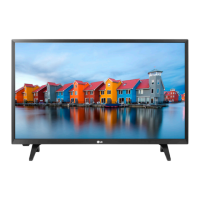
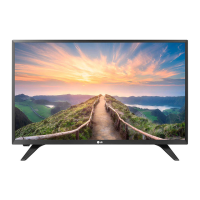
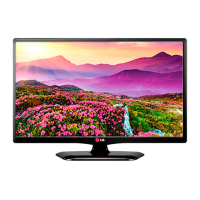
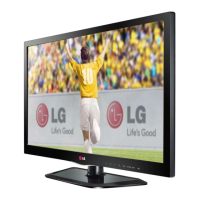
LG 28LN500B - User Manual

LG 28LN500B
44 pages
Print Icon
To Next Page IconTo Next Page
Loading...
Please read this manual carefully before operating
your TV and retain it for future reference.
OWNER’S MANUAL
LED TV*
* LG LED TV applies LCD screen with LED backlights.
www.lg.comP/NO : MFL68086901 (1401-REV00)
28LN500B
*MFL68086901*

Questions and Answers

  • T
    Taylor RodriguezJul 29, 2025
    How to fix LG 28LN500B LED TV remote not working?
    • M
      Ms. Denise NormanJul 29, 2025
      If your LG LED TV remote isn't working, first ensure that there are no obstructions between the remote and the TV's sensor. Then, check the remote control sensor on the TV. Also, verify that the batteries in the remote are correctly installed ( to , to ) and have sufficient power.
  • M
    martinsharonAug 13, 2025
    Why does my LG 28LN500B turn off by itself?
    • S
      Sheri WhiteAug 13, 2025
      If your LG LED TV turns off unexpectedly, it might be due to a few reasons. First, examine the power control settings. Also, the Off Time or Sleep Timer feature in the Time settings could be enabled. Finally, the TV automatically shuts down after 15 minutes of inactivity if there is no signal.

Summary

Important Safety Instructions

Assembling and Preparing

Unpacking

Check your product box for the following items and contact the dealer if any are missing.

Parts and Buttons

Lifting and Moving the TV

Setting Up the TV

Attaching the Stand

Instructions for securely attaching the TV stand to the display panel.

Mounting on a Wall

Making Connections

Connecting to an Antenna or Cable

Instructions for connecting the TV to broadcast sources like antennas or cable boxes.

Connecting to a PC

Remote Control

Specifications

Maintenance

Troubleshooting

LG 28LN500B Specifications

General IconGeneral
Screen Size28 inches
Display TypeLED
HDMI Ports2
USB Ports1
Refresh Rate60 Hz
Aspect Ratio16:9
Sound Output10W
Resolution1366 x 768 pixels

Related product manuals