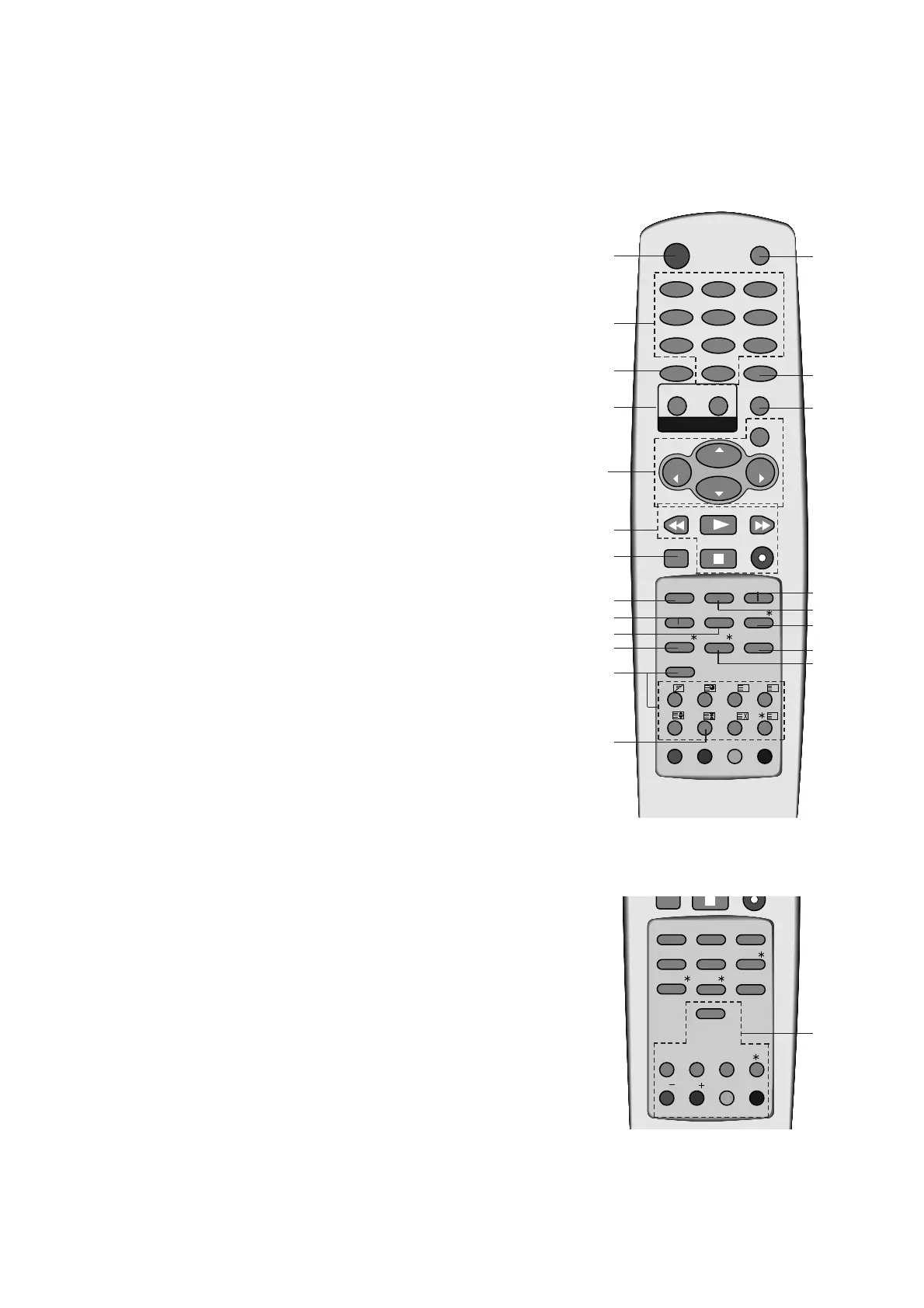
14.
MENU
selects a menu.
15. LIST
displays the programme table.
16. SSM (Sound Status Memory)
recalls your preferred sound setting.
17.
EYE/
*
(option)
switches the eye function on or off.
18. Q.VIEW
returns to the previously viewed programme.
19. INDEX
/
*
(option)
switches FRONT DISPLAY on or off.
20.
PIP BUTTONS (option)
PIP
switches the sub picture on or off.
PR +/-
selects a programme for the sub picture.
SWAP
alternates between main and sub picture.
INPUT
selects the input mode for the sub picture.
SIZE
adjusts the sub picture size.
STILL
freezes motion of the sub picture.
POSITION
relocates the sub picture in clockwise direction.
21. FAVOURITE
selects a favourite programme.
*
: No function
COLOURED BUTTONS : These buttons are used for teletext (only
TELETEXT models) or programme edit.



 To Next Page