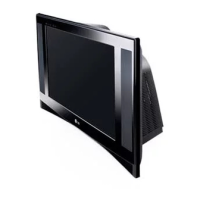
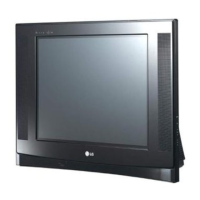
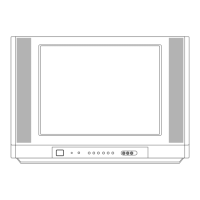
This document is a service manual for an LG Color TV, specifically models 29FX6AN/ANX and 29FX6AN/ANX-ZF/TF, built on the MC-05HB chassis. It provides comprehensive information for servicing, including safety precautions, control descriptions, specifications, adjustment instructions, troubleshooting, and parts lists.
Function Description
The LG Color TV is designed for displaying video and audio content from various sources. It supports multiple receiving systems and input types, including component video, and offers features like picture and sound memory, sleep timer, and teletext. The TV can be controlled via a remote handset or front/side panel buttons.
Important Technical Specifications
General Specifications:
- Chassis: MC-05HB
- Screen Size: 4:3 Flat 29", Wide Flat 32"
- Tuning System: FVS 100/200 Program
- Input Voltage: 110-240V~, 50/60Hz (Wide Range) or 220V~ or 230V~, 50/60Hz (Narrow)
- Operating Environment: Temperature 0-40°C, Humidity below 85%
- Storage Environment: Temperature -20-60°C, Humidity below 85%
Receiving Systems:
- PAL, SECAM BG, PAL/SECAM DK, PAL I, SECAM-L/L'
- NTSC M, NTSC M/PB
- PAL BG, DK, I, SECAM BG, DK
AV Receiving Systems:
- NTSC M, NTSC M/PB, PAL BG, DK, I, SECAM BG, DK
Component Receiving Systems:
- 480i/480P, 576i/576P, 1080i 50Hz/60Hz, 720P 50Hz/60Hz
Available Channels:
- EU: VHF E2-E12, UHF E21-E69, CATV S1-S20, HYPER S21-S41, L/L'
- Non EU: NTSC-M, VHF 2-13CH, UHF 14-69CH, CATV 01-125CH
Safety-Related Characteristics:
- X-RAY Radiation: The source is the High Voltage Section and Picture Tube. Replacement tube must be the same type as specified in the Replacement Parts List for continued protection.
- High Voltage: 23.5 ± 1.5KV (14-19 inch), 26± 1.5KV (19-21 inch), 29.0± 1.5KV (25-29 inch), 30.0± 1.5KV (32 inch).
Usage Features
Remote Control Handset:
- POWER: Switches the set on/off from standby.
- NUMBER BUTTONS: Selects channels directly.
- ARC (Aspect Ratio Control): Changes picture format.
- TURBO PICTURE/SOUND BUTTON (option): Selects Turbo picture/sound modes.
- Programme Up/Down (▲/▼): Selects programs or menu items, switches on from standby.
- Volume Up/Down (◄/►): Adjusts volume and menu settings.
- OK: Accepts selection or displays current mode.
- VCR BUTTONS (option): Controls an LG video cassette recorder.
- I/II: Selects language during dual language broadcast, selects sound output (option).
- PSM (Picture Status Memory): Recalls preferred picture settings.
- SLEEP: Sets the sleep timer.
- MAIN STILL/ (or STILL):* Freezes motion of the picture.
- TELETEXT BUTTONS (option): Used for teletext functions.
- MUTE: Switches sound on/off.
- TV/AV: Selects TV or AV mode, switches on from standby.
- MENU: Selects a menu.
- LIST: Displays the program table.
- SSM (Sound Status Memory): Recalls preferred sound settings.
- EYE/ (option):* Switches eye function on/off.
- Q.VIEW: Returns to the previously viewed program.
- INDEX/ (option):* Switches FRONT DISPLAY on/off.
- PIP BUTTONS (option): Switches sub picture on/off, selects sub picture program, swaps main/sub picture, selects sub picture input mode, adjusts sub picture size, freezes sub picture motion, relocates sub picture.
- FAVOURITE: Selects a favorite program.
- COLOURED BUTTONS: Used for teletext or program edit.
Front/Side Panel Controls:
- MAIN POWER (ON/OFF): Switches the set on/off.
- POWER/STANDBY INDICATOR: Illuminates brightly in standby, dims when on.
- MENU: Selects a menu.
- OK: Accepts selection or displays current mode.
- ◄► (Volume Down/Up): Adjusts volume and menu settings.
- ▲/▼ (Programme Up/Down): Selects programs or menu items, switches on from standby.
- REMOTE CONTROL SENSOR: Receives signals from the remote.
- AUDIO/VIDEO IN SOCKETS (AV IN3): Connects external audio/video equipment.
- S-VIDEO/AUDIO IN SOCKETS (S-AV): Connects S-VIDEO VCR.
- EYE (option): Adjusts picture based on surrounding conditions.
- HEADPHONE SOCKET (option): Connects headphone plug.
Maintenance Features
Safety Precautions:
- Isolation Transformer: Always use during servicing if the chassis is not isolated from the AC power line.
- Fuse/Fusible Resistor Replacement: Replace with specified components if blown.
- High Wattage Resistor Placement: Keep 10mm away from PCB.
- Wire Routing: Keep away from high voltage or high temperature parts.
- Picture Tube Handling: Use extreme care, do not lift by the neck.
- AC Leakage Current Check: Perform on exposed metallic parts before returning to customer (cold and hot checks specified).
Adjustment Instructions:
- Software Download: Detailed steps for connecting JIG, executing software, and downloading files.
- DVCO Adjustment: Adjusts crystal oscillator frequency of VCTP IC.
- Temporary Screen Voltage Adjustment: Adjusts screen volume to eliminate horizontal lines.
- Focus Adjustment: Adjusts FBT volumes for best focus using a cross hatch pattern.
- Purity & Convergence Adjustment: Detailed steps for assembling DY to CPT, heat run, degaussing, STC pre-adjustment, purity adjustment (red raster signal, DY movement), and convergence adjustment (cross hatch pattern, 4 & 6 pole MAGNET adjustments).
- Screen Voltage Adjustment: Adjusts in no RF signal condition or with PAL-B/G 05ch pattern.
- White Balance Adjustment: Performed after screen voltage adjustment using a White Balance Meter and remote control (adjusting CONTRAST, BRIGHT, R-Drive, B-Drive, R-Cutoff, B-Cutoff).
- Deflection Data Adjustment: Manual adjustment of Vertical Linearity (VL), Vertical Amplitude (VA), Vertical S Correction (SC), Vertical Shift (VS), Horizontal Shift (HS), East-West Horizontal Width (EW), BOW, ANG, East-West Parabola (EP), Upper Corner Correction (CRNU), Lower Corner Correction (CRNL), CRNU6, CRNL6.
- Option Setting: Adjusts functions according to the model using SVC TX adjustment button.
- Wireless Sound Model Inspection (option): Checks transmission and reception conditions, including channel generation, transmitted frequency selection, and received frequency tuning.
Troubleshooting:
- No Picture (sound ok): Flowchart for checking waveforms at various ICs and components (R118, IC001, IC500, P500, CPT socket cathode, Q003, Tuner).
- No Sound (picture ok): Flowchart for checking waveforms at Digital Board IC001, MAIN1 Tuner SIF, Digital IC001, IC652, and around Q004, Q005.
- No PIP: Flowchart for checking waveforms at Digital Board IC001, MAIN1 Q101, Digital Board IC510, and around AV Jack1, TU102, Q510, IC001, IC510, SCART Jack.
- No Power: Flowchart for checking ST_6.5V, ST_3.3V, ST_1.8V, IC001 (OSC, SCL, SDA, ABN, IR, Key in), and replacing X001, Q009, Q010, P503, P504 connector.
- No Raster: Flowchart for checking +B voltage, VCC of IC001, square waveform from PIN 23 of IC500, waveform at Drain Q408, IIC bus line, voltage of C804, pin2 of IC801, C824(+), pin4 of IC801, output of IC830, IC840, IC843, and IC812 B+ Port.
Parts Lists:
- Exploded View Parts List: Lists components with part numbers and descriptions, indicating critical safety parts.
- Replacement Parts List: Detailed list of ICs, Transistors, Diodes, Capacitors, Resistors, Coils & Inductors, Connectors, Jacks, Miscellaneous parts, and Accessories with part numbers and descriptions.

 Need help?

 To Next Page
 General