155
SOUND & LANGUAGE CONTROL
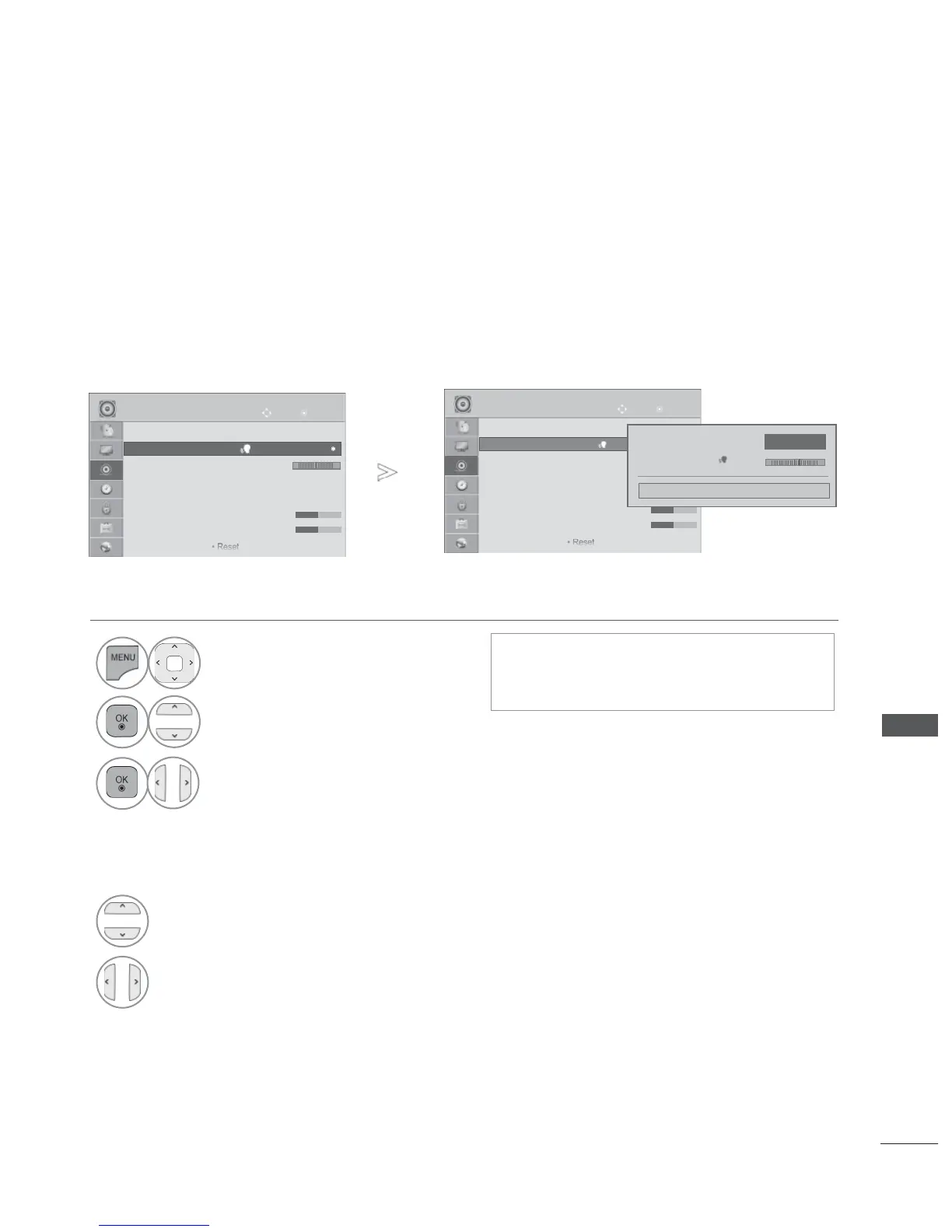
CLEAR VOICE II
By differentiating the human sound range from others, it helps users listen to human voices better.
Adjustment for Clear Voice Level With selecting On
• Press the MENU/EXIT button to return to normal TV viewing.
• Press the BACK button to move to the previous menu screen.
• If you select “On” for Clear Voice II,
Infinite Sound feature will not work.
• Select levels from ‘-6’ to ’+6’.
1
Select AUDIO.
2
Select Clear Voice II.
3
Select On or Off.
4
Select Level.
5
Make desired adjustment.
OK
Move
● Auto Volume : Off
● Clear Voice II : Off 3
● Balance 0
● Sound Mode : Standard
• Infinite Sound : Off
• Treble 50
• Bass 50


 To Next Page