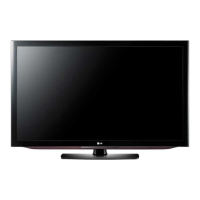
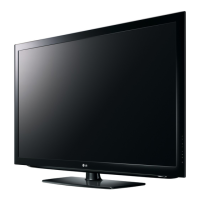
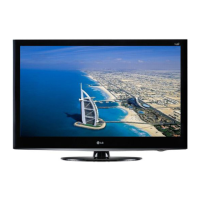
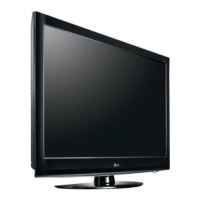
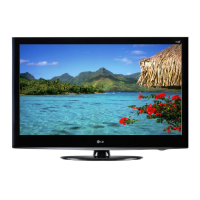
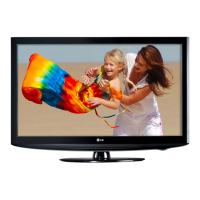
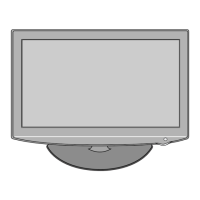
This document is the owner's manual for LG LCD TVs and Plasma TVs, providing essential information for setup, operation, maintenance, and technical specifications.
Function Description:
The devices covered are LG LCD TVs (models 32LC2D, 37LC2D, 42LC2D) and Plasma TVs (models 42PC3D, 42PC3DV, 50PC3D, 42PC3D-UD, 42PC3DV-UD, 50PC3D-UD). These are display units designed for television viewing and can also function as monitors for external devices like PCs. They offer various input options for connecting different audio/video sources and include features for external control via RS-232C.
Important Technical Specifications:
LCD TV Models (32LC2D, 37LC2D, 42LC2D):
- Power Requirement: AC100-240V ~ 50/60Hz.
- 32LC2D: 1.5A
- 37LC2D: 2.0A
- 42LC2D: 2.5A
- Television System: NTSC-M, ATSC, 64 & 256 QAM.
- Program Coverage: VHF 2~13, UHF 14~69, CATV 1~135, CADTV 1~135, DTV 2~69.
- External Antenna Impedance: 75 Ω.
- Operating Temperature Range: 32~104°F (0~40°C).
- Operating Humidity Range: Less than 80%.
Plasma TV Models (42PC3D/3DV-UD, 50PC3D-UD):
- Power Requirement: AC100-240V ~ 50/60Hz 2.0A.
- Television System: NTSC-M, ATSC, 64 & 256 QAM.
- Program Coverage: VHF 2~13, UHF 14~69, CATV 1~135, CADTV 1~135, DTV 2~69.
- External Antenna Impedance: 75 Ω.
- Operating Temperature Range: 32~104°F (0~40°C).
- Operating Humidity Range: Less than 80%.
- Resolution:
- 42PC3D/3DV-UD: 852 x 480 (Dot)
- 50PC3D-UD: 1366 x 768 (Dot)
Supported Display Resolution (RGB-PC, HDMI/DVI Mode):
- 640x350: Horizontal Frequency 31.468 kHz, Vertical Frequency 70.09 Hz.
- 720x400: Horizontal Frequency 31.469 kHz, Vertical Frequency 70.08 Hz.
- 640x480: Horizontal Frequency 31.469 kHz, Vertical Frequency 59.94 Hz; 37.861 kHz, 72.80 Hz; 37.500 kHz, 75.00 Hz.
- 800x600: Horizontal Frequency 35.156 kHz, Vertical Frequency 56.25 Hz; 37.879 kHz, 60.31 Hz; 48.077 kHz, 72.18 Hz; 46.875 kHz, 75.00 Hz.
- 1024x768: Horizontal Frequency 48.363 kHz, Vertical Frequency 60.00 Hz; 56.476 kHz, 70.06 Hz; 60.023 kHz, 75.02 Hz.
- Note: RGB-PC only for some resolutions.
RS-232C Communication Parameters:
- Baud rate: 9600 bps (UART).
- Data length: 8 bits.
- Parity: None.
- Stop bit: 1 bit.
- Communication code: ASCII code.
- Cable: Crossed (reverse) cable.
Usage Features:
Controls (Front Panel):
- CH (Channel) Buttons: Up/Down for channel selection.
- VOL (Volume) Buttons: Up/Down for volume adjustment.
- ENTER Button: Confirms selections.
- MENU Button: Accesses the on-screen menu.
- INPUT Button: Selects input sources.
- ON/OFF Button: Powers the unit on/off.
- Remote Control Sensor: Receives signals from the remote.
- Power/Standby Indicator: Red in standby, green when on.
Connection Options (Rear Panel):
- S-VIDEO Input: For S-Video sources.
- AUDIO Input (L/MONO, R): For stereo audio input.
- VIDEO Input: For composite video sources.
- AV IN 1/2: Multiple AV inputs.
- AV OUT: For connecting to a second TV or monitor.
- COMPONENT IN 1/2 (PB, PR, Y, L, R): For component video and audio.
- HDMI/DVI IN: For high-definition digital video and audio (or DVI video with separate audio).
- RS-232C INPUT (CONTROL&SERVICE): For external control.
- DIGITAL AUDIO OUT OPTICAL: For digital audio output to external audio equipment.
- ANTENNA IN: For antenna connection.
- CABLE IN: For cable TV connection.
- AUDIO IN (RGB/DVI): For audio input when using RGB or DVI video.
- RGB IN (PC/DTV): For PC or DTV (digital television) input.
- REMOTE CONTROL Port: For external remote control systems.
- AC IN: Power input.
Installation:
- Can be installed on a wall or desktop. Designed for horizontal mounting.
- Grounding: Requires connection to an earth ground wire to prevent electric shock. If not possible, a qualified electrician should install a separate circuit breaker. Avoid grounding to telephone wires, lightning rods, or gas pipes.
- Desktop Pedestal Installation: Requires a 4-inch clearance on each side and from the wall for proper ventilation.
- Anti-Tumbling Setup: Instructions are provided to secure the TV to a wall using eye-bolts and brackets (for Plasma models) or a bracket and rope (for LCD models) to prevent accidental tipping, especially important for child safety.
- Monitor Out Setup: The TV has a signal output capability to hook up a second TV or monitor via AV OUTPUT jacks. Component, RGB-PC/RGB-DTV, HDMI/DVI, DTV input sources cannot be used for Monitor out.
- Digital Audio Output: Connects to external audio equipment via the Digital Audio Optical port. Users are advised to turn off TV speakers when using external audio systems. Caution: Do not look into the optical output port due to laser beam.
- PC Setup:
- D-sub 15 pin cable connection: Connects PC RGB output to TV's RGB IN (PC/DTV) and PC audio outputs to TV's AUDIO IN (RGB/DVI). Supports Plug and Play.
- HDMI to DVI cable connection: Connects PC DVI output to TV's HDMI/DVI IN and PC audio outputs to TV's AUDIO IN (RGB/DVI). If PC does not support Auto DVI, adjust PC graphics card output resolution to 1024x768, 60Hz for best quality.
- Screen Setup for PC mode: Allows adjustment of Position (left/right, up/down), Size (to minimize vertical bars/stripes), and Phase (to remove horizontal noise/sharpen image). Reset option available to restore factory values.
External Control Device Setup (RS-232C):
- Allows external control of monitor functions (e.g., via a computer or A/V control system).
- Connects via a D-Sub 9-Pin Male connector. Pin assignments for RXD, TXD, GND, DTR, DSR, RTS, CTS are provided.
- Wiring configurations for 7-Wire (Serial female-female NULL modem cable) and 3-Wire (Not standard) are detailed.
- Command Reference List: Provides a comprehensive list of commands for controlling various TV functions (Power, Input Select, Aspect Ratio, Volume, Contrast, Brightness, Color, Tint, Sharpness, OSD Select, Remote Control Lock, Treble, Bass, Balance, Color Temperature, ISM Method, Low Power, Orbiter Time Setting, Orbiter Pixel Setting, Channel Tuning, Channel Add/Del, Key, Input Select).
- Transmission/Receiving Protocol: Defines the format for sending commands ([Command1][Command2][ ][Set ID][ ][Data][Cr]) and receiving acknowledgements (OK or Error). Set ID allows controlling specific monitors in a multi-monitor setup.
Maintenance Features:
- Cleaning the Screen: Use a soft cloth dampened with lukewarm water and a little fabric softener or dishwashing detergent. Wring the cloth until almost dry, wipe the screen, and allow to air-dry.
- Cleaning the Cabinet: Wipe with a soft, dry, lint-free cloth. Avoid wet cloths.
- Extended Absence: Unplug the power cord during long periods of inactivity (e.g., vacation) to protect against lightning or power surges.
- General Safety Warnings:
- Risk of electric shock: Do not open the cover. Refer servicing to qualified personnel.
- Do not expose to rain or moisture.
- Do not block ventilation openings.
- Protect the power cord from being walked on or pinched.
- Use only manufacturer-specified attachments/accessories.
- Unplug during lightning storms or when unused for long periods.
- Avoid touching the LCD screen for long periods to prevent temporary distortion.
- Caution regarding power cord: Use a dedicated circuit, avoid overloading outlets, periodically examine the cord for damage.
- On Disposal: Fluorescent lamp contains mercury. Dispose of product according to local authority regulations, not general household waste.
- Avoid keeping a fixed image on the screen for a long period to prevent permanent imprinting (burn-in).

 Need help?

 To Next Page
 General