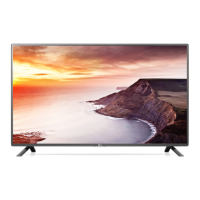
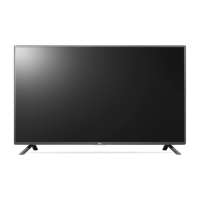
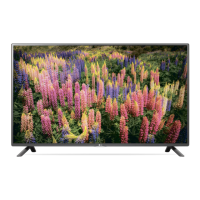
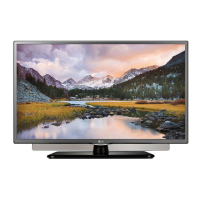
This document serves as the owner's manual for an LG LED TV, specifically the LF58** series, and also includes an external control device setup guide.
Device Description:
The LG LF58** series LED TV is a display product designed for home entertainment, featuring an LCD screen with LED backlights. It offers various connectivity options and user-friendly features.
Important Safety Instructions:
The manual emphasizes several safety precautions to ensure proper operation and prevent hazards. Users are advised to connect the mains cable to a compliant AC mains socket with a grounded earth pin to avoid electric shock. The power cable plug should be fully inserted into the wall socket to prevent fire ignition. It's crucial to keep the power cord away from hot objects like heaters. The TV should not be placed in environments exposed to direct sunlight, high humidity, heat sources, steam, oil, rain, wind, or near containers of water, as these conditions can lead to fire, electric shock, malfunction, or product deformation. Heavy objects or the TV itself should not be placed on power cables. When mounting the TV on a wall, cabling should be neatly installed and isolated to prevent electric shock or fire hazards. The power plug should not be touched with wet hands, and if wet or dusty, it should be dried or wiped clean. Too many electrical devices should not be plugged into a single multiple electrical outlet to avoid overheating. The anti-moisture packing material and vinyl packing should be kept out of reach of children, as they can be harmful if swallowed or cause suffocation. Metallic objects, inflammable objects, or water should not be dropped or sprayed onto the product. Children should not climb or cling onto the TV. Used batteries should be disposed of carefully, and medical attention sought if a child consumes them. Metal objects/conductors should not be inserted between the power cable plug and the input wall socket. The product or antenna should never be touched during a thunder or lightning storm. In case of gas leakage, windows should be opened for ventilation, and the wall outlet should not be touched. The product should not be disassembled, repaired, or modified by the user. If any of the following occur: impact by shock, damage, foreign objects entering, or smoke/strange smell, the product should be unplugged immediately, and the service center contacted. The TV should be unplugged from the AC mains wall socket if unused for a long period to prevent fire hazards from accumulated dust. The apparatus should not be exposed to dripping or splashing liquids, and no objects filled with liquids should be placed on it. The product should not be installed on a wall if exposed to oil or oil mist. If water or other substances enter the product, the power cord should be disconnected, and the service center contacted. Only authorized AC adapters and power cords approved by LG Electronics should be used. The product should not be installed on unstable shelves or inclined surfaces, or where there is vibration or insufficient support, to prevent falling or flipping over. If installed on a stand, measures should be taken to prevent overturning. When wall mounting, a VESA standard mounting interface (optional parts) should be attached to the back, and fixed carefully. Only manufacturer-specified attachments/accessories should be used. Antenna installation should be performed by a qualified service technician.
Usage Features:
The TV is recommended to be viewed from a distance of 2 to 7 times the diagonal screen size to prevent blurred vision. Only the specified type of battery should be used for the remote control, and new batteries should not be mixed with old ones. Batteries should not be exposed to excessive heat. Non-rechargeable batteries should not be placed in a charging device. The remote control sensor should be unobstructed. The product should not be turned On/Off by plugging/unplugging the power plug. Installation instructions for preventing overheating include maintaining a distance of more than 10 cm from the wall, avoiding installation in places with no ventilation, on carpets or cushions, and ensuring air vents are not blocked. The ventilation openings may become hot during long periods of use. The appliance cord should be periodically examined for damage. The screen should not be pressed strongly or touched with sharp objects. The screen should not be touched or held with fingers for long periods to prevent temporary or permanent distortion/damage. When moving or unpacking, two people should handle the product due to its weight.
The TV features a joystick button for basic operations:
- Power On: Press once when off.
- Power Off: Press and hold for a few seconds when on.
- Volume Control: Move left/right.
- Programmes Control: Move up/down to scroll through saved programs.
- Menu Adjustment: Press once when on, then move up/down/left/right to adjust menu items. Options include turning power off, clearing on-screen displays, changing input source, and accessing the main menu.
Mounting and Securing:
- On a Table: Lift and tilt the TV into an upright position on a table, ensuring a minimum 10 cm space from the wall for ventilation. Connect the power cord to a wall outlet. Avoid placing the TV near heat sources.
- Kensington Security System: (Not available on all models) The connector is at the rear. Refer to the Kensington manual for installation.
- Securing to a Wall: (Not available on all models) Insert and tighten eye-bolts or TV brackets and bolts on the back of the TV. Mount wall brackets to the wall, matching their location with the eye-bolts. Connect eye-bolts and wall brackets tightly with a sturdy rope, keeping it horizontal. Ensure children do not climb or hang on the TV. Use a strong platform or cabinet. Brackets, bolts, and ropes are not provided.
- Wall Mounting: Attach an optional VESA standard wall mount bracket to the rear of the TV and install it on a solid wall perpendicular to the floor. Qualified professional installers are recommended. LG's wall mount bracket is suggested for ease of cable connection. If not using LG's bracket, ensure adequate space for external device connectivity. All cables should be connected before installing fixed wall mounts. Use VESA standard screws and wall mounts. Screw length from the outer surface of the back cover should be under 8 mm (only LF49**). Wall mount spacers may be needed to adjust the vertical angle.
Connectivity:
The TV supports various external devices including HD receivers, DVD players, VCRs, audio systems, USB storage devices, PCs, and gaming devices.
- Antenna Connection: Connect to a wall antenna socket with an RF cable (75 Ω). A signal splitter can be used for multiple TVs. A signal amplifier may be needed for poor image quality. Realign the antenna if image quality is poor. Supported DTV Audio: MPEG, Dolby Digital, Dolby Digital Plus, HE-AAC.
- Satellite Dish Connection: (Satellite models only) Connect to a satellite dish with a satellite RF cable (75 Ω).
- Adapter Connection: (Depending on model) Connect the TV to the AC-DC power adapter before plugging into a wall outlet.
- Euro Scart Connection: (Depending on model) Transmits video and audio signals. Output types include Digital TV and Analogue TV. Scart cables must be signal shielded.
- CI Module Connection: (Depending on model) For encrypted digital TV services. Insert the CI module correctly into the PCMCIA card slot. Contact the service operator if no video/audio is displayed.
- USB Connection: Some USB Hubs may not work. Connect USB devices directly if a hub is not detected.
- Other Connections: HDMI cables are recommended for best picture and audio quality.
Remote Control:
The manual describes the buttons on the remote control. Batteries (1.5 V AAA) should be replaced according to the polarity markings. The remote control may not be included in all sales markets.
- B Section: Volume control (+/-), Favorite program list (FAV), Information (INFO), Mute (MUTE), Program scroll (PAGE), Settings (SETTINGS), Home menu (SMART), Apps list (MY APPS).
- C Section: Teletext buttons (TEXT/T.OPT), Navigation buttons (up/down/left/right), OK button, Back (BACK), Exit (EXIT), APP/* (MHP TV menu), REC/* (record menu), LIVE TV, Control buttons (play, pause, stop, fast forward, rewind), Colored buttons (Red, Green, Yellow, Blue).
- A Section: Power (POWER), TV/RAD/DTV program selection (TV/RAD), Subtitle (SUBTITLE), Quick menus (Q.MENU), Program guide (GUIDE), Audio descriptions (AD), Input source (INPUT), Number buttons, Saved program list (LIST), Space (Space), Previously viewed program (Q.VIEW).
Maintenance:
- Cleaning: Regularly clean the TV for best performance and extended lifespan. Turn off power and disconnect all cables first. If unused for a long time, disconnect the power cord from the wall outlet.
- Screen, Frame, Cabinet, Stand: For dust or light dirt, wipe with a dry, clean, soft cloth. For major dirt, wipe with a soft cloth dampened in clean water or mild detergent, then immediately with a dry cloth. Avoid touching the screen to prevent damage, pushing/rubbing/hitting with fingernails or sharp objects. Do not use chemicals or spray liquid onto the surface.
- Power Cord: Regularly remove accumulated dust or dirt.
Troubleshooting:
- Remote Control Issues: Check sensor, obstacles, and battery installation.
- No Image/Sound: Check if TV is on, power cord connection, and wall outlet.
- TV Turns Off Suddenly: Check power control settings, Automatic Standby/Sleep Timer/Off Time in TIME settings. TV turns off after 15 minutes of inactivity if no signal.
- "No signal" or "Invalid Format" with PC (HDMI): Turn TV off/on, reconnect HDMI cable, restart PC with TV on.
External Control Device Setup:
This section details how to control the TV externally using a computer or A/V control system.
- USB to Serial Converter with USB Cable: LGTV supports PL2303 chip-based (Vendor ID: 0x0557, Product ID: 0x2008) USB to serial converters. Cable is not provided.
- RS-232C with RS232C Cable: For DE9 (D-Sub 9pin) type, a female-to-female RS-232C cable is required. Cable is not provided.
- Phone Jack Type: A phone-jack to RS-232 cable is required.
- RS-232C Configurations: 3-Wire Configurations (Not standard) for PC and TV (RXD, TXD, GND) are provided for D-Sub 9 and Phone connections.
- Set ID: The Set ID number (1-99) can be adjusted in the TV's settings menu (SETTINGS -> *General -> About this TV or OPTION -> SET ID).
Communication Parameters:
- Baud rate: 9600 bps (UART)
- Data length: 8 bits
- Parity: None
- Stop bit: 1 bit
- Communication code: ASCII code
- Cable: Use a crossed (reverse) cable.
Command Reference List (Hexadecimal Data):
The manual provides a comprehensive list of commands for external control, including:
- Power (ka): 00 (Off), 01 (On).
- Aspect Ratio (kc): 01 (Normal screen 4:3), 02 (Wide screen 16:9), 04 (Zoom), 05 (Zoom 2), 06 (Set by Program/Original), 07 (14:9), 09 (Just Scan), 0B (Full Wide), 10-1F (Cinema Zoom 1-16), 0c (21:9).
- Screen Mute (kd): 00 (Screen mute off/Video mute off), 01 (Screen mute on/Picture off), 10 (Video mute on).
- Volume Mute (ke): 00 (Volume mute on/off), 01 (Volume mute off/on).
- Volume Control (kf): Data Min: 00 to Max: 64.
- Contrast (kg): Data Min: 00 to Max: 64.
- Brightness (kh): Data Min: 00 to Max: 64.
- Color/Colour (ki): Data Min: 00 to Max: 64.
- Tint (kj): Data Red: 00 to Green: 64.
- Sharpness (kk): Data Min: 00 to Max: 32.
- OSD Select (kl): 00 (OSD off), 01 (OSD on).
- Remote Control Lock Mode (km): 00 (Lock off), 01 (Lock on).
- Treble (kr): Data Min: 00 to Max: 64.
- Bass (ks): Data Min: 00 to Max: 64.
- Balance (kt): Data Min: 00 to Max: 64.
- Color Temperature (xu): Data Min: 00 to Max: 64.
- ISM Method (jp): (Plasma TV only) 02 (Orbiter), 08 (Normal), 20 (Color Wash).
- Equalizer (jv): Adjusts EQ settings for 1st to 4th bands.
- Energy Saving (jq): 00 (Off), 01 (Minimum), 02 (Medium), 03 (Maximum), 04 (Auto/Intelligent sensor), 05 (Screen off).
- Tune Command (ma): Selects channel by physical number (Data 00, Data 01 for high/low byte channel data, Data 02 for input source). Examples for Analog antenna, Digital antenna (DVB-T), Satellite (DVB-S), and ATSC/ISDB models are provided.
- Channel (Programme) Add/Del(Skip) (mb): 00 (Del/Skip), 01 (Add).
- Key (mc): Sends IR remote key code (refer to p.2 for key codes).
- Control Backlight (mg): (LCD TV/LED TV) Data Min: 00 to Max: 64.
- Control Panel Light (mg): (Plasma TV) Data Min: 00 to Max: 64.
- Input Select (xb): Selects input source for main picture. Data includes DTV, CADTV, ATV, CATV, AV1/AV2, Component1/Component2, RGB, HDMI1-4.
- 3D (xt): (3D models only) Changes 3D mode. Data includes 3D On/Off, 3D to 2D, 2D to 3D, Top and Bottom, Side by Side, Check Board, Frame Sequential, Column/Row interleaving, Right to Left/Left to Right, and 3D Effect (Depth).
- Extended 3D (xv): (3D models only) Changes 3D option. Data includes 3D Picture Correction, 3D Depth, 3D Viewpoint, 3D Color Correction, 3D Sound Zooming, Normal Image View, 3D Mode (Genre).
- Auto Configure (ju): Adjusts picture position and minimizes image shaking automatically (RGB PC mode only). Data 01: To set.
Technical Specifications:
- Wireless LAN Module (TWFM-B006D):
- Standard: IEEE802.11a/b/g/n
- Frequency Range: 2400 to 2483.5 MHz, 5150 to 5250 MHz, 5725 to 5850 MHz (for Non EU).
- Output Power (Max.): 802.11a: 11 dBm, 802.11b: 14 dBm, 802.11g: 10.5 dBm, 802.11n-2.4 GHz: 11 dBm, 802.11n-5 GHz: 12.5 dBm.
- CI Module (W x H x D): 100.0 mm x 55.0 mm x 5.0 mm.
- Operating Temperature: 0 °C to 40 °C.
- Operating Humidity: Less than 80%.
- Storage Temperature: -20 °C to 60 °C.
- Storage Humidity: Less than 85%.
- Television System:
- Digital TV (Depending on model): DVB-T (DVB-T/T2*), DVB-C, DVB-S/S2*.
- Analogue TV (Depending on model): PAL/SECAM B/G/I/D/K, SECAM L/L'.
- Programme Coverage: VHF, UHF, C-Band*, Ku-Band* (Digital TV); VHF, UHF, CATV (Analogue TV).
- Maximum Number of Storable Programmes: DVB-S/S2: 6,000; DVB-T/T2/C & Analogue TV: 1,500.
- External Antenna Impedance: 75 Ω.
- AC-DC Adaptor:
- 22LF49 (LCAP35/DA-48F19): Input: AC 100-240 V~50/60 Hz, Output: 19 V === 2.53 A.
- 28LF49 (LCAP39/DA-65G19): Input: AC 100-240 V~50/60 Hz, Output: 19 V === 3.42 A.
Dimensions and Weight (LF58 Series):**
| Model |
A x B x C (mm) |
A x E x F (mm) |
D (kg) |
D - (G1+G2) (kg) |
Power Requirement |
Power Consumption |
| 32LF5800-ZA, 32LF580V-ZA, 32LF5809-ZA, 32LF580U-ZA |
732 x 481 x 207 |
732 x 437 x 55.5 |
6.2 |
6.0 |
AC 100-240 V~50/60 Hz |
75 W |
| 42LF5800-ZA, 42LF580V-ZA, 42LF5809-ZA |
961 x 610 x 218 |
961 x 567 x 55.5 |
9.5 |
9.2 |
AC 100-240 V~50/60 Hz |
110 W |
| 50LF5800-ZA, 50LF580V-ZA, 50LF5809-ZA |
1128 x 708 x 255 |
1128 x 660 x 55.8 |
14.2 |
13.8 |
AC 100-240 V~50/60 Hz |
130 W |
| 55LF5800-ZA, 55LF580V-ZA, 55LF5809-ZA |
1243 x 772 x 255 |
1243 x 725 x 56.8 |
17.7 |
17.3 |
AC 100-240 V~50/60 Hz |
140 W |
Energy Efficiency Data (LF58 Series):**
| Model |
Specific Power in Operating Mode (W/cm²) |
Power Consumption in Standby Mode (W) |
Power Consumption in Off Mode |
| 32LF5800-ZA, 32LF580V-ZA, 32LF5809-ZA, 32LF580U-ZA |
0.028 |
0.3 |
Absent |
| 42LF5800-ZA, 42LF580V-ZA, 42LF5809-ZA |
0.023 |
0.3 |
Absent |
| 50LF5800-ZA, 50LF580V-ZA, 50LF5809-ZA |
0.02 |
0.3 |
Absent |
| 55LF5800-ZA, 55LF580V-ZA, 55LF5809-ZA |
0.018 |
0.3 |
Absent |
| *Note: Specified models do not have an "off mode." To fully turn off the TV, disconnect it from the mains. |
|
|
|
Licenses:
The device supports various licenses, including DOLBY DIGITAL PLUS, DIVX HD, HDMI, and DTS 2.0+Digital Out. More information is available on www.lg.com.
Open Source Software Notice:
Source code under GPL, LGPL, MPL, and other open source licenses can be obtained from http://opensource.lge.com. LG Electronics also provides source code on CD-ROM for a charge, valid for three years from the purchase date.
External Control Device Setup:
Information for setting up external control devices can be found at www.lg.com.

 Need help?

 To Next Page
 General