EasyManua.ls Logo

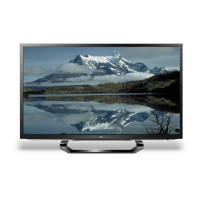
LG 32LM620Y - User Manual

LG 32LM620Y
79 pages
Print Icon
To Next Page IconTo Next Page
Loading...
Printed in KoreaP/NO : MFL67441813 (1202-REV00)
CHASSIS : LB22E
MODEL : 32LM6200 32LM6200-TA
MODEL : 32LM620Y 32LM620Y-TA
CAUTION
BEFORE SERVICING THE CHASSIS,
READ THE SAFETY PRECAUTIONS IN THIS MANUAL.
LED LCD TV
SERVICE MANUAL
North/Latin America http://aic.lgservice.com
Europe/Africa http://eic.lgservice.com
Asia/Oceania http://biz.lgservice.com
Internal Use Only

Questions and Answers

  • K
    Keith ZavalaAug 16, 2025
    What to do if my LG LCD TV has no image and sound?
    • B
      bcordovaAug 16, 2025
      If your LG LCD TV isn't showing an image and there's no sound, first ensure the TV is actually powered on. Next, verify that the power cord is securely connected to both the TV and the wall outlet. Lastly, test the wall outlet by plugging in another device to confirm it's working correctly.
  • J
    Jaime RichardAug 19, 2025
    Why does my LG TV turn off suddenly?
    • B
      berrydanielAug 19, 2025
      If your LG TV turns off unexpectedly, it could be due to a few reasons. First, ensure that the power supply isn't interrupted and check the power control settings. Also, the Auto sleep feature in the Time settings might be enabled. Finally, the TV is designed to turn off automatically after 15 minutes of inactivity if no signal is detected.
  • C
    Carolyn ValenciaAug 22, 2025
    How to fix LG TV remote control not working?
    • T
      Tracy McculloughAug 22, 2025
      If you're unable to control your LG TV with the remote, try these steps: First, check the remote control sensor on the TV and try again. Ensure there are no obstructions between the remote and the TV. Finally, verify that the batteries in the remote are working and correctly installed, paying attention to the to , to orientation.
  • J
    John NortonAug 26, 2025
    Why does my LG LED TV turn off by itself?
    • M
      Michael SanchezAug 26, 2025
      If your LG LED TV is turning off suddenly, there might be a few reasons: * Check the power control settings to ensure the power supply isn't being interrupted. * See if the Auto sleep feature is activated in the Time settings. * If the TV is on but not receiving a signal, it will automatically turn off after 15 minutes of inactivity.
  • K
    krista25Aug 28, 2025
    How to fix LG LED TV remote control not working?
    • T
      Tanya WarnerAug 28, 2025
      If you can't control your LG LED TV with the remote, try these steps: * Check the remote control sensor on the TV and try again. * Make sure there are no obstacles blocking the path between the remote and the TV. * Check the batteries in the remote to ensure they are working and correctly installed.
  • C
    Christopher PhillipsAug 31, 2025
    Why does my LG 32LM620Y turn off by itself?
    • J
      Jamie PopeAug 31, 2025
      If your LG LCD TV is turning off unexpectedly, you should first check the power control settings to ensure the power supply isn't being interrupted. Also, verify that the Auto sleep feature is not enabled within the Time settings. Lastly, be aware that if the TV doesn't receive a signal for 15 minutes while it's on, it will automatically shut off.
  • H
    Henry JohnsonSep 3, 2025
    How to fix an LG LCD TV remote that is not working?
    • S
      Shelly MyersSep 3, 2025
      If you're unable to control your LG LCD TV with the remote, start by checking the remote control sensor on the TV and try again. Make sure there are no obstructions between the remote and the TV. Also, ensure the batteries in the remote are working and correctly installed.
  • L
    Laura SnyderSep 6, 2025
    What to do if my LG 32LM620Y LCD TV turns off suddenly?
    • R
      Rhonda RobertsonSep 7, 2025
      If your LG LCD TV turns off suddenly, check the power control settings to ensure the power supply isn't interrupted. Also, verify if the Sleep Timer feature is activated in the Time settings. Note that the TV will turn off automatically after 15 minutes of inactivity if there is no signal while the TV is on.
  • K
    Kimberly BentleySep 9, 2025
    What to do if LG 32LM620Y LCD TV remote control is not working?
    • S
      Stephanie WilsonSep 9, 2025
      If you cannot control your LG LCD TV with the remote, first check the remote control sensor on the TV and try again. Ensure there are no obstacles between the remote and the TV. Finally, check if the batteries in the remote are working and properly installed.
  • S
    Stephanie DavisSep 12, 2025
    What to do if my LG LED TV says 'No signal' when connecting to PC?
    • T
      Thomas RuizSep 13, 2025
      If your LG LED TV displays 'No signal' or 'Invalid Format' when connected to a PC via RGB/HDMI DVI, try the following: 1. Turn the TV off and on again using the remote control. 2. Reconnect the RGB/HDMI cable. 3. Restart your PC while the TV is on.

LG 32LM620Y Specifications

General IconGeneral
Screen Size32 inches
Display TypeLCD
Smart TVYes
HDMI Ports3
USB Ports2
Backlight TypeDirect LED
Refresh Rate50Hz
HDR SupportNo
Operating SystemwebOS
WiFiYes
BluetoothNo
Resolution1920 x 1080
Weight4.7 kg

Related product manuals