EasyManua.ls Logo

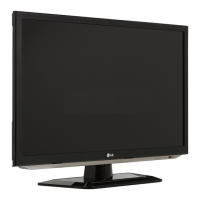
LG 32LM6200 - User Manual

LG 32LM6200
44 pages
Print Icon
To Next Page IconTo Next Page
Loading...
www.lg.com
Please read this manual carefully before operating your set
and retain it for future reference.
P/NO : MFL67468132 (1205-REV03)
OWNER’S MANUAL
LED LCD TV
LM6200 series
LM6210 series
LM6250 series
LM6400 series
LM6450 series
LM6700 series
LM7600 series

Other manuals for LG 32LM6200

Questions and Answers

  • K
    Kelsey RogersAug 16, 2025
    What to do if my LG LCD TV has no image and sound?
    • R
      Rachel ShieldsAug 16, 2025
      If your LG LCD TV isn't showing an image and there's no sound, first ensure the TV is actually powered on. Next, verify that the power cord is securely connected to both the TV and the wall outlet. Lastly, test the wall outlet by plugging in another device to confirm it's working correctly.
  • M
    michael85Aug 19, 2025
    Why does my LG TV turn off suddenly?
    • A
      Andrew SmithAug 19, 2025
      If your LG TV turns off unexpectedly, it could be due to a few reasons. First, ensure that the power supply isn't interrupted and check the power control settings. Also, the Auto sleep feature in the Time settings might be enabled. Finally, the TV is designed to turn off automatically after 15 minutes of inactivity if no signal is detected.
  • W
    Wesley TorresAug 22, 2025
    How to fix LG TV remote control not working?
    • A
      amyhayesAug 22, 2025
      If you're unable to control your LG TV with the remote, try these steps: First, check the remote control sensor on the TV and try again. Ensure there are no obstructions between the remote and the TV. Finally, verify that the batteries in the remote are working and correctly installed, paying attention to the to , to orientation.
  • M
    murillocourtneyAug 25, 2025
    Why does my LG LED TV turn off by itself?
    • S
      Sara MillerAug 26, 2025
      If your LG LED TV is turning off suddenly, there might be a few reasons: * Check the power control settings to ensure the power supply isn't being interrupted. * See if the Auto sleep feature is activated in the Time settings. * If the TV is on but not receiving a signal, it will automatically turn off after 15 minutes of inactivity.
  • J
    joshuahooverAug 28, 2025
    How to fix LG LED TV remote control not working?
    • M
      Michael MillerAug 28, 2025
      If you can't control your LG LED TV with the remote, try these steps: * Check the remote control sensor on the TV and try again. * Make sure there are no obstacles blocking the path between the remote and the TV. * Check the batteries in the remote to ensure they are working and correctly installed.
  • J
    Jordan VelasquezAug 30, 2025
    Why does my LG 32LM6200 turn off by itself?
    • C
      Christie PatelAug 31, 2025
      If your LG LCD TV is turning off unexpectedly, you should first check the power control settings to ensure the power supply isn't being interrupted. Also, verify that the Auto sleep feature is not enabled within the Time settings. Lastly, be aware that if the TV doesn't receive a signal for 15 minutes while it's on, it will automatically shut off.
  • A
    Abigail BenjaminSep 2, 2025
    How to fix an LG LCD TV remote that is not working?
    • M
      michaelrobertSep 3, 2025
      If you're unable to control your LG LCD TV with the remote, start by checking the remote control sensor on the TV and try again. Make sure there are no obstructions between the remote and the TV. Also, ensure the batteries in the remote are working and correctly installed.
  • S
    Samuel VargasSep 6, 2025
    What to do if my LG 32LM6200 LCD TV turns off suddenly?
    • C
      charles23Sep 6, 2025
      If your LG LCD TV turns off suddenly, check the power control settings to ensure the power supply isn't interrupted. Also, verify if the Sleep Timer feature is activated in the Time settings. Note that the TV will turn off automatically after 15 minutes of inactivity if there is no signal while the TV is on.
  • M
    Mrs. Tiffany Boyd MDSep 8, 2025
    What to do if LG 32LM6200 LCD TV remote control is not working?
    • S
      Samantha WrightSep 9, 2025
      If you cannot control your LG LCD TV with the remote, first check the remote control sensor on the TV and try again. Ensure there are no obstacles between the remote and the TV. Finally, check if the batteries in the remote are working and properly installed.
  • J
    Janice WilliamsonSep 12, 2025
    What to do if my LG LED TV says 'No signal' when connecting to PC?
    • J
      Jessica SparksSep 12, 2025
      If your LG LED TV displays 'No signal' or 'Invalid Format' when connected to a PC via RGB/HDMI DVI, try the following: 1. Turn the TV off and on again using the remote control. 2. Reconnect the RGB/HDMI cable. 3. Restart your PC while the TV is on.

Summary

Important Safety Instructions

General Safety Warnings and Electrical Precautions

Essential warnings for preventing electric shock, fire, safe operation, and proper plug use.

Viewing 3 D Imaging

Installation Procedure

Assembling and Preparing the TV

Steps for unpacking, optional extras, parts identification, and safe handling.

TV Installation and Mounting

Procedures for setting up the TV on a table or wall, including cable management.

Making Connections

Remote Control

Magic Remote Control Functions

Explains the features and operation of the Magic Remote Control.

Watching TV

Initial TV Setup and First Use

Steps for turning on the TV for the first time and configuring basic settings.

Maintenance & Troubleshooting

TV Maintenance and Cleaning Procedures

Guidelines for cleaning the screen, frame, and power cord for optimal performance.

Troubleshooting Common TV Issues

Solutions for problems like remote control issues, no display, and sudden power off.

Child Safety

LG 32LM6200 Specifications

General IconGeneral
Screen Size32 inches
Display TypeLCD
Smart TVYes
HDMI Ports3
USB Ports2
Wi-FiYes
Refresh Rate60Hz
HDR SupportNo
Operating SystemwebOS
EthernetYes
BluetoothNo
Resolution1920 x 1080
Audio Output10W x 2

Related product manuals