Need help?
Do you have a question about the LG 32LM637BPLA and is the answer not in the manual?
Warnings and precautions related to electrical shock hazards.
Guidelines to prevent fire, ensure proper placement, ventilation, and lightning safety.
Precautions for handling power cords, adapters, and connections.
Advice on safe handling, using approved accessories, and avoiding unauthorized modifications.
Precautions for child safety and steps for emergency situations.
Advice to prevent the TV from being scratched or damaged during transport.
Instructions for placing the TV upright on a table for proper ventilation.
Guidance on securely attaching the TV to a wall mount.
Instructions for connecting the TV to a wall antenna socket.
Guidance on connecting the TV to a satellite dish.
Instructions for using a ferrite core to reduce electromagnetic interference.
Basic steps to power on the TV and operate its functions.
Process for pairing the Magic Remote Control with the TV.
Explanation of buttons and functions on the Magic Remote Control.
Explanation of buttons and functions on the standard remote control.
Guidance on connecting devices via HDMI and supported audio formats.
Instructions for connecting USB devices and recommended cable specifications.
How to insert and use the CI module for pay TV services.
Connecting various external devices like Blu-ray players, PCs, and gaming consoles.
Solutions for problems with the TV remote control.
Troubleshooting steps for issues with image display and audio output.
Reasons and solutions for the TV turning off unexpectedly.
Troubleshooting steps for no signal when connecting via HDMI.
Explanations for pixel variations and screen brightness differences.
Information about common noises like cracking or buzzing from the TV.
Technical details for digital and analogue TV broadcasting systems.
Technical details for Wireless LAN and Bluetooth modules.
Operating and storage temperature and humidity ranges.
Details on open source licenses and obtaining source code.
Information about patents and licensing for technologies used in the TV.
This document is an owner's manual for an LG LED TV, providing essential information for safe operation, setup, and maintenance.
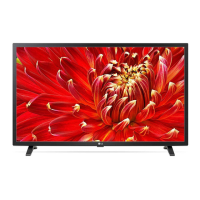
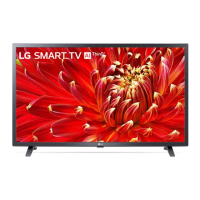
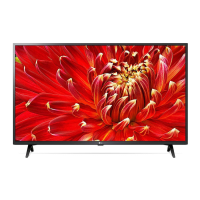
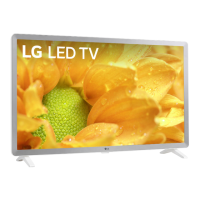
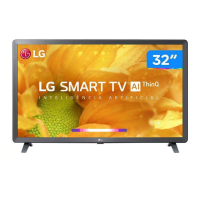
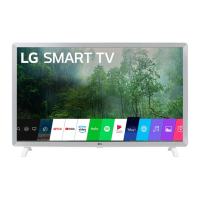
The LG LED TV is a display device that uses an LCD screen with LED backlights to provide visual content. It supports various broadcasting specifications, including Digital TV (DVB-S/S2, DVB-C, DVB-T/T2) and Analogue TV (PAL, SECAM standards), allowing users to access a wide range of television channels. The TV is designed for both table-top and wall-mounted installations, offering flexibility in placement. It features multiple input options, including HDMI and USB, to connect external devices such as Blu-ray players, HD receivers, DVD players, VCRs, audio systems, USB storage devices, PCs, and gaming consoles. The TV also supports CI modules for viewing encrypted (pay) services in digital TV mode. For enhanced control, the TV can be operated using a standard remote control or an optional Magic Remote Control, which offers additional functionalities like voice recognition and pointer control. The TV is equipped with features to manage electromagnetic interference, such as the use of a ferrite core on the power cord.
The TV can be turned on and off using a single button on the device or via the remote control. The on-device button also allows for basic menu control, including adjusting volume, changing input sources, and scrolling through saved programs. The remote control provides comprehensive control over the TV's functions. The standard remote includes number buttons for direct channel access, program list access, program guide display, teletext functions, quick access to specified apps or Live TV, volume adjustment, program scrolling, home menu access, input source selection, and media control buttons. The optional Magic Remote offers similar functionalities but enhances the user experience with a "Wheel (OK)" button for menu selection, up/down/left/right navigation, and a pointer function that disappears when navigation buttons are pressed and reappears when the remote is shaken. It also includes voice recognition (requiring a network connection), quick settings access, and streaming service buttons. The TV supports HDMI Audio formats like DTS, DTS HD, Dolby Digital, Dolby Digital Plus, and PCM. For optimal connection with USB devices, it is recommended that bezels are less than 10 mm thick and 18 mm wide, with an extension cable supporting USB 2.0 for larger devices. In PC mode, users can adjust resolution, refresh rate, brightness, and contrast to optimize picture clarity. The TV is designed to display HDR (High Dynamic Range) pictures for LM series models via the Internet, USB, and HDMI 1.4 compatible devices.
Proper installation is crucial for the TV's longevity and safety. When mounting on a table, a minimum 10 cm space from the wall is recommended for ventilation. For wall mounting, it is advised to use LG's wall mount bracket or a VESA standard mounting interface, ensuring the TV is adequately secured and all cables are connected before fixing it. The manual emphasizes not to apply foreign substances to screw parts during assembly and to prevent the TV from overturning. When moving the TV, it should be turned off, unplugged, and all cables removed. For larger TVs, two or more people are recommended for carrying, holding the top and bottom frame firmly, avoiding the screen, transparent parts, speakers, or speaker grill areas. The TV should be kept upright during transport, avoiding jolts or excessive vibration.
For cleaning, the power cord should be unplugged, and the TV wiped gently with a soft/dry cloth. It is important not to spray water or other liquids directly onto the TV and to avoid using chemicals like glass cleaner, air fresheners, insecticides, lubricants, wax, abrasives, thinner, benzene, or alcohol, as these can damage the product or its panel. Batteries for the remote control should be stored out of reach of children, not short-circuited, disassembled, or overheated, and disposed of properly according to local regulations. When replacing batteries, ensure correct polarity to prevent overheating or leakage. The manual also addresses troubleshooting common issues such as remote control malfunction, no image/sound, sudden TV shutdown, and no signal detected when connecting to a PC via HDMI. It explains that minor visual anomalies like tiny black or brightly colored dots (1 ppm) are normal for advanced panels and do not indicate a malfunction. "Cracking" noises due to thermal contraction and low-level electrical humming from switching circuits are also described as normal operating characteristics.
 General
| Screen shape | Flat |
|---|---|
| Response time | - ms |
| Display diagonal | 32 \ |
| Display brightness | - cd/m² |
| Display resolution | 1366 x 768 pixels |
| Display technology | LED |
| Native aspect ratio | 16:9 |
| Native refresh rate | 60 Hz |
| LED backlighting type | Direct-LED |
| Display diagonal (metric) | 80.1 cm |
| Motion interpolation technology | - |
| Tuner type | Digital |
| Auto channel search | Yes |
| Digital signal format system | DVB-C, DVB-S2, DVB-T, DVB-T2 |
| Operating system installed | Web OS |
| Audio decoders | DTS, Dolby Digital |
| RMS rated power | 20 W |
| Number of speakers | 2 |
| Ethernet LAN | No |
| Stand type | Connected stand |
| Product color | Black |
| Panel mounting interface | 200 x 200 mm |
| Processor cores | 4 |
| Picture processing technology | LG AI Picture |
| High Dynamic Range (HDR) technology | High Dynamic Range 10 Pro (HDR10 Pro), Hybrid Log-Gamma (HLG) |
| HDMI ports quantity | 3 |
| USB 2.0 ports quantity | USB 2.0 ports have a data transmission speed of 480 Mbps, and are backwards compatible with USB 1.1 ports. You can connect all kinds of peripheral devices to them. |
| Ethernet LAN (RJ-45) ports | 1 |
| USB 3.2 Gen 1 (3.1 Gen 1) Type-A ports quantity | 0 |
| AC input voltage | 100 - 240 V |
| AC input frequency | 56/60 Hz |
| Power consumption (standby) | 0.5 W |
| Power consumption (typical) | 33 W |
| Certification | DLNA |
| Cables included | AC |
 Weight and Dimensions
| Depth (with stand) | 180 mm |
|---|---|
| Width (with stand) | 736 mm |
| Height (with stand) | 464 mm |
| Weight (with stand) | 4700 g |
| Depth (without stand) | 82.9 mm |
| Height (without stand) | 437 mm |
| Weight (without stand) | 4650 g |

 To Next Page