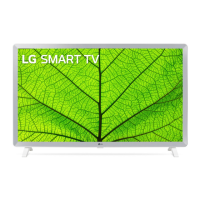
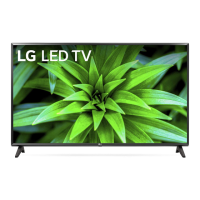
Need help?
Do you have a question about the LG 32LM631C and is the answer not in the manual?
Description of basic TV operations like power, menu control, and selection.
How to navigate and adjust TV settings using the menu and navigation buttons.
Explanation of normal display characteristics like pixel variations and potential image sticking.
Information on sounds like cracking or humming and their causes, assuring no impact on performance.
Details on Wireless LAN and Bluetooth module specifications including frequency and output power.
Operating and storage conditions for temperature and humidity.
This document is an owner's manual for an LG LED TV, providing essential information for safe operation, setup, and maintenance. It covers various aspects from initial preparation to troubleshooting and external device connections.
The primary function of this device is to display television programming and content from external sources. It is designed for home use and offers a range of features to enhance the viewing experience.
The TV can be operated using a remote control or buttons located on the device itself. The remote control provides comprehensive access to various functions, including power on/off, channel selection, volume adjustment, input source switching, and menu navigation. Specific buttons are dedicated to accessing quick settings, subtitle options, favorite channel lists, program guides, and streaming services. There are also control buttons for media content playback and special functions within menus. For basic operations, the TV has a button that allows users to power on/off, change input sources, adjust volume, and scroll through saved programs.
The TV supports connections to various external devices such as Blu-ray players, HD receivers, DVD players, VCRs, audio systems, USB storage devices, PCs, and gaming consoles. It is recommended to connect external devices using HDMI cables for optimal picture and audio quality. The TV also features an antenna/cable input for receiving broadcast signals and a satellite dish input for satellite programming. For encrypted (pay) digital TV services, a CI module can be inserted into the PCMCIA card slot.
The manual emphasizes proper setup, including mounting the TV on a table or wall. When mounting on a table, a minimum 10 cm space from the wall is recommended for ventilation. For wall mounting, it advises using a VESA standard bracket and ensuring all cables are connected before installing fixed wall mounts. It also suggests covering the stand hole with tape to prevent dust and insects from entering.
The manual provides crucial safety instructions to ensure the longevity and safe operation of the TV. It warns against electric shock and fire hazards, advising users not to open the cover or expose the product to rain or moisture. Proper ventilation is highlighted, with instructions not to install the TV in confined spaces or block ventilation openings.
Regarding power, users are advised to protect the power cord from physical abuse, avoid using damaged cords, and grasp the plug when unplugging. It also warns against connecting too many devices to a single AC outlet. For outdoor antennas, grounding precautions are detailed to protect against voltage surges and static charges.
The manual stresses the importance of proper grounding for TVs with three-prong grounded AC plugs. It advises against touching the apparatus or antenna during lightning storms and warns against inserting metallic or inflammable objects into the product. In case of damage, smoke, or other unusual odors, users are instructed to unplug the product immediately and contact customer service. Unauthorized modifications are strongly discouraged.
For cleaning, the manual recommends unplugging the power cord and wiping the TV gently with a soft/dry cloth. It explicitly warns against spraying water or other liquids directly on the TV and against using chemicals like glass cleaner, air fresheners, insecticides, lubricants, wax, abrasives, thinners, benzene, or alcohol, as these can damage the product or its panel. When cleaning the panel, care should be taken to prevent liquids or foreign objects from entering the gaps.
Battery maintenance for the remote control involves replacing them with 1.5 V AAA batteries, ensuring correct polarity. Users are warned not to short-circuit, disassemble, or overheat batteries, and not to dispose of them in fire.
The manual also addresses common troubleshooting scenarios, such as the remote control not working, no image or sound, or the TV turning off suddenly. It suggests checking batteries, power connections, input sources, and power control settings. For PC connections, it advises reconnecting HDMI cables and restarting the PC if no signal is detected.
It also explains abnormal display phenomena, such as "flicker" when the TV is cold, tiny black or colored dots (pixels), and variations in brightness/color depending on viewing position, clarifying that these are normal characteristics of the panel and not malfunctions. It warns against "image sticking" from prolonged display of still images. Generated sounds like "cracking" from thermal contraction and "humming/buzzing" from high-speed switching circuits are also explained as normal and not indicative of product performance issues.
 General
| Screen Size | 32 inches |
|---|---|
| Resolution | 1366 x 768 |
| Display Type | LED |
| Smart TV | Yes |
| HDMI Ports | 2 |
| USB Ports | 1 |
| Refresh Rate | 50Hz |

 To Next Page