EasyManua.ls Logo

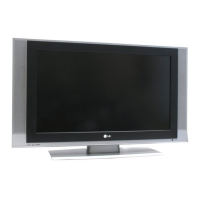
LG 32LQ630HUA - User Manual

LG 32LQ630HUA
125 pages
Print Icon
To Next Page IconTo Next Page
Loading...
www.lg.com
Please read this manual carefully before operating your set and retain it
for future reference.
22LQ630H
26LQ630H
32LQ630H
P/NO : SAC34026011 (1205-REV01)
42CQ610H
OWNER’S MANUAL
LED LCD TV
LED LCD TV MODELS LCD TV MODELS

Questions and Answers

  • E
    edwardsmarcusAug 13, 2025
    Why is there no picture on my LG 32LQ630HUA?
    • N
      Nicole RomeroAug 13, 2025
      If your LG LCD TV shows no picture, several factors could be the cause. First, ensure the TV is turned on. Check that the antenna or cable is securely connected to the TV. Verify all connections on the TV are correct. If applicable, make sure the MPI cable is connected to the MPI device. The channel you are trying to watch might be encrypted, so try another channel. Finally, the tuning band may be incorrect, requiring adjustment in the Installer Menu settings.
  • S
    Suzanne HamiltonAug 17, 2025
    Why is there no picture on my LG LED TV?
    • P
      Patrick RoblesAug 17, 2025
      If your LG LED TV shows no picture, several factors could be the cause. First, ensure the TV is turned ON. Check that the antenna or cable is securely connected to the TV. Verify all connections on the TV are correct. If applicable, connect the MPI cable to the MPI device. The channel might be encrypted, so try another channel. Finally, the tuning band could be incorrect; try adjusting the Installer Menu settings.
  • U
    uwilsonAug 20, 2025
    What to do if the LG LCD TV remote doesn’t work?
    • N
      Nathan LeeAug 20, 2025
      If your LG LCD TV remote is not working, ensure the remote is in 'TV' mode using the MODE key. Point the remote directly at the TV's IR receiver. Make sure you are close enough to the IR sensor and that there are no obstructions in the path. Replace the batteries, ensuring correct polarity (+ and -) in the battery compartment. Dim the room light if it's too bright. If using an installer remote, confirm it is compatible with your TV, or if using a bed switch, ensure it is set to the correct bed.
  • W
    William LeeAug 25, 2025
    What to do if my LG LED TV remote doesn't work?
    • C
      charlene54Aug 25, 2025
      If your LG LED TV remote isn't working, first ensure the remote is in TV Mode by pressing the MODE key. Point the remote directly at the TV's IR receiver. Move closer to the TV or darken the room, as distance and light can interfere. Check and replace the batteries, ensuring correct polarity (+ and -). Remove any obstructions between the remote and the TV. If applicable, connect the MPI cable to the MPI device. The room might have too much light, so dim it. If it's the wrong installer remote, contact your LG dealer. Finally, adjust the Bed Switch or update the Installer Menu if the Bed Switch is set to the wrong bed.
  • L
    Laura RamosAug 28, 2025
    What to do if my LG LED TV has normal picture but poor or no sound?
    • S
      Sherry JacksonAug 28, 2025
      If your LG LED TV has a normal picture but poor or no sound, the issue could stem from several sources. First, try a different channel to rule out a broadcast problem. Ensure the audio isn't muted by pressing the MUTE button or using the Volume Up key. Check that Installer Menu items 020 FEATURE LEVEL and 027 HOSPITAL MODE are set correctly. If applicable, select TV Speaker in the Audio Menu.
  • J
    Joy NealSep 1, 2025
    What to do if my LG LCD TV has normal picture but poor or no sound?
    • D
      Dustin McgeeSep 1, 2025
      If your LG LCD TV has a normal picture but poor or no sound, the issue could be due to a broadcast problem, so try a different channel. Check if the audio is muted and increase the volume. Also, verify that the Pillow/TV speaker is configured properly by checking Installer Menu items 020 FEATURE LEVEL and 027 HOSPITAL MODE. If applicable, select TV Speaker in the Audio Menu.
  • R
    riverarussellSep 4, 2025
    What to do if I can't direct enter channel number on my LG LCD TV?
    • A
      amanningSep 4, 2025
      If you cannot directly enter a channel number on your LG LCD TV, it could be due to the TV being in Pass-through Mode with Installer Menu item 028 CH. OVERIDE set to 0. To resolve this, set Installer Menu item 028 CH. OVERIDE to 1. Alternatively, if the TV is in FTG Mode, the channel entered may not be part of the FTG Channel Map; if necessary, make changes to the FTG Channel Map using the FTG File Manager or the FTG Configuration Application.
  • R
    Ruth LuceroSep 8, 2025
    Why are there no channels present after setup on my LG LED TV?
    • B
      Bailey McguireSep 8, 2025
      If no channels are present after setting up your LG LED TV, it's likely that Auto Tuning (Channel Search) was not run. Refer to the Express Script or Custom Master TV Setup procedure, as appropriate. Auto Tuning must be run in order for the channel lineup to be populated. Note for Express Script: You must select “Execute Auto Search” in the Auto Search screen to run the search. To re-activate the Express Script, set Installer Menu item 117 FACT DEFAULT to 001.

LG 32LQ630HUA Specifications

General IconGeneral
BrandLG
Model32LQ630HUA
CategoryLCD TV
LanguageEnglish

Related product manuals