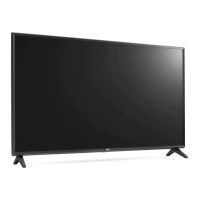
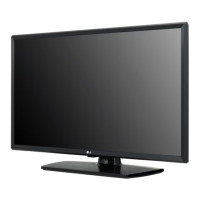
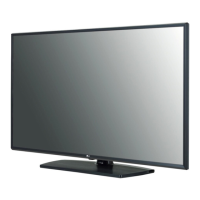
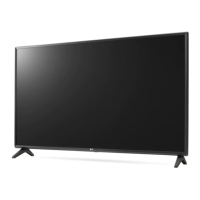
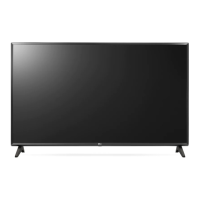
Need help?
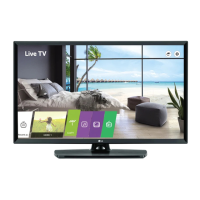
Do you have a question about the LG 32LT662MBUC and is the answer not in the manual?
Instructions for attaching a wall mount bracket using VESA standard screws.
Guidelines for safe transportation to prevent damage during moving or lifting.
Details on installing and using the optional security system for device protection.
Steps for securely mounting the TV to a wall using brackets and eye-bolts.
Connecting antenna, cable, USB devices, and pillow speaker.
Connecting external devices via HDMI for best picture and audio quality.
Supported external devices and connection guidelines.
Instructions for wired network connection to a Pro:Centric server or modem/router.
Operating basic functions using the TV's physical button.
Common troubleshooting steps for remote control, display, and sound problems.
Selecting and adjusting picture modes for optimal viewing environment.
Adjusting detailed picture settings like noise reduction and black level.
Lists supported resolutions, frame rates, photo, and audio file formats.
Connecting external devices using RS-232C for control and setup.
Using a USB to Serial converter cable for external control of the TV.
Details on DE9 (D-Sub 9pin) and Phone Jack types for RS-232C connections.
Explains 7-wire and 3-wire configurations and how to set the Set ID.
Details communication parameters like baud rate, data length, parity, and stop bit.
Lists available commands, their codes, and data ranges for controlling the TV.
Explains the command format for transmission and receiving acknowledgment.
Provides hexadecimal to decimal mapping for data and explains error codes.
Details commands for power, screen aspect ratio, mute, and volume adjustments.
Commands for adjusting contrast, brightness, color, tint, OSD, and remote lock.
Commands for audio settings (treble, bass, balance, equalizer) and energy saving.
Commands for channel control, sending IR remote keys, and adjusting backlight.
Instructions for selecting input sources and performing automatic picture configuration.
Information on suitable/unsuitable remote data formats and IR receiver specifications.
Steps for downloading and installing the latest firmware for the TV.
FCC notices, radio frequency interference requirements, and RF exposure statements.
Statements regarding Industry Canada's wireless device compliance and radiation exposure.
Important safety precautions for installation and LG's take-back and recycling policy.
 General
| Smart modes | Energy saving |
|---|---|
| Response time | 8 ms |
| Display diagonal | 32 \ |
| Display brightness | 240 cd/m² |
| Display resolution | 1366 x 768 pixels |
| Display technology | LED |
| Native aspect ratio | - |
| Native refresh rate | 60 Hz |
| LED backlighting type | Direct-LED |
| Contrast ratio (dynamic) | 1000000:1 |
| Contrast ratio (typical) | 1200:1 |
| High Dynamic Range (HDR) supported | Yes |
| High Dynamic Range (HDR) technology | Hybrid Log-Gamma (HLG) |
| Tuner type | Analog & digital |
| Analog signal format system | NTSC |
| Digital signal format system | ATSC |
| RMS rated power | 10 W |
| Number of speakers | 2 |
| USB 2.0 ports quantity | 1 |
| Product color | Black |
| Cable lock slot type | Kensington |
| Panel mounting interface | 200 x 200 mm |
| Package type | Box |
| Package depth | 142 mm |
| Package width | 812 mm |
| Package height | 510 mm |
| Package weight | 6100 g |
| AC input voltage | 120 V |
| AC input frequency | 50 - 60 Hz |
| Power consumption (max) | 58 W |
| Power consumption (standby) | 0.5 W |
| Power consumption (typical) | 26 W |
| Sustainability certificates | Federal Communications Commission (FCC) |
 Weight and Dimensions
| Depth (without stand) | 75 mm |
|---|---|
| Width (without stand) | 739 mm |
| Height (without stand) | 441 mm |
| Weight (without stand) | 4900 g |

 To Next Page