EasyManua.ls Logo

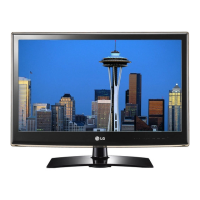
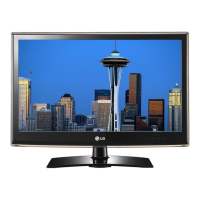
LG 32LV3400 - Service Manual

LG 32LV3400
35 pages
Print Icon
To Next Page IconTo Next Page
Loading...
LED LCD TV
SERVICE MANUAL
CAUTION
BEFORE SERVICING THE CHASSIS,
READ THE SAFETY PRECAUTIONS IN THIS MANUAL.
CHASSIS : LJ01M
MODEL : 32LV3400 32LV3400-SG
North/Latin America http://aic.lgservice.com
Europe/Africa http://eic.lgservice.com
Asia/Oceania http://biz.lgservice.com
Internal Use Only
Printed in KoreaP/NO : MFL67289404 (1112-REV00)

Other manuals for LG 32LV3400

Questions and Answers

  • R
    Robin HicksSep 5, 2025
    What to do if there is no sound on my LG 32LV3400 LCD TV but there is an image?
    • S
      Samantha WagnerSep 5, 2025
      If you see images but hear no sound on your LG LCD TV, try these solutions: * Press the VOL + or - button to adjust the volume. * Ensure the sound isn't muted by pressing the MUTE button. * Try switching to other channels to rule out a broadcast issue. * Verify that the TV Speaker feature is enabled in the menu.
  • M
    monicareyesAug 25, 2025
    What to do if my LG 32LV3400 has horizontal or vertical bars or images blur?
    • L
      Lori AdamsAug 25, 2025
      If you're seeing horizontal or vertical bars, or blurry images on your LG LCD TV, check for local interferences from devices like electrical appliances or power tools.
  • S
    Steven MccoyAug 25, 2025
    How to fix thin lines on LG LCD TV screen?
    • D
      davidhernandezAug 26, 2025
      If you see thin lines in the background of the screen on your LG LCD TV, check the video cable connections to ensure they are properly connected.
  • T
    Tammy JacksonSep 13, 2025
    Why does my LG LCD TV turn off by itself?
    • J
      jenniferwardSep 13, 2025
      If your LG LCD TV turns off suddenly, check the power control settings to ensure the power supply isn't interrupted. Also, verify if the Auto sleep feature is enabled in the Time settings. If there is no signal while the TV is on, the TV will turn off automatically after 15 minutes of inactivity.
  • B
    brownmargaretSep 23, 2025
    Why doesn't my file appear on LG 32LV3400 LCD TV Movie List?
    • J
      Jerome McdonaldSep 23, 2025
      If the file does not appear on the Movie List of your LG LCD TV, check whether the extension is supported.
  • C
    christopher28Sep 9, 2025
    What to do if there is no output from one of the LG 32LV3400 speakers?
    • B
      Benjamin GonzalesSep 9, 2025
      If there is no sound output from one of the speakers on your LG LCD TV, adjust the Balance in the menu option.
  • M
    mccarthybobbySep 1, 2025
    How to fix display offset on LG LCD TV?
    • C
      Claudia King MDSep 1, 2025
      To correct the display offset on your LG LCD TV, first adjust the position setting in the Picture menu. Also, verify that the video card resolution and frequency are supported by the TV. If the frequency is out of range, set the recommended resolution using the display settings on your external device.
  • E
    Eric SalasSep 23, 2025
    Why are subtitles not working on my LG LCD TV?
    • K
      Kimberly PriceSep 23, 2025
      If subtitles are not working on your LG LCD TV, first, check if the file is playing normally on a PC to ensure it is not damaged. Also, verify that the video file and subtitle file have the same name and are located in the same folder. Finally, confirm that the subtitle file and language are supported by the TV.
  • R
    Roger HallSep 18, 2025
    How to improve poor reception on LG 32LV3400?
    • K
      Karen McknightSep 18, 2025
      If you're experiencing poor reception on some channels with your LG LCD TV, try tuning to other channels as there might be an issue with the broadcast itself. The station signal may be weak, so try adjusting the antenna's direction. Also, check for any potential local interference from electrical appliances or power tools.
  • R
    robertsandersAug 28, 2025
    Why does my LG 32LV3400 turn off suddenly?
    • R
      Randy LeeAug 28, 2025
      If your LG LCD TV is turning off unexpectedly, examine the power control settings to make sure the power supply isn't being interrupted. Also, check if the Auto sleep feature is enabled in the Time settings. Note that the TV will automatically turn off after 15 minutes of inactivity if there is no signal.

LG 32LV3400 Specifications

General IconGeneral
Display diagonal32 \
Native refresh rate50 Hz
LED backlighting typeEdge-LED
Supported video modes1080i, 1080p, 720p
Display diagonal (metric)80 cm
Supported graphics resolutions1920 x 1080 (HD 1080)
3DNo
Annual energy consumption80 kWh
Product colorBlack
Tuner typeAnalog & digital
Analog signal format systemNTSC M, PAL I, SECAM B/G, SECAM D/K
Digital signal format system-
RMS rated power10 W
Number of speakers2
DVI-D ports quantity0
USB 2.0 ports quantityUSB 2.0 ports have a data transmission speed of 480 Mbps, and are backwards compatible with USB 1.1 ports. You can connect all kinds of peripheral devices to them.
Control typeButtons
Number of OSD languages13
On Screen Display (OSD) languagesARA, ENG, ESP, FRE, HEB, INC, POL, RUS, THA
Smart modesCinema, Game, Sports, Standard
AC input voltage100 - 240 V
AC input frequency50 - 60 Hz
Power consumption (standby)0.28 W
Power consumption (typical)55 W
Package weight6214.22 g
Weight and Dimensions IconWeight and Dimensions
Depth (with stand)240 mm
Height (with stand)555 mm
Weight (with stand)5170.96 g
Depth (without stand)45 mm
Width (without stand)768 mm
Height (without stand)492 mm
Weight (without stand)4354.49 g

Related product manuals