
EasyManua.ls Logo

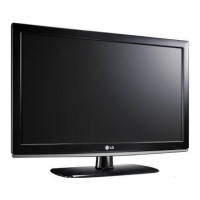
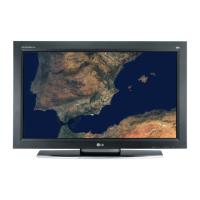
LG 32LV355C - User Manual

LG 32LV355C
44 pages
Print Icon
To Next Page IconTo Next Page
Loading...
P/NO : MFL62864990 (1103-REV03)
Printed in Korea
www.lg.com
OWNER’S MANUAL
LCD TV / LED LCD TV
Please read this manual carefully before operating the
set and retain it for future reference.

Other manuals for LG 32LV355C

Questions and Answers

  • K
    Kimberly CookSep 16, 2025
    How to correct wrong display offset on LG 32LV355C?
    • G
      garciastevenSep 16, 2025
      To correct a wrong display offset on your LG Flat Panel TV, adjust the position setting in the PICTURE menu. Check if the video card resolution and frequency are supported by the TV. If the frequency is out of range, set the recommended resolution using the display settings on the external device.
  • J
    James GoodwinSep 17, 2025
    How to remove lines or streaks on LG Flat Panel TV images?
    • A
      Anthony MitchellSep 17, 2025
      If lines or streaks appear on the images of your LG Flat Panel TV, check the antenna or aim it in the proper direction.
  • T
    Tammy WilsonSep 18, 2025
    How to adjust phase setting on LG Flat Panel TV?
    • J
      James WilliamsSep 18, 2025
      If horizontal noises appear or characters blur on your LG Flat Panel TV, adjust the Phase setting in the PICTURE menu.
  • N
    Nicole LiuSep 18, 2025
    Why are there black spots on my LG 32LV355C Flat Panel TV screen?
    • A
      Amanda AndersonSep 19, 2025
      The appearance of several pixels in red, green, white, or black on the screen is normal and is a characteristic of the LCD panel of your LG Flat Panel TV.
  • G
    Gary GonzalezSep 23, 2025
    Why is my LG Flat Panel TV speaker making noise?
    • D
      Diane WilliamsSep 23, 2025
      A change in ambient humidity or temperature may result in unusual noise when your LG Flat Panel TV turns on or off. This is normal and not a problem with the product.
  • J
    Jake ThompsonSep 23, 2025
    Why do afterimages appear on my LG 32LV355C?
    • C
      Christopher GallagherSep 23, 2025
      Afterimages (ghosts) may appear on your LG Flat Panel TV when it is turned off because pixels may have been damaged from a fixed image displayed for a long time. Use a screen saver to prevent pixel damage on the screen.
  • T
    tammy34Sep 23, 2025
    How to fix thin lines in background of LG Flat Panel TV screen?
    • D
      Diana SandersSep 23, 2025
      If thin lines appear in the background of your LG Flat Panel TV screen, check the video cable connections.
  • A
    Andrew WilliamsAug 23, 2025
    Why is my LG LCD TV remote not working?
    • R
      Rachel AlvaradoAug 23, 2025
      If you cannot control your LG LCD TV with the remote, make sure that there are no obstacles between the TV and the remote. Check the remote control sensor on the TV and try again. Also, verify that the batteries are working and properly installed, and that the correct input mode (TV or VCR) is selected for remote use.
  • S
    Sara JohnsonSep 6, 2025
    How to fix display offset on LG LCD TV?
    • J
      Jason CamachoSep 6, 2025
      To correct the display offset on your LG LCD TV, adjust the position setting in the Picture menu. Also, verify that the video card resolution and frequency are supported by the TV. If the frequency is out of range, set the recommended resolution using the display settings on the external device.
  • M
    Michelle SmithSep 5, 2025
    Why does my LG LCD TV have afterimages when turned off?
    • L
      Leroy GibsonSep 5, 2025
      If you notice afterimages (ghosts) on your LG LCD TV when it's turned off, it could be due to pixel damage from a fixed image displayed for an extended period (image burn). To prevent this, use a screen saver.

LG 32LV355C Specifications

General IconGeneral
BrandLG
Model32LV355C
CategoryFlat Panel TV
LanguageEnglish

Related product manuals