EasyManua.ls Logo

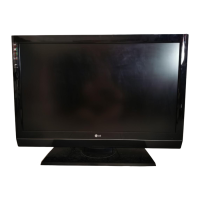
LG 37LH200C - User Manual

LG 37LH200C
130 pages
Print Icon
To Next Page IconTo Next Page
Loading...
Please read this manual carefully before operating
your set and retain it for future reference.
The model and serial number of the TV is located
on the back and one side of the TV.
Record it below should you ever need service.
Model:
Serial:
LCD TV
OWNER’S MANUAL
26LH210C
32LH210C
32LH200C
37LH200C
42LH200C
47LH300C
P/NO : SAC34026001 (0905-REV01)
www.lgcommercial.com
This product qualifies for ENERGY STAR in the “factory
default (Home Use)” setting.
Changing the factory default settings or enabling other
features may increase power consumption that could
exceed the limits necessary to quality for ENERGY STAR.
1-800-243-0000 USA, Consumer User
1-888-865-3026 USA, Commercial User
1-888-542-2623 CANADA
LG Customer Information Center

PTAC DIRECT SALES
(866) 648-8486
WWW.PTACDIRECT.COM

Table of Contents

Other manuals for LG 37LH200C

Questions and Answers

  • V
    vstephensonAug 17, 2025
    What to do if there is no sound from my LG 37LH200C speaker?
    • D
      Dennis FullerAug 17, 2025
      If there's no sound, check the speaker resistance and connector for damage. If the connector is damaged, replace it. If the speaker is the issue, replace the speaker.
  • L
    Lauren Silva DDSAug 20, 2025
    Why is there no audio output from my LG 37LH200C?
    • H
      Holly PetersenAug 20, 2025
      If there's no audio output, check the signal line. You can also check Regulator IC601, IC704. Consider replacing IC100, NTP (Audio AMP), the connector (if damaged), or the speaker.
  • A
    Allen PalmerAug 22, 2025
    What should I check first in TV SPEAKER Menu of my LG LCD TV?
    • E
      Erin OnealAug 22, 2025
      First, try toggling the TV SPEAKER Menu. If that doesn't work, the issue may be with the Mstar(IC100) or Main board, which would need to be replaced.
  • K
    Karen WuAug 26, 2025
    What to do if my LG 37LH200C LCD TV only outputs sound from the speaker?
    • A
      Anthony LynchAug 26, 2025
      If you can only hear sound from the speaker, try toggling the menu. If that does not help, replace Mstar(IC100) or Main board. Alternatively, replace the Sub amp(IC602).
  • V
    Vanessa BarnesAug 28, 2025
    What to do if my LG LCD TV is not displaying the correct input signal format?
    • R
      Robert EatonAug 28, 2025
      If your LG LCD TV is not displaying the correct input signal format, check IC1002.
  • H
    Heidi BaileyAug 31, 2025
    What to do if my LG 37LH200C LCD TV is not getting power from Tuner 5V Power IC1001 4pin?
    • J
      Joel HoltAug 31, 2025
      If your LG LCD TV is not getting power from Tuner 5V Power IC1001 4pin, replace the Tuner.
  • J
    James BrownSep 2, 2025
    What to do if my LG 37LH200C LCD TV is not getting power from Tuner 5V Power TU1001 4pin?
    • S
      smithsandraSep 3, 2025
      If your LG LCD TV is not getting power from Tuner 5V Power TU1001 4pin, replace the Tuner.
  • M
    mcdonaldchristopherSep 5, 2025
    What to do if there is no CVBS signal on my LG 37LH200C LCD TV?
    • D
      danasalazarSep 5, 2025
      If there is no CVBS signal, replace X1005, IC1004, or the Mstar(IC100) or Main board.
  • A
    andrewjamesSep 8, 2025
    How to check stand-by Voltage on LG 37LH200C LCD TV?
    • Q
      qmurraySep 8, 2025
      To check the stand-by Voltage on your LG LCD TV, check P700 8pin : +5V_ST. If there's an issue, replace the Power board.
  • S
    Susan BranchSep 12, 2025
    What to do if my LG 37LH200C LCD TV is not receiving a Demodulator Input Clock signal?
    • E
      Emily GonzalesSep 12, 2025
      If your LG LCD TV is not receiving a Demodulator Input Clock signal, replace the Jack or the Mstar(IC100) or Main board.

LG 37LH200C Specifications

General IconGeneral
Resolution1366 x 768
Display TypeLCD
Aspect Ratio16:9
Brightness500 cd/m²
Response Time5 ms
USB Ports1
Screen Size37 inches
Viewing Angle178°
Input PortsHDMI, USB, Component, Composite, RF
Contrast Ratio50000:1

Related product manuals