EasyManua.ls Logo

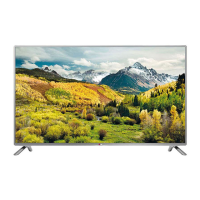
LG 42LB6200-ZE - User Manual

LG 42LB6200-ZE
132 pages
Print Icon
To Next Page IconTo Next Page
Loading...
www.lg.com
Please read this manual carefully before operating
your set and retain it for future reference.
OWNER’S MANUAL
LED TV*
* LG LED TVs are LCD TVs with LED backlighting.
LB55**
LB56**
LB62**
P/NO : MFL68003814 (1502-REV01)
Printed in Korea
*MFL68003814*

Questions and Answers

  • D
    Donald WoodwardAug 12, 2025
    Why does my LG TV turn off suddenly?
    • V
      virginiariosAug 13, 2025
      If your LG TV turns off suddenly, it might be due to a few reasons. First, the power supply could be interrupted, so check the power control settings. Secondly, the Automatic Standby, Sleep Timer, or Off Time feature might be activated in the TIME settings. Finally, if the TV doesn't receive a signal while it's on, it will automatically turn off after 15 minutes of inactivity.
  • M
    Megan HillAug 16, 2025
    How to fix LG TV remote not working?
    • Y
      ybrownAug 16, 2025
      If you're unable to control your LG TV with the remote, there are a few things to try. First, make sure there isn't anything blocking the remote control sensor on the TV. Then, check for any obstacles between the remote and the TV. Lastly, ensure that the batteries in the remote are working and correctly installed.
  • K
    Kelly TorresAug 20, 2025
    What to do if LG TV says no signal when connected to PC?
    • N
      Natasha McguireAug 20, 2025
      If you see ‘No signal’ or ‘Invalid Format’ when connecting your PC to your LG TV via HDMI, try the following steps. First, turn the TV off and then on again using the remote control. If that doesn't work, try reconnecting the HDMI cable. As a final step, restart your PC while the TV is turned on.
  • T
    Timothy CarrilloAug 25, 2025
    Why is my LG 42LB6200-ZE LED TV remote not working?
    • O
      ojonesAug 25, 2025
      If you cannot control your LG LED TV with the remote, first check the remote control sensor on the TV and try again. Also, ensure there are no obstacles between the remote and the TV. Finally, check that the batteries are working and properly installed.
  • D
    Denise MedinaAug 28, 2025
    Why is there no picture or sound on my LG TV?
    • J
      Joshua RodriguezAug 28, 2025
      If your LG TV has no image and no sound, start by checking if the TV is turned on. Next, verify that the power cord is properly connected to a wall outlet. Lastly, test the wall outlet by plugging in other products to see if it's working correctly.
  • T
    Terry RussellAug 31, 2025
    What to do if my LG LED TV has no image and sound?
    • M
      Mr. Brian PonceAug 31, 2025
      If your LG LED TV shows no image and produces no sound, start by checking if the TV is turned on. Then, verify that the power cord is securely connected to a working wall outlet. You can test the outlet by connecting other products to see if it's functioning correctly.
  • K
    kristi73Sep 4, 2025
    Why does my LG 42LB6200-ZE LED TV turn off suddenly?
    • H
      Henry AlvarezSep 4, 2025
      If your LG LED TV turns off suddenly, check the power control settings to ensure the power supply isn't interrupted. Also, verify if the Automatic Standby, Sleep Timer, or Off Time feature is activated in the TIME settings. Note that the TV will automatically turn off after 15 minutes of inactivity if there is no signal.
  • T
    Teresa FrancisSep 7, 2025
    How to fix 'No signal' or 'Invalid Format' on LG LED TV when connecting to PC (HDMI)?
    • S
      Shannon WaltonSep 8, 2025
      If you see a ‘No signal’ or ‘Invalid Format’ message on your LG LED TV when connecting to a PC via HDMI, try the following: 1. Turn the TV off and then on again using the remote control. 2. Reconnect the HDMI cable. 3. Restart your PC while the TV is on.

Summary

Safety and Precautions

General Safety Instructions

Provides essential safety precautions for product operation and handling to prevent hazards.

3 D Viewing Precautions

Guidance on safe 3D viewing practices, health effects, and precautions for specific age groups and glasses usage.

Product Setup and Operation

Unpacking, Controls, and Model Identification

Instructions for unpacking, identifying TV parts, buttons, models, and initial setup procedures.

Joystick Operation and Stand Installation

Detailed guide on using the joystick button and attaching the TV stand for basic TV functions.

Safe Moving and Mounting

Precautions for safely lifting, moving, mounting the TV, and VESA compatibility for wall installation.

Connections and Settings

Connecting External Devices

Instructions for connecting antennas, satellite dishes, Scart cables, and various external devices via HDMI, LAN, etc.

Remote Control and TV Settings

Overview of remote control functions, button operations, and TV settings for picture, sound, and energy saving.

USB Device Management and Media Playback

Instructions for USB device handling, warnings, and supported file formats for media playback.

System Information and Support

Maintenance and Troubleshooting

Guidelines for TV cleaning, common issue resolution, and product specifications.

Technical Specifications and Modes

Details on TV specifications, supported modes (3D, HDMI, PC), and environmental conditions.

Customer Support and Contact

Information on LG customer support centers, model/serial number recording, and service station directories.

LG 42LB6200-ZE Specifications

General IconGeneral
BrandLG
Model42LB6200-ZE
CategoryLED TV
LanguageEnglish

Related product manuals