EasyManua.ls Logo

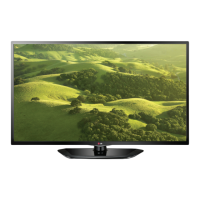
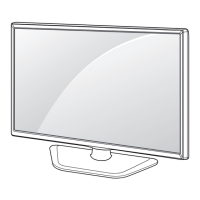
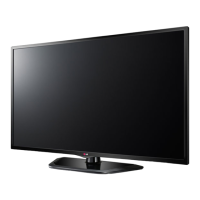
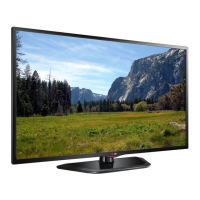
LG 42LN5400-ZA - User Manual

LG 42LN5400-ZA
63 pages
Print Icon
To Next Page IconTo Next Page
Loading...
www.lg.com
MANUALE DELL’UTENTE
TV LED
*TV LED LG include uno schermo LCD con retroilluminazione LED.
Leggere attentamente il presente manuale prima di utilizzare
l’apparecchio e conservarlo come riferimento futuro.

Questions and Answers

  • K
    kellywardAug 8, 2025
    How to fix LG 42LN5400-ZA LED TV remote not working?
    • J
      Joshua PriceAug 8, 2025
      If your LG LED TV remote control isn't working, first, make sure there are no obstructions between the remote and the TV. Then, check the remote control sensor on the TV. Finally, verify that the batteries are working and correctly installed, paying attention to the + and - symbols.
  • J
    James RojasAug 16, 2025
    Why does my LG 42LN5400-ZA LED TV turn off by itself?
    • D
      Donna HodgesAug 16, 2025
      If your LG LED TV suddenly turns off, examine the power control settings to ensure the power supply isn't interrupted. Check if the Automatic Standby or Off Time feature is enabled within the TIME settings. Also, be aware that the TV will automatically shut down after 15 minutes of inactivity if there's no signal.
  • J
    Jeremy SerranoAug 23, 2025
    What to do if my LG LED TV has no picture and sound?
    • M
      michellefernandezAug 23, 2025
      If your LG LED TV shows no image and produces no sound, ensure the TV is turned on and the power cord is properly connected to the wall outlet. To check the wall outlet, try connecting other products to it to see if they work.
  • J
    Jessica LaneAug 30, 2025
    What to do if LG LED TV says no signal on HDMI from PC?
    • S
      Sarah JacksonAug 30, 2025
      If you're seeing a ‘No signal’ or ‘Invalid Format’ message when connecting your PC to your LG LED TV via HDMI, try turning the TV off and on using the remote control. If that doesn't work, try reconnecting the HDMI cable. As a final step, restart your PC while the TV is powered on.

LG 42LN5400-ZA Specifications

General IconGeneral
Screen Size42 inches
Display TypeLED
Refresh Rate60 Hz
Motion Clarity Index120
HDMI Ports3
USB Ports1
Component Video Input1
Composite Video Input1
Digital Audio Output (Optical)1
Aspect Ratio16:9
Built-in SpeakersYes
Speaker Output Power10W x 2
VESA Mounting Standard200 x 200 mm
Smart TVNo
Built-in Wi-FiNo
Resolution1920 x 1080 (Full HD)

Related product manuals