Need help?
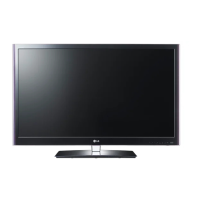
Do you have a question about the LG 42LV4400-UA and is the answer not in the manual?
Digital device compliance with FCC rules and regulations.
Instructions for cable/TV installers regarding grounding.
Key guidelines for safe operation and handling of the TV.
Information on preventing permanent screen image retention.
List of items included with the TV package.
Details on the TV's front panel buttons and indicators.
Identification of various ports and connectors on the TV's back panel.
Step-by-step guide for installing and detaching the TV stand.
Instructions for setting up the TV on its desktop stand.
Information on how to adjust the TV's viewing angle.
Safety instructions for securing the TV to a wall when using a stand.
Guidelines and specifications for mounting the TV on a wall using VESA standards.
How to connect TV signals via antenna or cable.
Connecting an HD receiver via component cables.
Connecting devices using HDMI cables for audio and video.
Connecting a DVI source to the TV using HDMI.
Connecting a DVD player via component cables.
Connecting external devices using RCA composite cables.
Instructions for connecting and using a VCR.
Connecting USB devices to the TV for media playback.
Connecting TV audio to external speakers or home theater systems.
Connecting and configuring the TV for PC input.
Explanation of buttons and features of the TV remote control.
Steps to power on the TV and switch to standby mode.
How to change TV channels using the remote or buttons.
Instructions for adjusting the TV's audio volume.
Setting the TV environment mode (Home or In Store).
Configuring the TV's clock, time zone, and daylight saving.
Adjusting language and other TV operating options.
Scanning for and tuning available TV channels.
Navigating and selecting options within the TV's on-screen display.
Accessing frequently used TV settings quickly.
Setup options for receiving TV channels.
Adjusting picture settings like aspect ratio, brightness, and contrast.
Adjusting sound settings like balance, sound mode, and volume.
Setting the TV clock, turn on/off times, and sleep timer.
Configuring TV operating environment like language and input labels.
Setting up blocking schemes for channels and ratings.
Selecting the desired input source for the TV.
Accessing and viewing media files from USB devices.
Solutions for common TV problems and abnormal operations.
Instructions for safely cleaning the TV screen.
Guide for wiping down the TV cabinet.
Precautions for leaving the TV unused for long periods.
 General
| Screen Size | 42 inches |
|---|---|
| Display Type | LED |
| Resolution | 1920 x 1080 |
| Refresh Rate | 60 Hz |
| HDMI Ports | 3 |
| USB Ports | 1 |
| Smart TV | No |
| Backlight Type | LED |
| Built-in Wi-Fi | No |
| Energy Star Certified | Yes |
| Audio Output | 20W |


 To Next Page