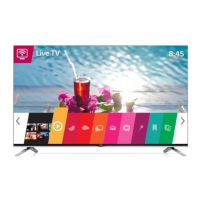
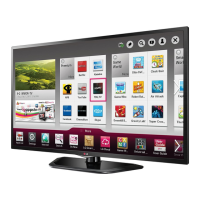
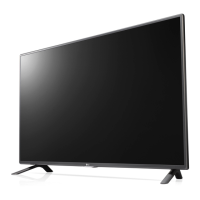
This document is an owner's manual for an LG LED TV, specifically models 42LY970H, 47LY970H, 55LY970H, and 60LY970H. LG LED TVs are described as LCD TVs with LED backlighting. The manual provides important safety instructions, assembly and preparation guidelines, connection instructions, remote control operation, maintenance tips, troubleshooting, and specifications.
Function Description:
The LG LED TV is a display device designed for home entertainment, capable of receiving and displaying television programs, as well as connecting to various external devices such as HD receivers, DVD players, VCRs, audio systems, USB storage devices, PCs, and gaming consoles. It supports 3D imaging on applicable models. The TV incorporates an Intelligent Sensor to adjust image quality and brightness based on the surrounding environment. It can be operated via a remote control or a joystick button located on the TV itself.
Important Technical Specifications:
- Power Requirement: AC 100-240 V ~ 50 / 60 Hz.
- Television System: ATSC, NTSC-M, 64 & 256 QAM.
- Program Coverage: VHF 2-13, UHF 14-69, DTV 2-69, CATV 1-135, CADTV 1-135.
- External Antenna Impedance: 75 Ω.
- Operating Temperature: 0 °C to 40 °C (32 °F to 104 °F).
- Operating Humidity: Less than 80%.
- Storage Temperature: -20 °C to 60 °C (-4 °F to 140 °F).
- Storage Humidity: Less than 85%.
- Wireless Module (LGSBW41) Specifications:
- Wireless LAN Standard: IEEE 802.11a/b/g/n.
- Wireless LAN Frequency Range: 2400 to 2483.5 MHz, 5150 to 5250 MHz, 5725 to 5850 MHz.
- Wireless LAN Output Power (Max.): 802.11a: 11.5 dBm, 802.11b: 11 dBm, 802.11g: 10.5 dBm, 802.11n 2.4 GHz: 11 dBm, 802.11n 5 GHz: 12.5 dBm.
- Bluetooth Standard: Bluetooth Version 3.0.
- Bluetooth Frequency Range: 2400 to 2483.5 MHz.
- Bluetooth Output Power (Max.): 10 dBm or Lower.
- Dimensions (W x H x D) and Weight (With/Without Stand):
- 42LY970H (42LY970H-UA):
- With stand: 949 x 611 x 218 mm (37.3 x 24.0 x 8.5 inches), 10.3 kg (22.7 lbs).
- Without stand: 949 x 560 x 55.1 mm (37.3 x 22.0 x 2.1 inches), 10 kg (22.0 lbs).
- Current Value / Power Consumption: 0.95 A / 95 W.
- 47LY970H (47LY970H-UA):
- With stand: 1,061 x 677 x 247 mm (41.7 x 26.6 x 9.7 inches), 13.2 kg (29.1 lbs).
- Without stand: 1,061 x 623 x 55.1 mm (41.7 x 24.5 x 2.1 inches), 12.8 kg (28.2 lbs).
- Current Value / Power Consumption: 1.0 A / 100 W.
- 55LY970H (55LY970H-UA):
- With stand: 1,231 x 772 x 247 mm (48.4 x 30.3 x 9.7 inches), 18.9 kg (41.6 lbs).
- Without stand: 1,231 x 718 x 55.1 mm (48.4 x 28.2 x 2.1 inches), 18.5 kg (40.7 lbs).
- Current Value / Power Consumption: 1.3 A / 130 W.
- 60LY970H (60LY970H-UA):
- With stand: 1,338.4 x 837 x 273.5 mm (52.6 x 32.9 x 10.7 inches), 21.8 kg (48.0 lbs).
- Without stand: 1,338.4 x 778.8 x 58.1 mm (52.6 x 30.6 x 2.2 inches), 21.3 kg (46.9 lbs).
- Current Value / Power Consumption: 1.5 A / 150 W.
- VESA Standard for Wall Mount: 400 x 400, M6 screws, 4 screws. Optional wall mount bracket: LSW440B.
- Supported HDMI (PC) Resolutions: Ranging from 640 x 350 (70.09 Hz) to 1920 x 1080 (60.00 Hz).
- Supported HDMI (DTV) Resolutions: Ranging from 720 x 480p (59.94/60.00 Hz) to 1920 x 1080p (23.976/24.00/29.97/30.00/59.94/60.00 Hz).
- DTV Audio Supported Codec: MPEG, Dolby Digital.
Usage Features:
- Joystick Button: Allows basic TV operations like power on/off, volume control, channel scrolling, and menu navigation (TV Off, Close, Input).
- Remote Control: A comprehensive remote with buttons for power, smart menu, input selection, timer, number entry, flash back, volume, channel, closed caption, VD/SAP, delete, mute, page navigation, portal, info, guide, navigation buttons, OK/ENTER, back, menu/settings, exit, color buttons, control buttons (for MY MEDIA/SIMPLINK), PIP (not functional), SWAP (not functional), and 3D.
- 3D Imaging (For 3D models): Requires LG 3D glasses. Recommendations for viewing distance (at least twice the screen diagonal), viewing time (5-15 minute breaks every hour), and age restrictions (prohibited for children under 5, special monitoring for children under 10, caution for teenagers, and elderly). Warnings are provided for photosensitive seizures, chronic illnesses, and specific eye conditions.
- Connectivity:
- Antenna/Cable In: For connecting an antenna or cable box.
- HDMI Inputs: For digital devices, with HDMI IN 2 supporting Audio Return Channel (ARC).
- USB Inputs: For USB storage devices.
- Component In / AV In: For analog video and audio connections.
- Optical Digital Audio Out: For connecting to a digital audio system.
- LAN: For network connection.
- Speaker Out / Line Out: For external speakers.
- Other ports: AUX LAN, PTC SERVICE, TV-LINK CFG, GAME CONTROL / M.P.I., RJP, CONTROL OUT, RESET, UPDATE.
- Wall Mounting: Supports VESA standard wall mounts (400x400) with M6 screws. Provides instructions for securing the TV to a wall using eye-bolts and wall brackets.
- Tabletop Mounting: Instructions for attaching the stand and placing the TV on a table, ensuring proper ventilation (minimum 10 cm from wall).
- Kensington Security System (Optional): Connector at the rear for securing the TV to a table.
- Cable Management: Includes cable holders and cable management features to keep cables tidy.
- Image Burn Prevention: Advises against displaying fixed images for long periods to prevent permanent screen disfigurement, especially when using a 4:3 aspect ratio.
Maintenance Features:
- Cleaning Your TV:
- General: Turn off power and disconnect power cord and all cables before cleaning.
- Screen, Frame, Cabinet, and Stand: Wipe with a dry, clean, soft cloth for light dirt. For major dirt, use a soft cloth dampened in clean water or diluted mild detergent, then wipe dry.
- Cautions: Do not push, rub, or hit the surface with sharp objects. Avoid chemicals like waxes, benzene, alcohol, thinners, insecticides, air fresheners, or lubricants. Do not spray liquid directly onto the surface.
- Power Cord: Regularly remove accumulated dust or dirt.
- Software Updates: The software may be updated for performance improvements. Users are responsible for ensuring compatibility with LG Electronics software.
- Battery Replacement: Instructions for replacing remote control batteries (1.5 V AAA), emphasizing correct polarity to prevent damage.



 To Next Page
 General