CONNECTIONS & SETUP
21
HDSTB SETUP
This TV can receive Digital Over-the-air/Cable signals without an external digital set-top box. However, if you
do receive digital signals from a digital set-top box or other digital external device, refer to the figure as
shown below.
This TV supports HDCP
(
High-bandwidth Digital Contents Protection
)
protocol for Digital Contents
(
480p,720p,1080i
)
.
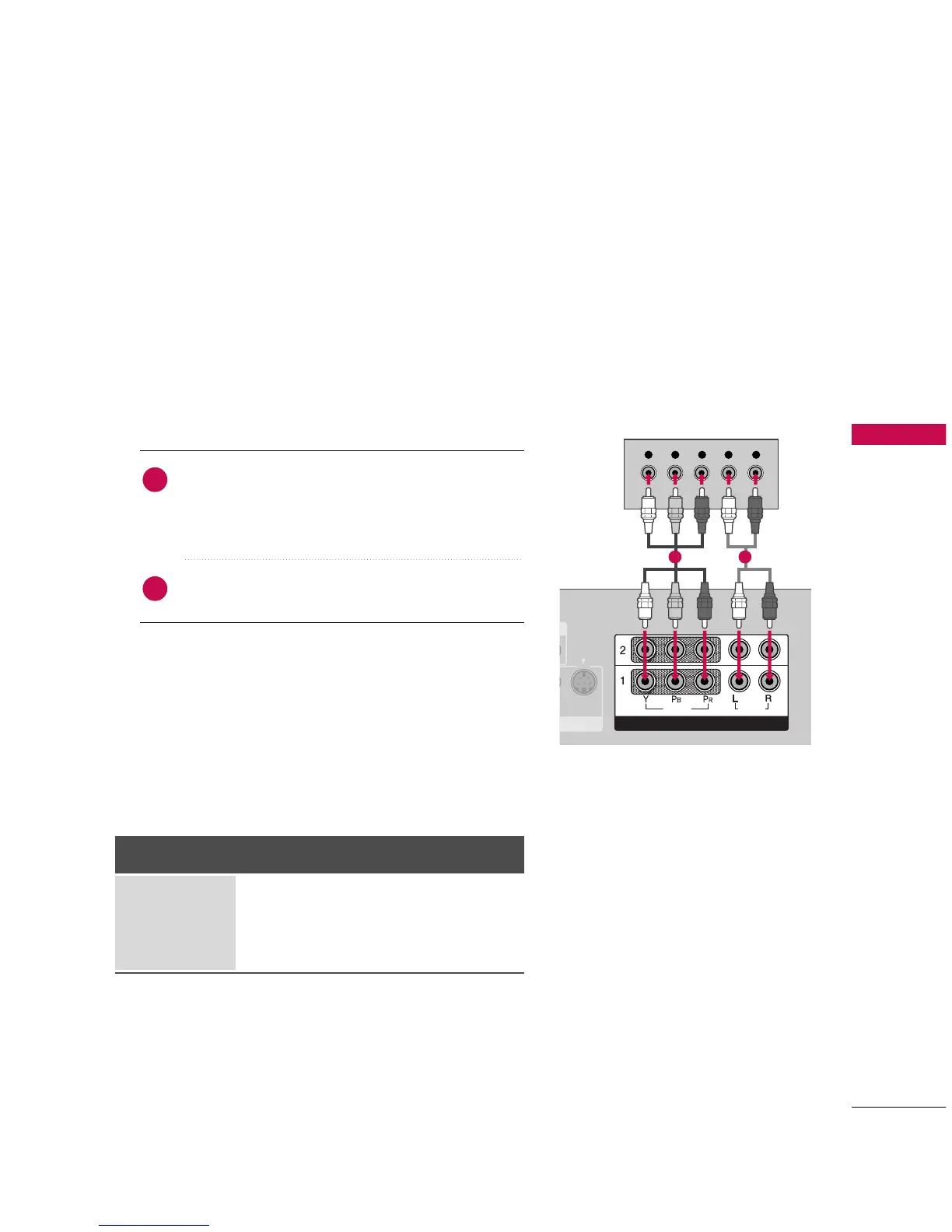
When connecting Component cable
1. How to connect
Connect the video outputs
(
Y, PB, PR
)
of the digital set
top box to the
CCOOMMPPOONNEENNTT IINN VVIIDDEEOO 11
jacks
on the set. Match the jack colors
(Y = green, P
B = blue, and PR
= red).
Connect the audio output of the digital set-top box to
the
CCOOMMPPOONNEENNTT IINN AAUUDDIIOO 11
jacks on the set.
2
1
2. How to use
■
Turn on the digital set-top box.
(
Refer to the owner’s manual for the digital set-top box.
)
■
Select
CCOOMMPPOONNEENNTT 11
input source with using the
IINNPPUUTT
button on the remote control.
■
If connected to
CCOOMMPPOONNEENNTT IINN22
input, select
CCOOMMPPOONNEENNTT 22
input source.
Signal
480i
480p
720p
1080 i
Component 1/2
Yes
Yes
Yes
Yes
HDMI1/DVI,
RGB-DTV, HDMI2
No
Yes
Yes
Yes
1 2



 To Next Page