CONNECTIONS & SETUP
34
CONNECTIONS & SETUP
Screen Setup for PC mode
Overview
When RGB connect to PC output and select the RGB-PC in Main
Input, this function is used.
When HDMI IN 1 (DVI) connect to PC output and select HDMI1/DVI
input, this function is used.
In RGB-DTV mode, SIZE and PHASE is not available.
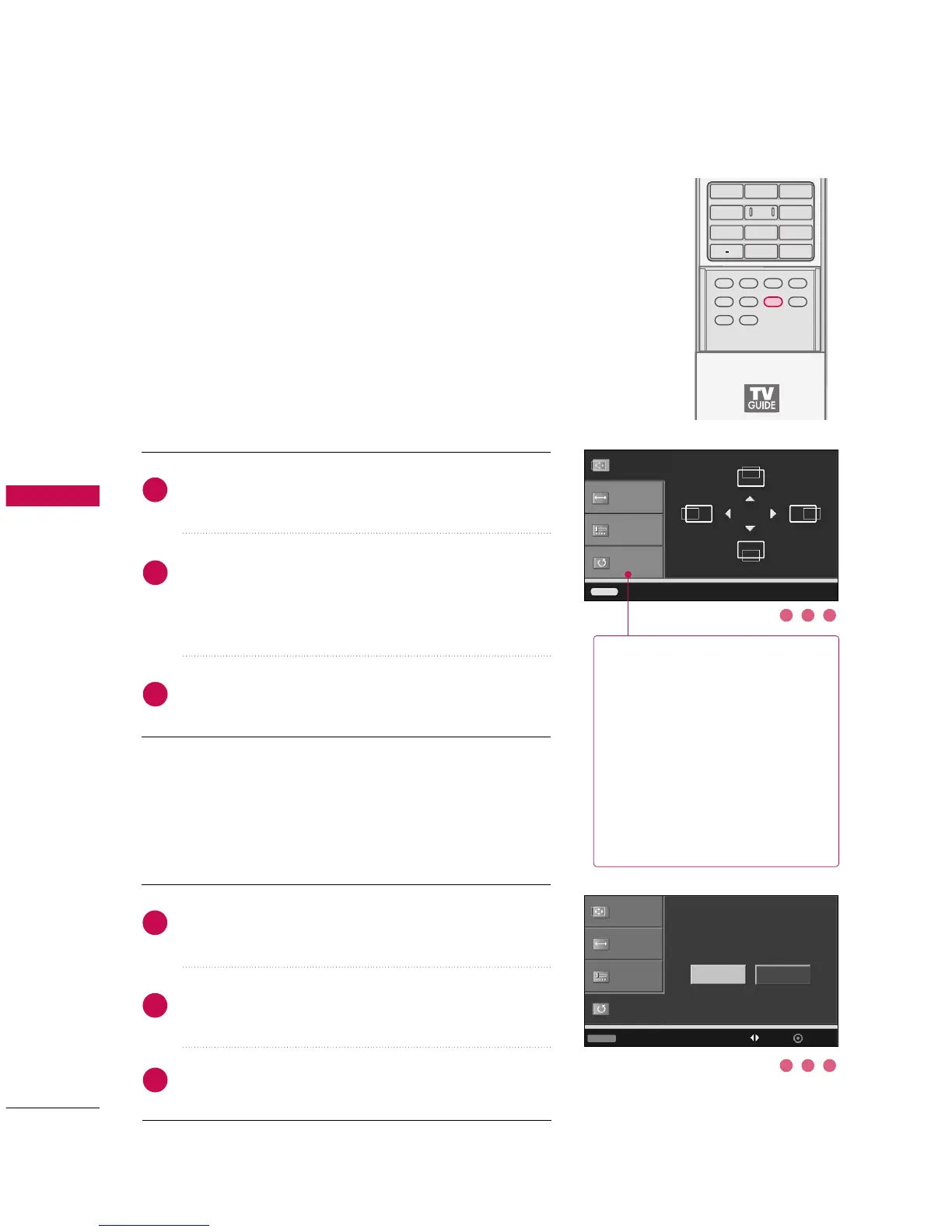
Adjustment for screen Position, Size, Phase, Reset
Press the
AADDJJUUSSTT
button and then use
DD
or
EE
button to
select
PPoossiittiioonn
,
SSiizzee
, or
PPhhaassee
.
Press the
EENNTTEERR
button and then use
DD EE FF GG
button to
make appropriate adjustments.
■
The
PPhhaassee
adjustment range is
--1166
~
++1166
.
■
The
SSiizzee
adjustment range is
--3300
~
++3300
.
Press the
EENNTTEERR
button.
Position
GG
Size
Phase
Reset
Adjust Close
Initializing (Reset to original factory values)
Press the
AADDJJUUSSTT
button and then use
DD
or
EE
button to
select
RReesseett
.
Press the
EENNTTEERR
button and then use
FF
or
GG
button to
select
YYeess
.
Press the
EENNTTEERR
button.
Position
Size
Phase
Reset
GG
To initialize the adjusted values
Initialize Settings
Yes
No
Adjust Previous
Move Select
1
2
3
1
2
3
PPoossiittiioonn
This function is to adjust picture
to left/right and up/down as you
prefer.
SSiizzee
This function is to minimize any
vertical bars or stripes visible on
the screen background. And the
horizontal screen size will also
change.
PPhhaassee
This function allows you to
remove any horizontal noise and
clear or sharpen the image of char-
acters. In HDMI/DVI-PC mode,
PHASE is not available.
1 2 3
1 2 3



 To Next Page