EasyManua.ls Logo

LG 42PC1D - Page 84

LG 42PC1D
128 pages
Print Icon
To Next Page IconTo Next Page
To Previous Page IconTo Previous Page
Loading...
83
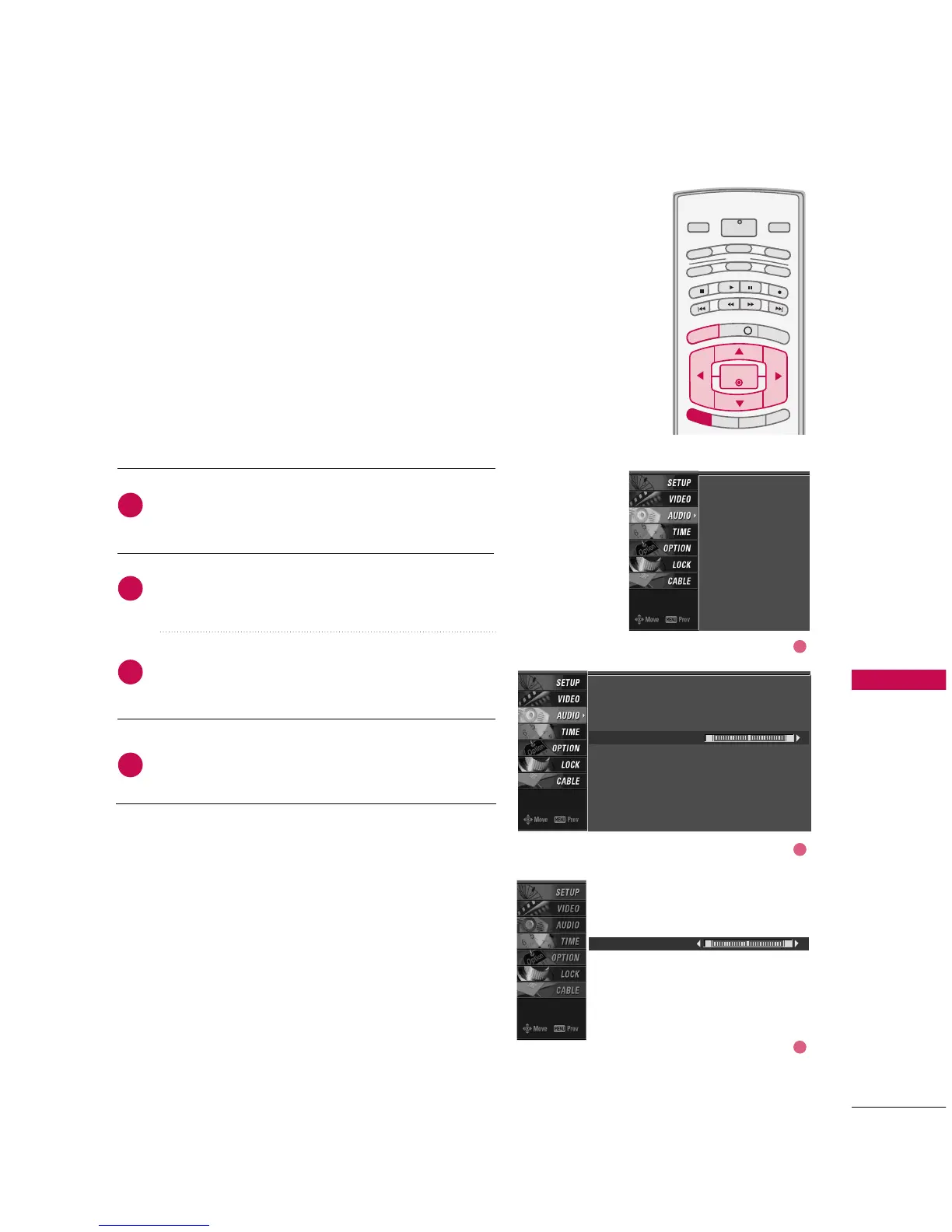
BALANCE
TV MENU
/
AUDIO ADJUSTMENT
Press the
MMEENNUU
button and then use
DD
or
EE
button
to select the
AAUUDDIIOO
menu.
Press the
GG
button and then use
DD
or
EE
button to
select
BBaallaannccee
.
Press the
GG
button and then use
FF
or
GG
button to
make appropriate adjustments.
Press
EEXXIITT
button to return to TV viewing or press
MMEENNUU
button to return to the previous menu.
INFO i
TV GUIDE
ENTERENTER
SAP
CC
RATIO
POWER
DAY -
DAY+
VCR
TV
DVD
AUDIO
CABLE
STB
MODE
TV INPUT
INPUT
MENUMENU
EXIT
Adjust the left/right sound of speaker to suit your taste
and room situations.
L R
Balance 0
2
3
4
1
Audio Language
EZ SoundRite
EZ Sound
Balance
TV Speaker
BBE
Audio Language
EZ SoundRite
EZ Sound
Balance 0
TV Speaker
BBE
L R
1
2
3

Other manuals for LG 42PC1D

Related product manuals