EasyManua.ls Logo

LG 42PC1D - Page 90

LG 42PC1D
128 pages
Print Icon
To Next Page IconTo Next Page
To Previous Page IconTo Previous Page
Loading...
TV MENU
/
TIME SETTING
89
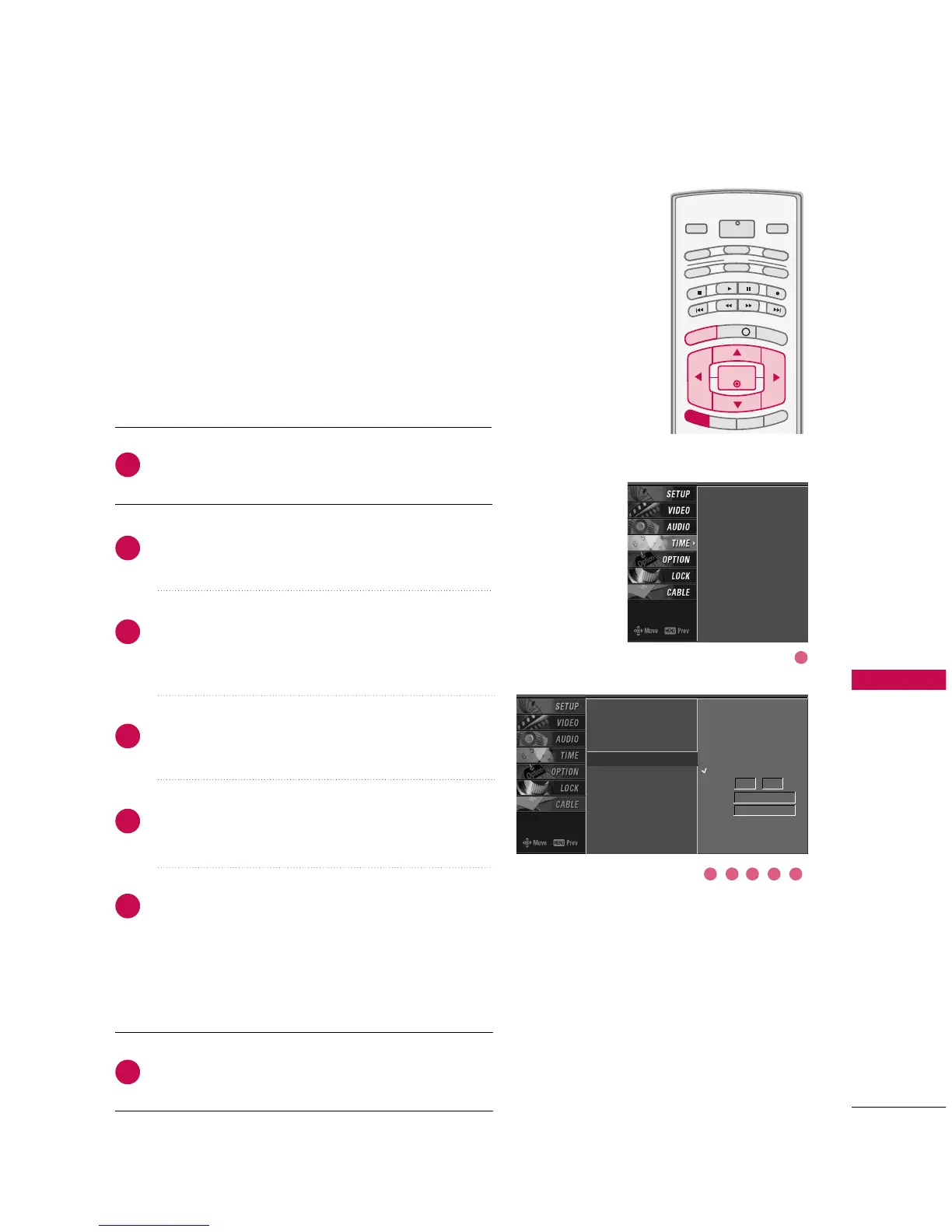
ON/OFF TIMER SETUP
Press the
MMEENNUU
button and then use
DD
or
EE
button
to select the
TTIIMMEE
menu.
Press the
GG
button and then use
DD
or
EE
button to
select
OOffff TTiimmeerr
or
OOnn TTiimmeerr
.
Press the
GG
button and then use
DD
or
EE
button to
select
OOnn
.
To cancel the
OOnn//OOffff ttiimmeerr
function, select
OOffff
.
Press the
GG
button and then use
DD
or
EE
button to
set the hour.
Press the
GG
button and then use
DD
or
EE
button to
set the minutes.
OOnnllyy OOnn ttiimmeerr
Press the
GG
button and then use
DD
or
EE
to select
the channel at turn-on.
Press the
GG
button and then use
DD
or
EE
to set the
sound level at turn-on.
Press
EEXXIITT
button to return to TV viewing or press
MMEENNUU
button to return to the previous menu.
INFO i
TV GUIDE
ENTERENTER
SAP
CC
RATIO
POWER
DAY -
DAY+
VCR
TV
DVD
AUDIO
CABLE
STB
MODE
TV INPUT
INPUT
MENUMENU
EXIT
Auto Clock
Manual Clock
Off Timer
On Timer
G
Sleep Timer
Auto Off
Auto Clock
Manual Clock
Off Timer
On Timer
Sleep Timer
Auto Off
2
3
4
5
6
7
1
The timer function operates only if the current time has
been set.
The Off-Timer function overrides the On-Timer function if
they are both set to the same time.
The TV must be in standby mode for the On-Timer to
work.
If you do not press any button within 2 hours after the TV
turns on with the On Timer function, the TV will automati-
cally revert to standby mode.
1
32 54 6
Off
On
Time 6 : 30 AM
Ch. TV 2-0
Vol 17


Other manuals for LG 42PC1D

Related product manuals