CONNECTIONS & SETUP
27
i.e) 37/42LC2D*
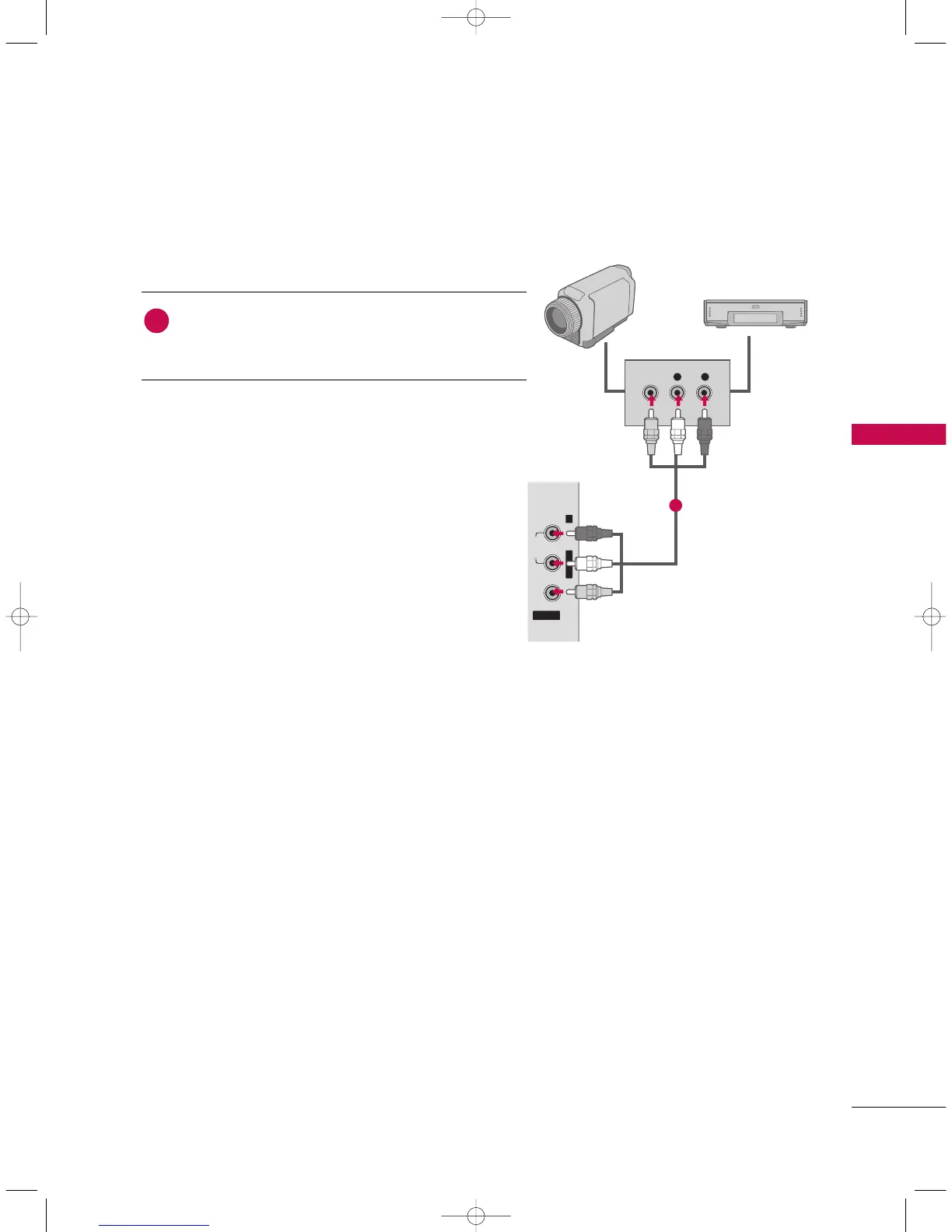
EXTERNAL A/V SOURCE SETUP
L R
VIDEO
VIDEO AUDIO
AV IN 2
L/MONO R
Camcorder
Video Game Set
Connect the
AAUUDDIIOO
/
VVIIDDEEOO
jacks between TV and
external equipment. Match the jack colors
.
(
Video = yellow,
Audio Left = white, and Audio Right = red
)
1. How to connect
2. How to use
■
Select
AAVV11
input source with using the
IINNPPUUTT
button on
the remote control.
■
If connected to
AAVV IINN22
input, select
AAVV22
input source.
■
Operate the corresponding external equipment.
1
1
9U0569A-1 Rev05-ING 06/8/23 3:28 PM Page 27


 To Next Page