CONNECTIONS & SETUP
31
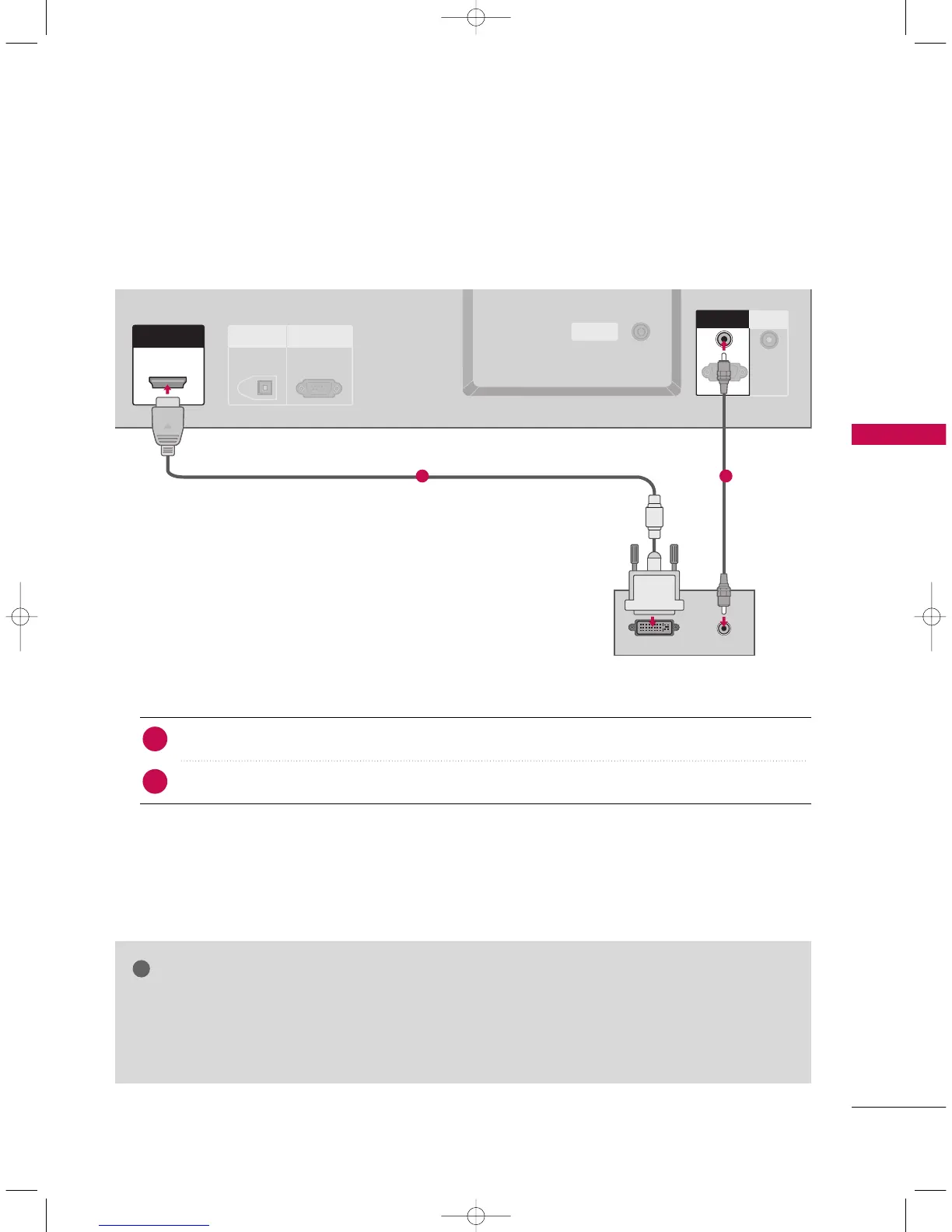
When connecting HDMI to DVI cable
GG
If the PC has a DVI output and no HDMI output, a separated audio connection is necessary.
GG
If the PC does not support Auto DVI, you need to set the output resolution appropriately. To get the
best picture quality, adjust the output resolution of PC graphics card's output resolution to 1024x768,
60Hz.
NOTE
ANTENNA
OUT
ANTENNA
IN
DIGITAL AUDIO
OUT
OPTICAL
RS-232C IN
(CONTROL
&
SERVICE)
ANTENNA
OUT
ANTENNAANTENNA
ININ
HDMI/DVI INHDMI/DVI IN
REMOTE
CONTROL IN
DVI-PC OUTPUT
AUDIO
RGB (PC
/
DTV)
AUDIO (RGB/DVI)
RGB IN
RGB INRGB IN
AUDIO (RGB/DVI)AUDIO (RGB/DVI)
RGB (PC
/
DTV)
Connect the DVI output of the PC to the
HHDDMMII //DDVVII IINN
jack on the set.
Connect the PC audio output to the
AAUUDDIIOO
((
RRGGBB//DDVVII
))
jack on the set.
1. How to connect
■
Turn on the PC and the set
■
Select
HHDDMMII//DDVVII
input source with using the
IINNPPUUTT
button on the remote control.
2. How to use
2
1
1 2
9U0569A-1 Rev05-ING 06/8/23 3:28 PM Page 31



 To Next Page