EasyManua.ls Logo

LG 42PC1DG - Special TV Functions; PIP;Twin Picture: Source Selection; PIP;Twin Picture: Program Selection; PIP;Twin Picture: Moving Sub Picture

LG 42PC1DG
103 pages
Print Icon
To Next Page IconTo Next Page
To Previous Page IconTo Previous Page
Loading...
BASIC OPERATION
35
VOL
SIZE
INDEX
TIME
REVEAL PIP PR +
PIP INPUT
SWAP
PIP PR -
Q.VIEW
MUTE
PR
123
456
789
0
FAV
?
APM
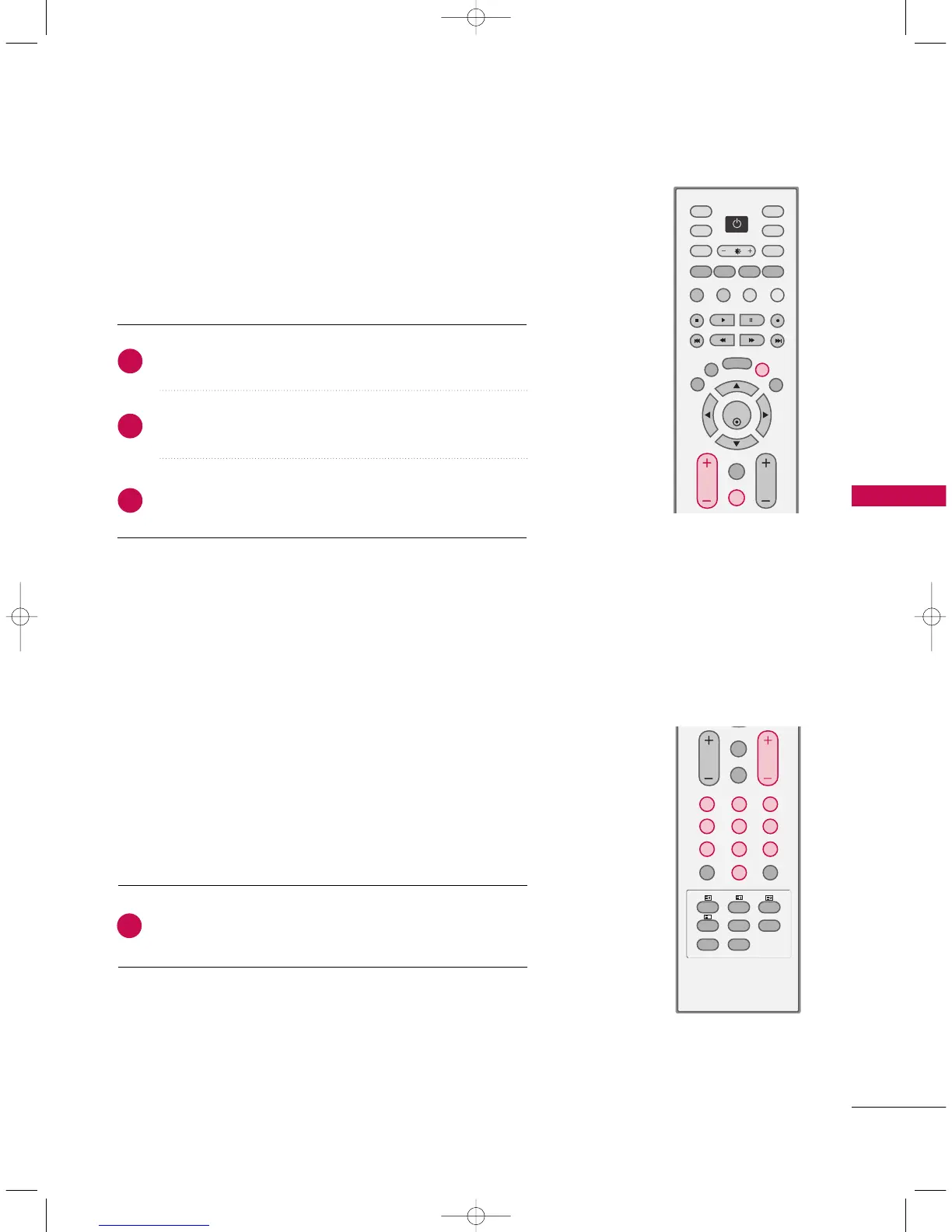
Press the
PPRR ++
/
--
or
NNUUMMBBEERR
buttons to select a
programme number.
Automatically finds all programmes available through
antenna or cable inputs, and stores them in memory on
the programme list.
1
VOLUME ADJUSTMENT
Press the
VVOOLL ++
/
--
button to adjust the volume.
If you want to switch the sound off, press the
MMUUTTEE
button.
You can cancel the Mute function by pressing the
MMUUTTEE
,
II//IIII
or
VVOOLL ++
/
--
button.
OK
TVD/A
INPUT
INPUT
DVD
ARC
EXIT
VOL
Q.VIEW
MUTE
PR
SLEEP
LIST
I/II
MENU
TEXT PIP
GUIDE
VCR
POWER
INFO
Adjust the volume to suit your personal preference.
1
2
3
PROGRAMME SELECTION
9U0569A-1 Rev05-ING 06/8/23 3:28 PM Page 35