EasyManua.ls Logo

LG 42PC1DG - TV Menu: Picture Adjustment; Adaptive Picture Mode (APM); Brightness Adjustment

LG 42PC1DG
103 pages
Print Icon
To Next Page IconTo Next Page
To Previous Page IconTo Previous Page
Loading...
TV MENU
/
SETUP
(
PROGRAMME
)
53
BOOSTER -
In Digital Mode only
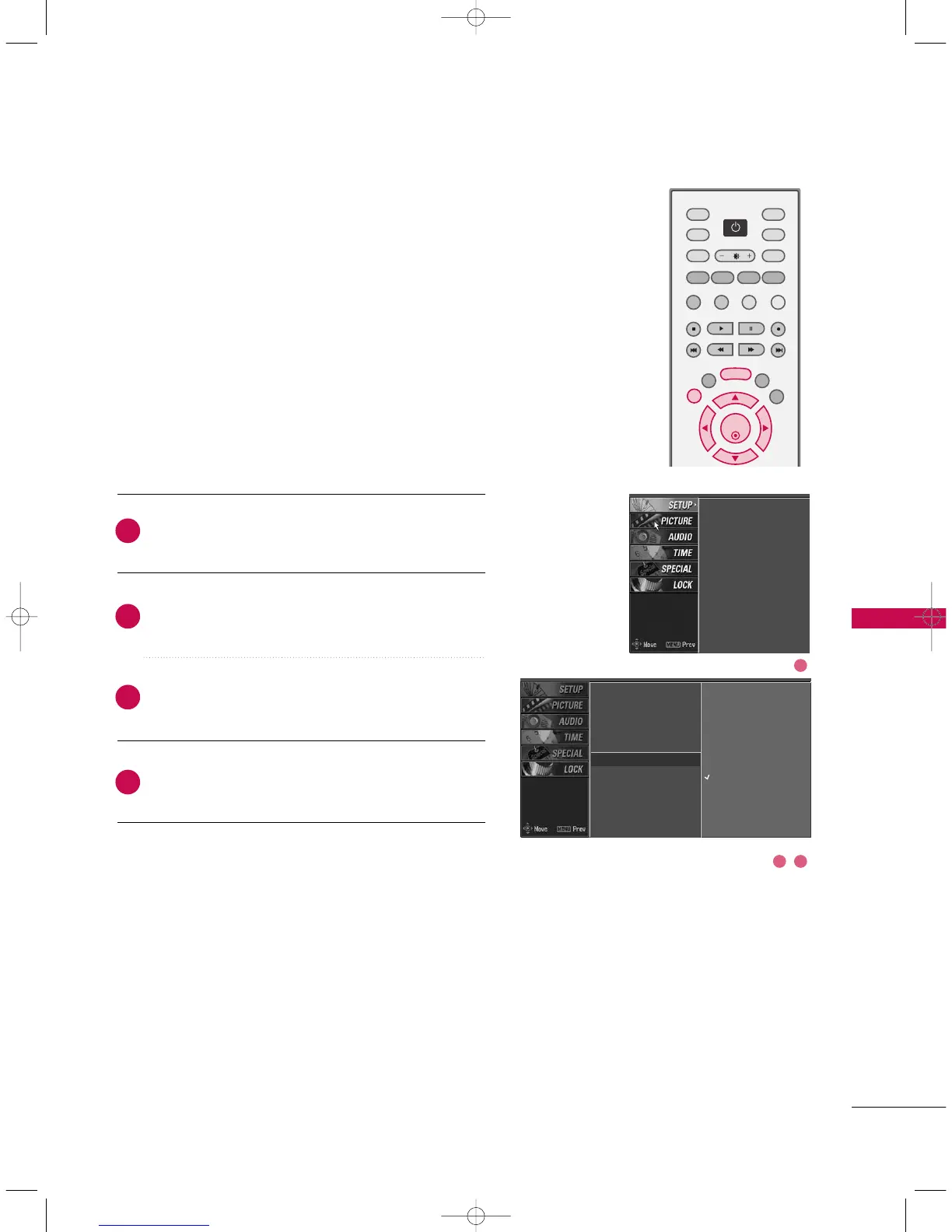
Press the
MMEENNUU
button and then use
DD
or
EE
but-
ton to select the
SSEETTUUPP
menu.
Press the
GG
button and then use
DD
or
EE
button to
select
BBoooosstteerr
.
Press the
GG
button and then use
DD
or
EE
button to
select
OOffff
or
OO nn
.
Press
EEXXIITT
button to return to normal TV viewing.
2
4
3
1
If the reception is poor at the fringed area of TV signal,
select
BBoooosstteerr
to
OO nn
. When the picture condition is
good, do not select
BBoooosstteerr
to
OO nn
.
Auto programme
Manual programme
Programme edit
Signal strength
Booster
Set ID
Auto programme
Manual programme
Programme edit
Signal strength
Booster
G
Set ID
Off
On
OK
TVD/A
INPUT
INPUT
DVD
ARC
EXIT
SLEEP
LIST
I/II
MENU
TEXT PIP
GUIDE
VCR
POWER
INFO
2 3
1
9U0569A-2 Rev05-ING 06/8/23 3:29 PM Page 53