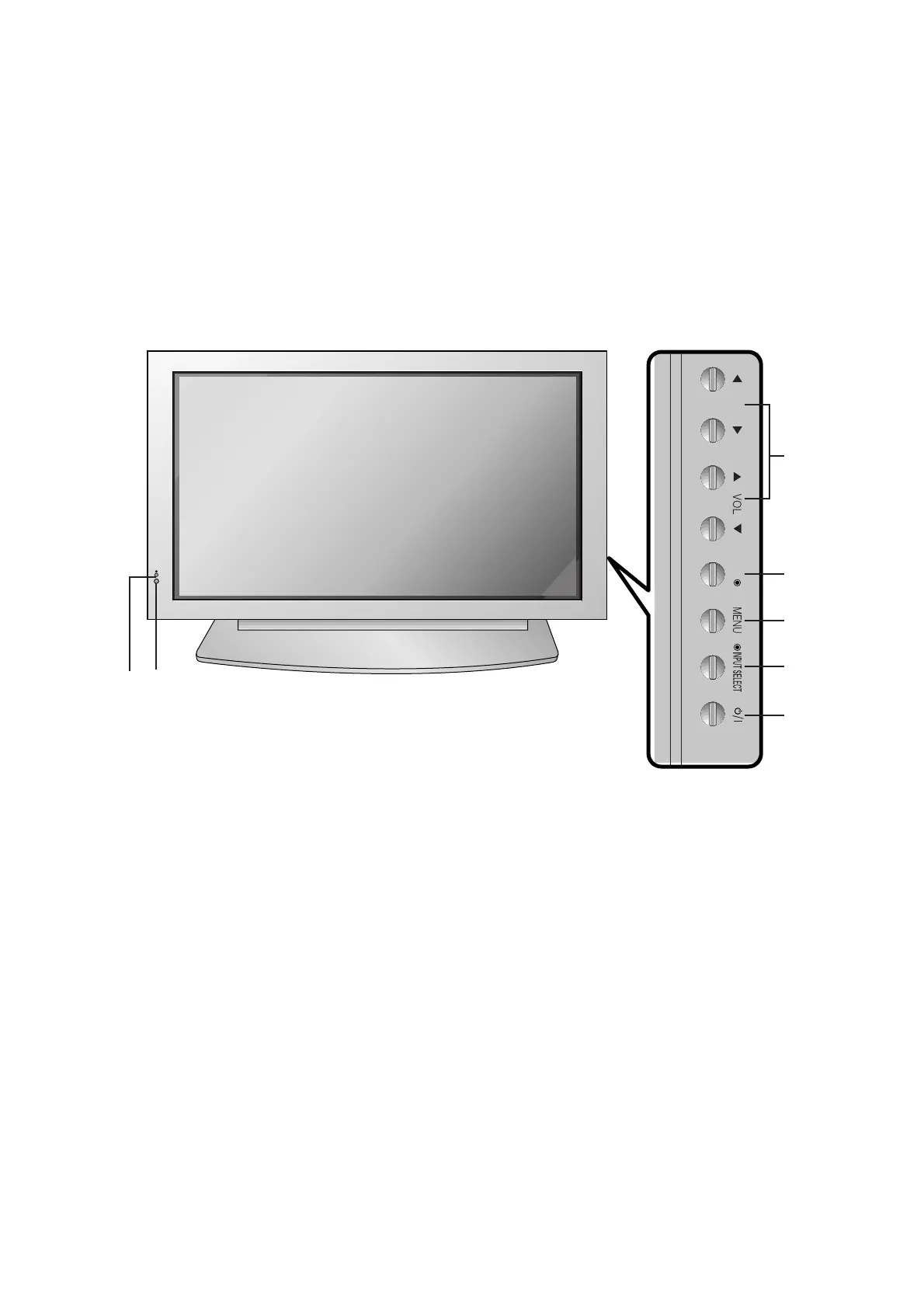
1. Power Button
Switches the set on from standby or off to standby.
2. Remote Control Sensor
3. Power Standby Indicator
Illuminates red in standby mode, Illuminates green when
the set is turned on
4. INPUT SELECT Button
5. MENU
Displays on screen menus one by one.
Exits the current menu.
Memorizes menu changes.
6. OK
Accepts your selection or displays the current mode.
7.
DD
/
EE
Selects a menu option.
FF
/
GG
(Volume Up/Down)
Increases/decreases sound level.
Adjusts menu settings.
1
4
5
6
7
3
2


 To Next Page