EasyManua.ls Logo

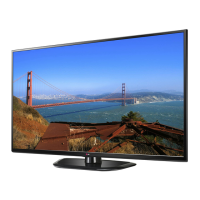
LG 42PN4500 - User Manual

LG 42PN4500
97 pages
Print Icon
To Next Page IconTo Next Page
Loading...
www.lg.com
Please read this manual carefully before operating your set and retain it
for future reference.
P/NO : MFL67705312 (1307-REV02)
OWNER’S MANUAL
PLASMA TV
42PN4500
50PN4500
50PN6500
60PN6500

Table of Contents

Other manuals for LG 42PN4500

Questions and Answers

  • M
    Marcus ParkSep 23, 2025
    Why do afterimages appear on my LG 42PN4500 Plasma TV screen?
    • E
      Earl Nelson DDSSep 23, 2025
      If afterimages (ghosts) appear when your LG Plasma TV turns off, it may be due to pixels damaged from a fixed image displayed for a long time (image burn). Use a screen saver to prevent pixel damage on the screen.
  • M
    Mario StewartAug 25, 2025
    What to do if my LG 42PN4500 Plasma TV has no image and sound?
    • R
      Renee AdkinsAug 25, 2025
      If your LG Plasma TV isn't displaying an image and there's no sound, start by verifying that the TV is powered on. Next, make sure the power cord is securely connected to a functioning wall outlet. You can test the outlet by plugging in another device to see if it works.
  • J
    Jesus KnightAug 25, 2025
    Why does my LG 42PN4500 Plasma TV turn off by itself?
    • G
      gomezrobertAug 26, 2025
      If your LG Plasma TV suddenly turns off, check the power control settings to ensure the power supply isn't interrupted. Also, verify if the Auto sleep feature is enabled in the Time settings. If there's no signal while the TV is on, it will automatically turn off after 15 minutes of inactivity.
  • W
    William BrownAug 27, 2025
    What to do if LG Plasma TV has no image and sound?
    • G
      Gary FoleyAug 27, 2025
      If your LG Plasma TV shows no image and produces no sound, ensure that the TV is turned on and that the power cord is securely connected to a working wall outlet. Test the wall outlet with other products to confirm it's functioning correctly.
  • M
    Mark GriffinSep 23, 2025
    Why do black spots appear on my LG 42PN4500 screen?
    • H
      Heidi RobertsSep 23, 2025
      Several pixels in red, green, white, or black may appear on the screen that can attribute to the characteristics of the panel. This is normal.
  • A
    Austin FreemanSep 13, 2025
    What to do if “No Signal” appears on LG Plasma TV screen?
    • J
      jesusgonzalezSep 13, 2025
      If your LG Plasma TV displays “No Signal”, verify that the signal cable is correctly connected between the TV and the device. Also, check the selected input source by pressing the INPUT button on your remote.
  • M
    Monica HernandezSep 12, 2025
    Why are there black spots on my LG 42PN4500 Plasma TV screen?
    • A
      Angela RamirezSep 12, 2025
      If you see black spots on the screen of your LG Plasma TV, this may be due to the characteristics of the panel, where several pixels in red, green, white, or black may appear. This is normal.
  • P
    Peggy HancockSep 12, 2025
    Why are there thin lines on my LG 42PN4500 screen?
    • M
      Megan StevensonSep 12, 2025
      If you notice thin lines in the background of your LG Plasma TV screen, check the video cable connections.
  • S
    sarahblanchardSep 4, 2025
    Why are there lines on my LG Plasma TV screen?
    • B
      Brenda WrightSep 4, 2025
      If you see lines or streaks on the images of your LG Plasma TV, check the antenna or try aiming it in a better direction.
  • D
    Dominique BaileySep 2, 2025
    Why are there horizontal bars on my LG 42PN4500?
    • J
      Jonathan MasonSep 2, 2025
      If you see horizontal or vertical bars, or blurring on your LG Plasma TV, check for local interference from electrical appliances or power tools.

Summary

Important Safety Instructions

Power and Electrical Safety

Safety measures for power cords, electrical shock, and fire prevention.

Grounding and Handling Safety

Guidelines for proper grounding, safe handling, and moving the TV.

Screen Care and Burn-in Prevention

Instructions for cleaning, preventing screen damage, and avoiding image burn-in.

Installation and Preparation

Unpacking and Accessories

Procedures for unpacking the TV and identifying included accessories.

Mounting the TV

Guides for attaching the stand, mounting on a table, or mounting on a wall.

Tidying Cables

Methods for organizing and securing TV cables for a neat setup.

Making Connections

Antenna and Cable Connection

How to connect an antenna or cable for TV reception.

Connecting Video Sources

Guides for connecting devices like HD receivers, DVD players via HDMI, Component, Composite.

Connecting Computers and Audio Systems

Instructions for connecting PCs, audio systems, and USB devices.

Remote Control and Basic Operation

Remote Control Overview

Explanation of remote control buttons and their functions.

Turning the TV On for the First Time

Guide to the initial setup process when turning the TV on for the first time.

LG 42PN4500 Specifications

General IconGeneral
3DNo
Depth55.8 mm
Width982.9 mm
Height596.9 mm
Weight18415 g
HD typeNot supported
Pixel pitch- mm
Smart modesCinema, Game, Sports, Standard
Package depth213.3 mm
Package width1069.3 mm
Product colorBlack
Package height665.4 mm
Package weight23496 g
RMS rated power20 W
AC input voltage100 - 240 V
Display diagonal42 \
AC input frequency50 - 60 Hz
Composite video in0
Depth (with stand)248.9 mm
Display brightness- cd/m²
Display resolution1024 x 768 pixels
Display technologyPlasma
Number of speakers2
Height (with stand)650.2 mm
High frequency rate600 Hz
Weight (with stand)19595 g
Supported video modes1080i, 1080p, 720p
USB 2.0 ports quantity1
Video formats supportedMPEG
Contrast ratio (dynamic)3000000:1
Contrast ratio (typical)-
Panel mounting interface400 x 400 mm
Annual energy consumption- kWh
Power consumption (standby)0.3 W
Sustainability certificatesENERGY STAR
Consumer Electronics Control (CEC)SimpLink

Related product manuals