EasyManua.ls Logo

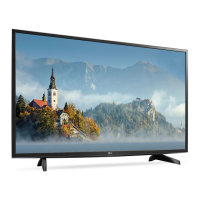
LG 43LJ55 U Series - User Manual

LG 43LJ55 U Series
53 pages
Print Icon
To Next Page IconTo Next Page
Loading...
P/NO : MFL69963002 (1703-REV01)
CHASSIS : LA75M
MODEL : 43LJ55** 43LJ55**-U*
LED TV
SERVICE MANUAL
CAUTION
BEFORE SERVICING THE CHASSIS, READ THE SAFETY PRECAUTIONS IN THIS MANUAL.
CONFIDENTIAL
Any reproduction, duplication, distribution (including by way of email, facsimile or other electronic means),
publication, modification, copying or transmission of this Service Manual is STRICTLY PROHIBITED unless you
have obtained the prior written consent of the LG Electronics entity from which you received this Service Manual.
The material covered by this prohibition includes, without limitation, any text, graphics or logos in this Service
Manual.
Copyright © 2017 LG Electronics Inc. All rights reserved.
Only training and service purposes

Questions and Answers

  • J
    Jeffrey RiosAug 11, 2025
    How to fix LG LED TV remote control not working?
    • K
      Kathy MontgomeryAug 12, 2025
      If you're having trouble controlling your LG LED TV with the remote, there are a few things you can check: * First, make sure that there are no obstructions between the remote and the TV. * Next, check the remote control sensor on the TV and try again. * Also, ensure the batteries in the remote are working and properly installed.
  • T
    thomasbarbaraAug 22, 2025
    Why does my LG 43LJ55 U turn off suddenly?
    • S
      Savannah SmithAug 22, 2025
      If your LG LED TV is turning off suddenly, it could be due to a few reasons. First, the power supply may be interrupted, so check the power control settings. Also, verify if the Sleep Timer or Timer Power Off is activated in the Timers settings. Finally, check if the Auto Power Off is activated in the General -> Eco Mode settings. (Depending on model)
  • R
    Rita MartinSep 1, 2025
    What to do if my LG LED TV has no image and sound?
    • B
      Brittany AndrewsSep 1, 2025
      If your LG LED TV has no image and no sound, try the following: First, ensure that the TV is turned on. Next, check that the power cord is properly connected to a wall outlet. Finally, test the wall outlet by connecting other products to see if there's a problem with the outlet itself.

LG 43LJ55 U Series Specifications

General IconGeneral
BrandLG
Model43LJ55 U Series
CategoryLED TV
LanguageEnglish

Related product manuals