EasyManua.ls Logo

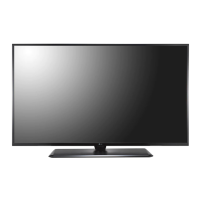
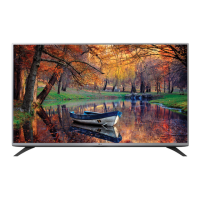
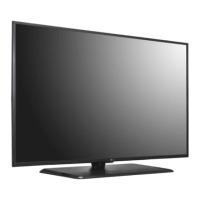
LG 43LX770M - User Manual

LG 43LX770M
41 pages
Print Icon
To Next Page IconTo Next Page
Loading...
www.lg.com
Please read this manual carefully before operating your TV and
retain it for future reference.
Safety and Reference
OWNER’S MANUAL
LED TV*
* LG LED TVs are LCD TVs with LED backlighting.
32LX770M
43LX770M
55LX770M
32LX774M
43LX774M
55LX774M
*MFL68925805*
P/NO : MFL68925805 (1612-REV01)

Other manuals for LG 43LX770M

Questions and Answers

  • A
    Andrew FernandezAug 13, 2025
    What to do if my LG 43LX770M LED TV turns off suddenly?
    • D
      David HarveyAug 13, 2025
      If your LG LED TV turns off suddenly, it could be due to a few reasons. First, the power supply might be interrupted, so check the power control settings. Also, the Timer Power Off or Sleep Timer feature might be activated in the TIMERS settings. Finally, if there's no signal while the TV is on, it will turn off automatically after 15 minutes of inactivity.
  • J
    Jason SmithAug 16, 2025
    Why is my LG TV remote not working?
    • J
      John OrtegaAug 16, 2025
      There are several reasons why your LG TV remote might not be working. First, ensure the remote is set to TV Mode using the MODE key. Then, aim the remote directly at the IR receiver on the TV from a closer distance, ensuring nothing is blocking the path. Dim the room light if there's too much light. Check and replace the batteries, making sure they are inserted with the correct polarity (+ and -). If applicable, connect the MPI cable to the MPI device. Finally, verify that the remote IR codes match the settings in your TV; if you're using an Installer Remote, ensure it's compatible and contact your LG representative if needed.
  • G
    Gary RobertsAug 20, 2025
    Why my LG LED TV remote control is not working?
    • B
      Brian HillAug 20, 2025
      If you cannot control your LG LED TV with the remote, there might be a simple fix. First, check if anything, like tape, is covering the receiver. Then, make sure there are no obstacles between the remote and the TV. Finally, try replacing the batteries in the remote with fresh ones.
  • C
    Claudia RivasAug 25, 2025
    What to do if my LG TV has no picture?
    • E
      Emily ParksAug 25, 2025
      If your LG TV has no picture, start by ensuring the TV is turned ON. Check that the antenna or cable is securely connected to the TV. Verify all connections to the TV are correct. If applicable, connect the MPI cable to the MPI device. If you're tuned to an encrypted program, try switching to another channel. Lastly, adjust the Installer Menu settings to ensure the correct tuning band is selected.
  • A
    Amanda EvansAug 27, 2025
    Why does my LG TV have sound problems?
    • A
      Amy StoneAug 28, 2025
      If your LG TV has a normal picture but poor or no sound, first, make sure the audio isn't muted by pressing the MUTE button or using the Volume Up key. If that doesn't work, try changing the channel in case there's a broadcast problem. Also, check that Installer Menu items 020 FEATURE LEVEL and 027 HOSPITAL MODE are set as required. If applicable, select TV Speaker in the Audio Menu.
  • K
    Katie TurnerAug 31, 2025
    How to fix no channels on LG TV after Express Script?
    • M
      Mallory PrinceAug 31, 2025
      If no channels are present on your LG TV after running the Express Script, it's likely that Auto Tuning was not run. Refer to the Express Script procedure. Auto Tuning must be run in order for the channel lineup to be populated. To reactivate the Express Script, restore the TV to a factory default condition.
  • K
    Kimberly YuSep 4, 2025
    What to do if my LG 43LX770M has no image and sound?
    • R
      rdavidSep 5, 2025
      If your LG LED TV shows no image and produces no sound, try these steps: Check if the TV is turned on. Verify that the power cord is securely connected to a wall outlet. To ensure the wall outlet is functioning correctly, connect other products to it.
  • S
    Sharon WoodardSep 8, 2025
    Why can't I enter channel numbers directly on my LG TV?
    • A
      Andrea EspinozaSep 8, 2025
      If you cannot directly enter a channel number on your LG TV, it could be due to the TV being in Pass-through Mode with Installer Menu item 028 CH. OVERIDE set to 0 (disabled). To fix this, set CH. OVERIDE to 1 to allow direct keypad entry to all channels. Alternatively, if the TV is in FTG Mode, the channel you're trying to enter may not be included in the FTG Channel Map. In this case, make changes to the FTG Channel Map using the FTG File Manager or the FTG Device Configuration Application.

Summary

Television Safety and Care

Essential Safety Instructions

Key safety guidelines for operating the TV, covering environmental and electrical safety.

Installation and Physical Safety

Guidance on grounding, moving, mounting, and child safety for secure TV setup.

Child Safety and Placement

Critical advice on safe television placement and handling to prevent child injuries.

Product Specifications and Connectivity

Connecting External Devices

Information on connecting antennas, cables, and various external AV equipment.

Technical Specifications and Formats

Details on picture modes, system, specifications, and supported media formats.

External Control Device Setup

Device Connection and Communication

Setup for external control via USB/RS-232C, including connection methods and protocols.

LG 43LX770M Specifications

General IconGeneral
BrandLG
Model43LX770M
CategoryLED TV
LanguageEnglish

Related product manuals