EasyManua.ls Logo

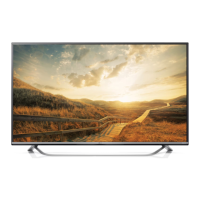
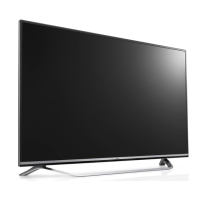
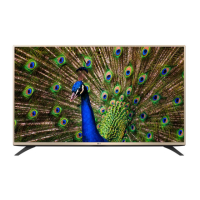
LG 43UF7590 - User Manual

LG 43UF7590
28 pages
Print Icon
To Next Page IconTo Next Page
Loading...
OWNER’S MANUAL
Safety and Reference
LED TV*
* LG LED TVs are LCD TVs with LED backlighting.
P/No : MFL68741502 (1501-REV01)
www.lg.com
*MFL68741502*
Please read this manual carefully before operating your TV and retain
it for future reference.
43UF7590
49UF7590
55UF7590
40UF7600
43UF7600
49UF7600
55UF7600
60UF7650
65UF7650
70UF7650
60UF7690
65UF7690
70UF7690
79UF7690
60UF7700
65UF7700
70UF7700
79UF7700
55UF8500
60UF8500
65UF8500
55UF9500
65UF9500

Questions and Answers

  • K
    Kimberly NashAug 20, 2025
    What to do if my LG LCD TV has no image and no sound?
    • M
      masonryanAug 20, 2025
      If your LG LCD TV isn't displaying an image or producing sound, first ensure the TV is powered on. Next, verify that the power cord is securely connected to a functioning wall outlet. You can test the outlet by plugging in another device to see if it works.
  • M
    Maxwell MillsAug 21, 2025
    Why is my LG LCD TV remote not working?
    • J
      Jessica ColemanAug 21, 2025
      If you cannot control your LG LCD TV with the remote, first ensure that nothing is covering the receiver on the TV. Then, check for any obstacles between the remote and the TV. Finally, try replacing the batteries in the remote with new ones.
  • W
    William WoodAug 25, 2025
    How to fix LG 43UF7590 remote control not working?
    • Y
      yhallAug 25, 2025
      If you're unable to control your LG LED TV with the remote, first, make sure that nothing is covering the receiver on the TV. Next, ensure there are no obstructions between the remote and the TV. Finally, try replacing the batteries in the remote with fresh ones.
  • E
    emedinaAug 26, 2025
    What to do if LG 43UF7590 LED TV remote control is not working?
    • A
      Anthony WeaverAug 26, 2025
      If you're having trouble controlling your LG LED TV with the remote, there are a few things to check. First, make sure that nothing is blocking the remote's signal, such as tape over the receiver on the TV or any obstacles between you and the TV. If the path is clear, try replacing the remote batteries with a fresh set.
  • M
    Matthew ScottAug 27, 2025
    Why does my LG 43UF7590 LED TV turn off by itself?
    • S
      smithrichardAug 27, 2025
      If your LG LED TV is turning off unexpectedly, it could be due to a few reasons. The power supply might be interrupted, so check your power control settings. Also, the Sleep Timer or Timer Power Off feature in the Timers settings may be activated. Finally, if the TV doesn't receive a signal for 15 minutes, it will automatically turn off.
  • D
    Daniel SweeneyAug 29, 2025
    Why does my LG 43UF7590 LED TV turn off suddenly?
    • J
      Julia GibsonAug 30, 2025
      If your LG LED TV suddenly turns off, first check your power control settings, as the power supply might be interrupted. Also, verify if the Sleep Timer or Timer Power Off feature is enabled within the Timers settings. Finally, be aware that the TV is designed to turn off automatically after 15 minutes of inactivity if no signal is detected.
  • M
    Maureen BrownSep 1, 2025
    Why does my LG LCD TV turn off suddenly?
    • S
      Sean LawrenceSep 1, 2025
      If your LG LCD TV turns off unexpectedly, here are a few things to check: First, review the power control settings to ensure the power supply isn't being interrupted. Also, verify if the Sleep Timer or Timer Power Off feature is enabled within the Timers settings. Lastly, be aware that the TV will automatically shut down after 15 minutes of inactivity if no signal is detected.
  • H
    Hannah JonesSep 3, 2025
    How to fix LG LCD TV remote control not working?
    • A
      Amanda MartinSep 3, 2025
      Check the following: * Make sure nothing is covering the remote receiver on the LG LCD TV, such as tape. * Ensure there are no obstructions between the remote control and the TV. * Try replacing the remote batteries with new ones.
  • L
    lewismelodySep 5, 2025
    Why does my LG 43UF7590 keep turning off?
    • T
      Tara OliverSep 5, 2025
      Your LG LED TV might be turning off suddenly due to a few reasons. First, the power supply may be interrupted, so check the power control settings. Second, the Sleep Timer or Timer Power Off feature may be activated in the Timers settings. Finally, if the TV doesn't receive a signal for 15 minutes, it will automatically turn off.
  • D
    Dr. James MorenoSep 7, 2025
    How to troubleshoot no image and sound on LG 43UF7590 LED TV?
    • V
      Vanessa GarciaSep 7, 2025
      If your LG LED TV shows no image and produces no sound, start by ensuring that the TV is powered on. Then, verify that the power cord is securely connected to both the TV and the wall outlet. To rule out a faulty outlet, try plugging another device into the same outlet to see if it works.

LG 43UF7590 Specifications

General IconGeneral
Screen Size43 inches
Display TypeLED
Smart TVYes
Operating SystemwebOS
HDMI Ports3
USB Ports2
Wi-FiYes
3DNo
BluetoothNo
Resolution3840 x 2160
HDR SupportYes
Refresh Rate60Hz

Related product manuals