EasyManua.ls Logo

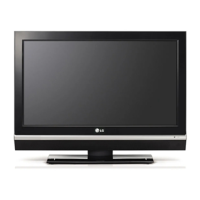
LG 43UF7600 - User Manual

LG 43UF7600
40 pages
Print Icon
To Next Page IconTo Next Page
Loading...
OWNER’S MANUAL
Safety and Reference
LED TV*
* LG LED TVs are LCD TVs with LED backlighting.
P/No : MFL68741502 (1505-REV03)
www.lg.com
*MFL68741502*
Please read this manual carefully before operating your TV and retain
it for future reference.
43UF7600
49UF7600
55UF7600
60UF7650
65UF7650
70UF7650
60UF7690
65UF7690
60UF7700
65UF7700
70UF7700
79UF7700
50UF8300
58UF8300
55UF8500
60UF8500
65UF8500
55UF8600
65UF8600
55UF9500
65UF9500
79UF9500
55UG8700
65UG8700

Other manuals for LG 43UF7600

Questions and Answers

  • T
    Tina SanchezAug 8, 2025
    What to do if my LG 43UF7600 has no image and no sound?
    • A
      Andrea WheelerAug 9, 2025
      If your LG LCD TV isn't displaying an image or producing sound, first ensure the TV is powered on. Next, verify that the power cord is securely connected to a functioning wall outlet. You can test the outlet by plugging in another device to see if it works.
  • B
    Beth BlakeAug 13, 2025
    Why does my LG 43UF7600 LCD TV turn off suddenly?
    • D
      Donald HortonAug 13, 2025
      If your LG LCD TV turns off unexpectedly, here are a few things to check: First, review the power control settings to ensure the power supply isn't being interrupted. Also, verify if the Sleep Timer or Timer Power Off feature is enabled within the Timers settings. Lastly, be aware that the TV will automatically shut down after 15 minutes of inactivity if no signal is detected.
  • T
    timothymcgeeAug 18, 2025
    How to fix LG LCD TV remote control not working?
    • B
      brooke66Aug 19, 2025
      Check the following: * Make sure nothing is covering the remote receiver on the LG LCD TV, such as tape. * Ensure there are no obstructions between the remote control and the TV. * Try replacing the remote batteries with new ones.
  • K
    kennethjohnsonAug 23, 2025
    What to do if my LG 43UF7600 has no image and sound?
    • A
      Amanda RobinsonAug 25, 2025
      First, ensure that your LG LCD TV is actually turned on. Next, verify that the power cord is securely connected to both the TV and the wall outlet. Finally, test the wall outlet by plugging in another device to see if it's working correctly.
  • G
    gpowellAug 28, 2025
    How to fix an LG 43UF7600 remote control that is not working?
    • E
      Elizabeth TaylorAug 29, 2025
      If the remote control isn't working with your LG LCD TV, check these items: First, make sure nothing is covering the receiver on the TV. Second, ensure there are no obstructions between the remote and the TV. Finally, try replacing the remote batteries with a fresh set.
  • M
    mario01Sep 2, 2025
    Why does my LG 43UF7600 turn off by itself?
    • J
      jennifer62Sep 3, 2025
      It may be that the power supply is interrupted, so check the power control settings. Also, the Sleep Timer or Timer Power Off feature might be enabled in the Timers settings. Finally, if the TV doesn't receive a signal for 15 minutes, it will automatically turn off.

Summary

Important Safety Instructions

Grounding and Electrical Safety

Preventing Image Burn-in

3 D Viewing Guidelines

Maintenance and Care

Wall Mounting Your TV

VESA Standard Specifications

Table showing VESA dimensions and screw specifications for different TV models.

Magic Remote Functions

Magic Remote Operation

Magic Remote Setup and Usage

Product Information and Support

Troubleshooting Common Issues

Common issues and solutions for remote control, display, sound, and power problems.

CHILD SAFETY: PROPER TELEVISION PLACEMENT MATTERS

Safe TV Placement and Mounting

Ensures safe installation and placement, including wall mounting, to prevent injury.

LG 43UF7600 Specifications

General IconGeneral
Screen Size43 inches
Resolution3840 x 2160 (4K UHD)
Display TypeLCD
HDR SupportYes
Smart TVYes
Operating SystemwebOS
Wi-FiYes
HDMI Ports3
USB Ports3
Audio Output20W
BluetoothNo
Refresh Rate120Hz

Related product manuals