PREPARATION
15
CABLE MANAGEMENT
■
Image shown may differ from your TV.
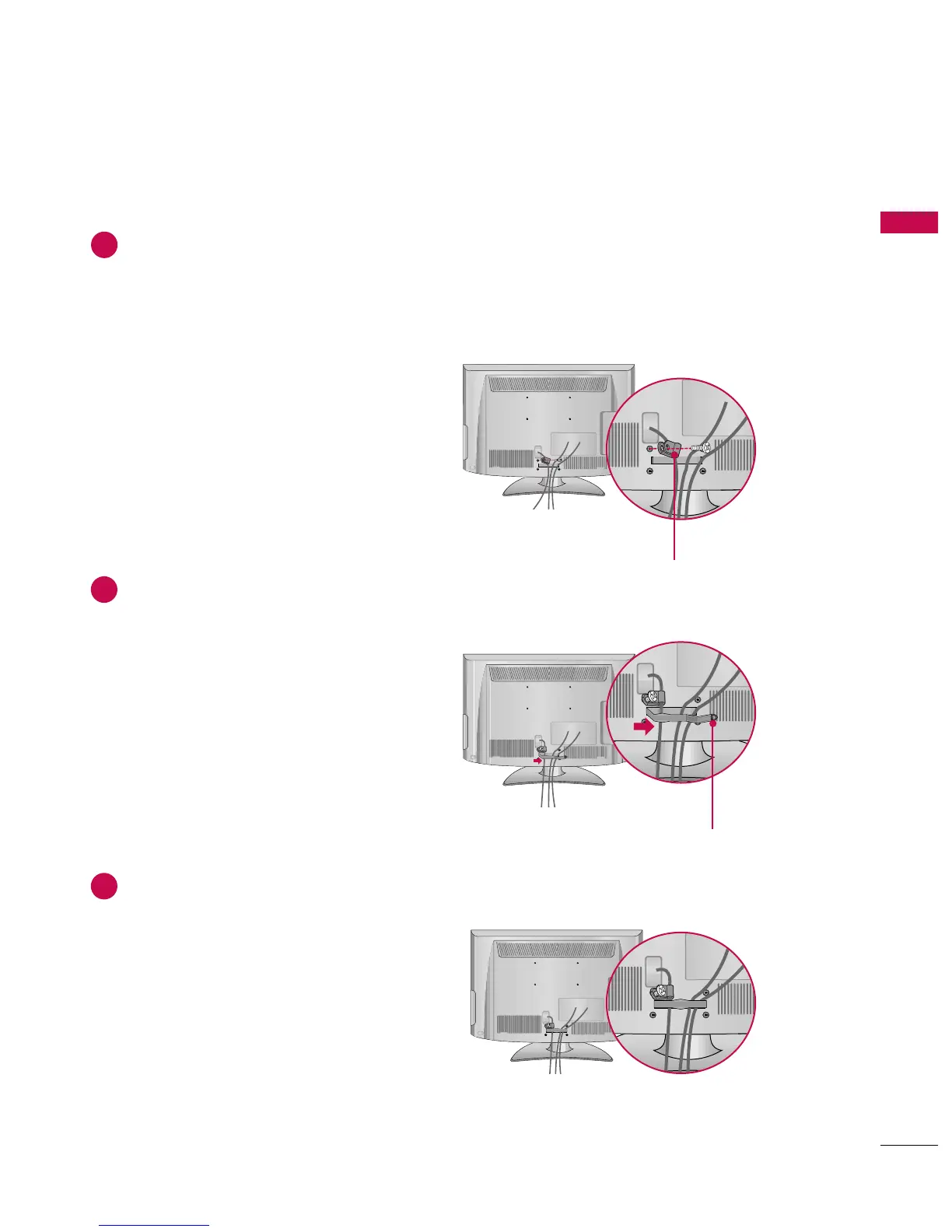
Connect the cables as necessary.
To connect additional equipment, see the EXTERNAL EQUIPMENT SETUP section.
For 55LH400C: Secure the power cable with the PROTECTIVE BRACKET and SCREW as shown.
It will help prevent the power cable from being removed by accident.
Install the CABLE MANAGEMENT CLIP as shown.
1
2
Put the cables inside the CABLE MANAGEMENT CLIP and snap it closed.
3
CABLE MANAGEMENT CLIP
PROTECTIVE BRACKET



 To Next Page