Need help?
Do you have a question about the LG 47LE5300-SA and is the answer not in the manual?
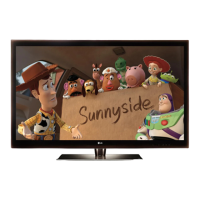
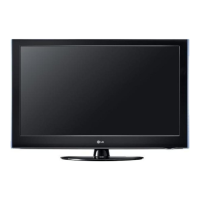
This document serves as a service manual for an LG LED LCD TV, specifically models 47LE5300 and 47LE5300-SA, built on the LJ01D chassis. It provides comprehensive information for technicians on servicing, maintenance, and adjustment procedures, emphasizing safety and proper handling of components.
The primary function of this document is to guide service personnel through the repair and maintenance of the specified LG LED LCD TV models. It outlines essential safety precautions, detailed servicing procedures, and adjustment instructions to ensure the television operates correctly and safely after any intervention. The manual is structured to support technicians in diagnosing issues, replacing parts, and performing necessary calibrations.
The manual details various operational aspects relevant to servicing the TV. It covers the initial setup for testing, including environmental conditions and power voltage requirements. For instance, it specifies that the receiver should be operated for at least 5 minutes prior to adjustment to allow for heat run. The document also touches upon the general specification of the TV, such as receivable systems (SBTVD / NTSC / PAL-M / PAL-N), available channels (VHF, UHF, DTV, CATV), input voltage (AC 100-240V 50/60Hz), and market regions (Central and South America). Screen sizes and aspect ratios are mentioned, along with the types of LCD modules used.
A significant portion of the manual is dedicated to adjustment instructions. This includes a detailed process for software updates via USB, which involves specific steps like pushing "In-stop" and "Power on" keys, and checking for successful completion. It also describes the "Main PCB check process," which involves executing an "APC" (After Manual-Insult, executing APC) procedure and a "Boot file Download" using the "Mstar ISP Utility." This utility guides the technician through configuring settings, detecting the device, loading download files, and connecting to the TV.
The manual further elaborates on the "ADC Process" for calibration, which involves entering a service mode, selecting "ADC Calibration," and performing automatic adjustments using an internal pattern. It provides a protocol for ADC calibration via RS232, detailing commands for entering adjust mode, selecting input types (Component1, RGB), and initiating automatic adjustment. After any software update, technicians are instructed to re-adjust "Tool Option" settings by selecting the appropriate option and entering the model-specific number.
Another critical adjustment feature is "White Balance" control. The manual describes both automatic and manual methods. For automatic control, it emphasizes using a Color Analyzer (CA-210) and connecting it to the TV via RS-232C communication. It specifies conditions for measurement, such as blocking ambient light and maintaining a specific distance and angle from the module. The manual also outlines the "Auto adjustment Map" with RS-232C commands for starting and ending white balance adjustments for Cool, Mid, and Warm color temperatures, along with corresponding RGB gain and cut values. For manual white balance, technicians are guided to enter service mode, select "White Balance," and adjust R Gain, G Gain, B Gain, R Cut, G Cut, and B Cut values. A crucial caution is provided regarding keeping one of the R/G/B Gain values at 0xC0 and adjusting the others lower, or ensuring all are 0xC0 for full dynamic range.
The "DDC EDID Write" procedure is also covered, for both RGB 128Byte and HDMI 256Byte. This involves connecting appropriate signal cables (D-sub for RGB, HDMI for HDMI) and writing EDID data to the EEPROM using the DDC2B protocol. The manual stresses the importance of checking the correctness of the written EDID data and notes that EDID data should be downloaded in advance for SVC main assembly. An "Auto Download" feature for EDID data is also described, allowing technicians to initiate the download via the service remote control and verifying its success. Specific hexadecimal data for FHD RGB EDID, FHD HDMI EDID (for HDMI 1, 2, 3, and 4), and HD RGB/HDMI EDID are provided for reference.
A specialized adjustment for LGD (M+S) Modules is the "V-COM Adjust." This feature addresses the "Common Voltage" of the liquid crystal driving, which is crucial for polarity change with every frame. Technicians can access this adjustment mode via the PIP key on the ADJ remote control or through the service mode. The process involves adjusting the V-COM value to minimize flicker and then saving the setting.
Finally, the "Outgoing condition Configuration" specifies that pressing the "IN-STOP" key on the SVC remote control should cause the Red LED to blink alternatively, followed by automatic turn-off. It explicitly warns against turning off AC power during this blinking sequence.
The manual places a strong emphasis on safety precautions during maintenance. It highlights that many electrical and mechanical parts have special safety-related characteristics, identified by a specific symbol in the Schematic Diagram and Exploded View. It is crucial to replace these parts with the exact components recommended in the manual to prevent hazards like shock, fire, or other dangers. Modifications to the original design without manufacturer permission are strictly prohibited.
General servicing precautions include always unplugging the AC power cord before removing or reinstalling components, disconnecting electrical plugs, or connecting test substitutes. It warns against incorrect part substitution or polarity installation of electrolytic capacitors, which could lead to an explosion hazard. High voltage testing should only be done with appropriate meters and probes, avoiding "drawing an arc." The use of chemicals near the receiver is discouraged. Cleaning electrical contacts should be done with a specific mixture of Acetone and isopropyl alcohol. Technicians are advised not to defeat B+ voltage interlocks and to ensure all solid-state device heat sinks are correctly installed before applying AC power. Proper grounding of test equipment is also stressed.
The manual provides detailed instructions for handling "Electrostatically Sensitive (ES) Devices," such as integrated circuits and field-effect transistors, to prevent damage from static electricity. This includes draining static charge from the body before handling, placing assemblies on conductive surfaces, using grounded-tip soldering irons and anti-static solder removal devices, avoiding freon-propelled chemicals, and keeping replacement ES devices in their protective packaging until immediately before installation.
General soldering guidelines are provided, recommending a grounded-tip, low-wattage soldering iron with a specific temperature range, appropriate gauge RMA resin-core solder, and clean, well-tinned tips. It details techniques for both unsoldering and soldering, emphasizing quick work to avoid overheating the circuit board foil.
Specific component removal and replacement procedures are outlined for various parts:
The manual also addresses "Circuit Board Foil Repair" in case of damage from excessive heat. It provides procedures for repairing defective copper patterns at IC connections using jumper wires on the copper pattern side, and at other connections using jumper wires on the component side, with specific instructions on removing damaged copper, scraping solder resist, crimping, and soldering.
Finally, an "Internal pressure" check is mentioned as a maintenance feature, requiring confirmation of normal operation when the power board's AC block and GND are impacted by specific kV(dc) levels for one second. This ensures the device's resilience to electrical stress.
 General
| Screen Size | 47 inches |
|---|---|
| Resolution | 1920 x 1080 |
| Display Type | LCD |
| Backlight Type | LED |
| Response Time | 2.4ms |
| HDMI Ports | 4 |
| USB Ports | 2 |
| Refresh Rate | 120 Hz |
| Aspect Ratio | 16:9 |
| Smart TV | No |
| Built-in Wi-Fi | No |
| 3D Capable | No |
| Energy Star Certified | Yes |
| Audio Output | 20W (10W x 2) |

 To Next Page