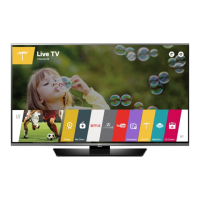
EasyManua.ls Logo

LG 49LF6300 - User Manual

LG 49LF6300
40 pages
Print Icon
To Next Page IconTo Next Page
Loading...
OWNER’S MANUAL
Safety and Reference
P/No : MFL68680202 (1504-REV03)
www.lg.com
*MFL68680202*
Please read this manual carefully before operating your set and
retain it for future reference.
40LF6300
43LF6300
49LF6300
55LF6300
60LF6300
65LF6300
42LF6500
50LF6500
55LF6500
60LF6390
65LF6390
LED TV*
* LG LED TVs are LCD TVs with LED backlighting.
32LF595B
43LF5900
49LF5900
55LF5950

Other manuals for LG 49LF6300

Questions and Answers

  • S
    Stacy CarterAug 6, 2025
    What to do if my LG LED TV turns off suddenly?
    • J
      Jermaine SuttonAug 6, 2025
      If your LG LED TV turns off unexpectedly, it could be due to a few reasons. First, the power supply might be interrupted, so check the power control settings. Second, the Sleep Timer or Timer Power off function may be activated in the Timers settings. Finally, if the TV doesn't receive a signal for 15 minutes, it will automatically turn off.
  • S
    Scott WolfAug 10, 2025
    What to do if my LG 49LF6300 LED TV has no image and sound?
    • U
      uthomasAug 11, 2025
      If your LG LED TV is not displaying an image and there is no sound, first ensure that the TV is powered on. Next, verify that the power cord is securely connected to a functioning wall outlet. You can test the outlet by plugging in another device to see if it works.
  • K
    Kathy JimenezAug 15, 2025
    Why does my LG LED TV turn off suddenly?
    • K
      Keith RiveraAug 15, 2025
      If your LG LED TV turns off suddenly, the power supply may be interrupted, so check the power control settings. Also, check if the Sleep Timer or Timer Power Off feature is enabled within the Timers settings. If the TV is on but not receiving a signal, it will automatically turn off after 15 minutes of inactivity.
  • V
    Victoria GreerAug 19, 2025
    How to fix LG 49LF6300 LED TV remote control not working?
    • P
      Patricia HudsonSep 12, 2025
      If you cannot control your LG LED TV with the remote, first check the remote control sensor on the TV and try again. Ensure there are no obstructions between the remote and the TV. Also, verify that the batteries in the remote are working and properly installed.
  • N
    Nicole WuAug 23, 2025
    Why my LG LED TV remote control is not working?
    • P
      Pamela CurryAug 23, 2025
      If you cannot control your LG LED TV with the remote, there might be a few reasons. Ensure that there are no obstacles blocking the path between the remote and the TV's sensor. Also, verify that the batteries in the remote are working and properly installed. Finally, check the remote control sensor on the TV and try again.
  • C
    Cynthia HoffmanAug 28, 2025
    Why does my LG TV tilt forward after installing it?
    • J
      Joshua BurnsAug 28, 2025
      If your LG TV tilts forward after installation, ensure that all screws are securely tightened.
  • K
    Kenneth PageSep 1, 2025
    How to prevent my LG TV from getting scratched or damaged during a move?
    • L
      Lawrence HopkinsSep 1, 2025
      If you need to move your LG TV, it is recommended to use the original box or packing material to prevent scratches or damage.

Summary

Important Safety Instructions

Grounding and Electrical Safety

Proper grounding and precautions against electric shock.

3 D Viewing Guidelines

Recommendations and precautions for viewing 3D content.

3 D Glasses Usage and Setup Preparation

Cautions for 3D glasses and preparing the TV.

Maintenance

Basic Functions

Table Mounting and Menu Adjustment

Instructions for table mounting and adjusting TV menus.

TV Mounting

Wall Mounting

Instructions for mounting the TV to a wall.

Remote Control

Remote Control Operation

Explanation of remote control buttons and battery installation.

Magic Remote Setup

Troubleshooting

Child Safety

EXTERNAL CONTROL DEVICE SETUP

LG 49LF6300 Specifications

General IconGeneral
Screen Typeled
Wall Mount300mm x 300mm
Featurestriple xd engine, tru-color generator
Screen Size48.5 inches, 49 inches
Surround Sounddolby digital
Speakers Output20 watts
Number Of Speakers2
USB Ports3
RF Antennayes
Digital Optical Audio Outputs1
Component Video Inputs1
Composite Video Inputs1
Remote Controlmagic
3Dno
Power Consumption75 kilowatt hours
Depth with Stand8.7 inches
Height with Stand27.5 inches
Width with Stand43.5 inches
Net Weight with Stand38.8 pounds
Depth without Stand2.2 inches
Height without Stand25.5 inches
Net Weight without Stand31.7 pounds

Related product manuals