Need help?
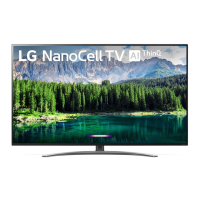
Do you have a question about the LG 49SM8600 and is the answer not in the manual?
Ensures proper airflow around the TV to prevent overheating and maintain performance.
Provides safety guidelines for grounding outdoor antennas to protect against voltage surges and static charges.
Ensures proper electrical grounding for the TV to prevent electric shock and system damage.
Guidelines for safe battery storage, handling, and disposal to prevent hazards.
Provides instructions for safely moving the TV to prevent damage and injury.
Instructions for cleaning the TV screen and body safely without damaging the product.
Details on optional accessories available for purchase, which may vary by model.
Information on the LG Magic Remote control and its compatibility with TV models.
Advice to prevent scratching or damaging the TV during transportation and handling.
Instructions for safely placing and securing the TV on a table for stability.
Detailed steps for securely mounting the TV to a wall using appropriate brackets and hardware.
Instructions for connecting the TV to antenna or cable sources for broadcast reception.
Steps for connecting the TV to a satellite dish for satellite broadcasting.
Instructions for inserting and using a CI module for encrypted digital TV services.
Guidance on connecting external devices via HDMI and USB for optimal audio-visual quality.
Details on how to operate the TV's physical button for basic functions and menu navigation.
Provides solutions for common problems such as remote control issues, no image, or sudden power off.
Explains common display phenomena that are normal and not product malfunctions.
Describes common sounds like cracking or humming that occur during operation.
Lists and provides access to software licenses, warranty disclaimers, and copyright notices.
Guide on using a USB to Serial converter cable for external control of the TV.
Details on connecting the TV to external devices using an RS-232C cable.
Instructions on setting the unique Set ID for controlling specific TVs in a multi-device setup.
A comprehensive list of commands, their hex codes, and data values for controlling TV functions.
Provides a conversion table between hexadecimal and decimal values for data transmission.
Controls for adjusting the screen format, including options like Normal, Wide, and Zoom.
Functionality to mute the screen or video output, controlling whether the OSD is displayed.
Commands to adjust the TV volume level and toggle mute on/off.
Commands for adjusting picture settings like contrast and brightness.
Controls for turning the On Screen Display (OSD) on or off during remote operation.
Functionality to lock the TV's front panel controls and remote operation.
Commands to adjust audio parameters such as treble, bass, and channel balance.
Controls for adjusting color temperature and the ISM (Image Sticking) method.
Commands to tune channels for analog, digital, and satellite broadcasts, specifying various data formats.
Sends specific IR remote key codes to control TV functions remotely.
Controls for adjusting the TV's backlight brightness and plasma panel light.
Commands to select the main picture input source from various options.
Controls for switching between 3D, 2D, and adjusting 3D viewing parameters.
 General
| Screen Size | 49 inches |
|---|---|
| Display Type | LED |
| Resolution | 3840 x 2160 (4K UHD) |
| Smart TV | Yes (webOS) |
| Processor | α7 Gen 2 Intelligent Processor |
| HDMI Ports | 4 |
| USB Ports | 3 |
| Wi-Fi | Yes |
| Bluetooth | Yes |
| Sound Output | 20W |
| HDR | Yes |
| Refresh Rate | 120Hz |

 To Next Page