EasyManua.ls Logo

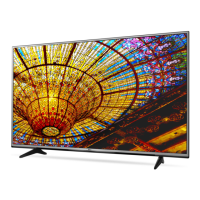
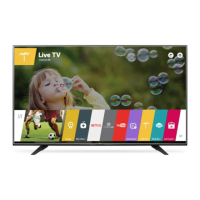
LG 49UH60 Series - User Manual

LG 49UH60 Series
40 pages
Print Icon
To Next Page IconTo Next Page
Loading...
AA
AAA
X 4
(M4 X L14)
P/No: MFL69081713 (1506-REV00)
Printed in Korea
LED TV
UF64**
www.lg.com
: Depending on model /

Other manuals for LG 49UH60 Series

Questions and Answers

  • C
    Carol KingAug 5, 2025
    What to do if my LG LED TV turns off suddenly?
    • J
      Joshua SpencerAug 5, 2025
      If your LG LED TV turns off unexpectedly, several factors could be at play. First, the power supply might be interrupted, so check the power control settings. Also, the Sleep Timer or Timer Power Off feature may be activated within the Timers settings. Another possibility is that the Auto Power Off feature is enabled in the General -> Eco Mode settings, depending on your specific model. Finally, if the TV is on but not receiving a signal, it will automatically shut down after 15 minutes of inactivity.
  • S
    sheenamillerAug 9, 2025
    What to do if my LG 49UH60 LED TV has no image and sound?
    • J
      Jennifer RogersAug 9, 2025
      If your LG LED TV isn't displaying an image or producing sound, here's what you can check: Ensure the TV is powered on. Verify that the power cord is securely connected to a working wall outlet. To confirm the outlet is functioning correctly, try plugging in another device.
  • J
    Jennifer CooperAug 13, 2025
    Why can't I control my LG 49UH60 with the remote control?
    • L
      lramirezAug 13, 2025
      If you're having trouble controlling your LG LED TV with the remote, there are a few things to check. First, make sure there's no obstruction between the remote and the TV's sensor. Then, check the remote control sensor on the product and try again. Lastly, ensure the batteries in the remote are working and properly installed.
  • J
    Jonathon JamesAug 17, 2025
    What to do if my LG 49UH60 remote is not working?
    • C
      christophergibbsAug 17, 2025
      If you cannot control your LG LED TV with the remote, first, make sure there are no obstructions between the remote and the TV. Then, check the remote control sensor on the TV and try again. Also, verify that the batteries in the remote are working and properly installed.
  • T
    Tiffany LopezAug 22, 2025
    What to do if my LG 49UH60 LED TV says ‘No signal’ or ‘Invalid Format’ when connecting to PC (HDMI)?
    • V
      Vanessa HarperAug 22, 2025
      If you're seeing a ‘No signal’ or ‘Invalid Format’ message on your LG LED TV when connecting to a PC via HDMI, try these steps: First, turn the TV off and then on again using the remote control. If that doesn't work, try reconnecting the HDMI cable. As a final step, restart your PC while the TV is powered on.
  • A
    andrea63Aug 27, 2025
    Why does my LG 49UH60 keep turning off?
    • J
      Jason HawkinsAug 27, 2025
      If your LG LED TV suddenly turns off, it could be due to a few reasons. First, the power supply might be interrupted, so check the power control settings. Also, ensure that the Sleep Timer or Timer Power Off is not activated in the Timers settings. Another possibility is that the Auto Power Off feature is enabled in the General -> Eco Mode settings. Finally, if the TV doesn't receive a signal for 15 minutes, it will turn off automatically.
  • V
    Veronica RussoAug 30, 2025
    How to fix ‘No signal’ on LG Led tv when connecting to PC?
    • J
      Johnny GeorgeAug 30, 2025
      If your LG LED TV shows ‘No signal’ or ‘Invalid Format’ when connected to a PC via HDMI, try turning the TV off and then on again using the remote control. If that doesn't work, reconnect the HDMI cable. As a final step, restart your PC while the TV is on.

Summary

Safety Instructions

General Safety Precautions

Essential safety guidelines for product operation and environment.

3 D Viewing

Photosensitive Seizures and Health Risks

Warns users with epilepsy or chronic illnesses about 3D content risks.

Symptoms Requiring Discontinuation

Lists symptoms that indicate stopping 3D content viewing.

Product Maintenance and Handling

Lifting and Moving Precautions

Safety guidelines for handling and transporting the TV.

Wall Mounting

Wall Mounting Preparation

Details on preparing for wall mounting, including eye-bolts.

Wall Mounting Installation

Steps and precautions for securely mounting the TV on a wall.

TV Connectivity and Control

Remote Control Overview

Introduces the TV remote control and its basic functions.

Remote Control Functions

Magic Remote Operations

Magic Remote Button Functions

Describes the functions of buttons on the Magic Remote.

Magic Remote Pointer and Navigation

Explains how to use the Magic Remote's pointer and navigation.

Advanced Magic Remote Features

Voice Recognition

How to use voice commands with the Magic Remote.

System Information and Troubleshooting

Remote Control Troubleshooting

Solutions for issues with the TV remote control.

External Control Device Setup Guide

External Control Device Setup - Connection Methods

External Control Device Setup - RS-232 C Details

External Control Device Setup - Command Reference

Command Reference List

Comprehensive list of commands for controlling TV functions via external devices.

External Control Device Setup - Protocols

Transmission;Receiving Protocol

Defines the protocol for sending and receiving commands.

External Control Device Setup - Basic Commands

External Control Device Setup - Picture and Audio Commands

External Control Device Setup - Tuning and Saving Commands

Tune Command and Channel Mapping

Commands for tuning channels and mapping physical/major/minor numbers.

External Control Device Setup - Channel Tuning Examples

External Control Device Setup - Input and 3 D Commands

3 D Mode Control

Commands for changing 3D modes and settings.

External Control Device Setup - Auto Configure

LG 49UH60 Series Specifications

General IconGeneral
Screen Size49 inches
Display TypeLED
Refresh Rate60 Hz
Smart TVYes
Operating SystemwebOS
HDMI Ports3
USB Ports2
Wi-FiYes
BluetoothNo
Resolution3840 x 2160
HDRYes
Audio Output20W

Related product manuals