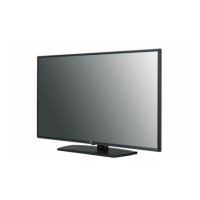
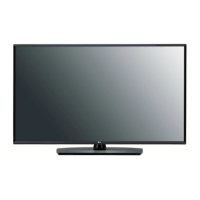
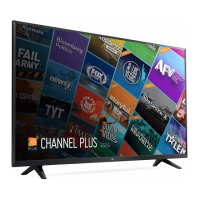
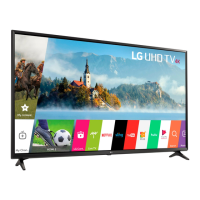
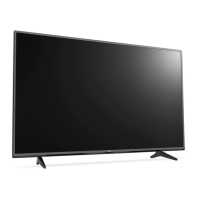
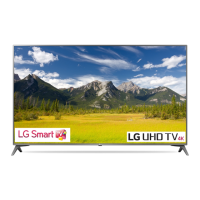
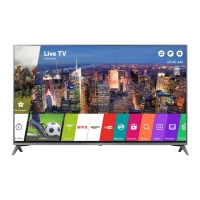
This document serves as an owner's manual for various LG LED TV models, including the 49/55UT762H*, 49/55/65UT762V*, 43/49/55/65UT662H*, and 32LT662V*. It provides essential information regarding safety, setup, operation, and maintenance of the television.
Function Description
The LG LED TV is designed to provide high-quality visual and audio entertainment. It functions as a display for various external devices such as Blu-ray players, HD receivers, DVD players, VCRs, audio systems, USB storage devices, PCs, and gaming consoles. The TV supports digital and analogue broadcasting, offering a wide range of channels. It also features network connectivity for communication with Pro:Centric servers and other network devices, and USB ports for connecting external storage or webcams. The TV can be controlled via a remote control or buttons on the unit itself, allowing for power on/off, volume adjustment, channel selection, input source changes, and menu navigation.
Important Technical Specifications
The manual provides detailed specifications for various models, including dimensions (width, depth, height) and weight. For example, the 43UT662H0ZC and 43UT662H2ZC models measure 973 mm (W) x 85.0 mm (D) x 572 mm (H) and weigh 8.0 kg. The 65UT762V0ZC measures 1451 mm (W) x 64 mm (D) x 840 mm (H) and weighs 24.1 kg. Power requirement for all listed models is AC 100-240 V ~ 50/60 Hz.
Broadcasting Specifications (Depending on Country):
- Digital TV: DVB-S/S2, DVB-T/T2, DVB-C.
- Analogue TV: PAL/SECAM B/G, D/K, I, SECAM L.
- Channel Coverage:
- DVB-S/S2: 950~2,150 MHz
- DVB-C: 46~890 MHz
- DVB-T/T2: VHF III (174~230 MHz), UHF IV (470~606 MHz), UHF V (606~862 MHz), S Band II (230~300 MHz), S Band III (300~470 MHz)
- Analogue TV: 46~862 MHz
- Maximum Storable Programmes: 6,000 (Digital TV), 3,000 (Analogue TV).
- External Antenna Impedance: 75 Ω.
- CI Module (W x H x D): 100.0 mm x 55.0 mm x 5.0 mm.
Wireless Module (LGSBWAC92) Specifications:
- Wireless LAN (IEEE 802.11a/b/g/n/ac):
- Frequency Range: 2,400 to 2,483.5 MHz (Output Power Max: 18 dBm), 5,150 to 5,725 MHz (Output Power Max: 18 dBm), 5,725 to 5,850 MHz (Not for EU) (Output Power Max: 12 dBm).
- Bluetooth:
- Frequency Range: 2,400 to 2,483.5 MHz (Output Power Max: 8 dBm).
Environment Condition:
- Operating Temperature: 0 °C to 40 °C.
- Operating Humidity: Less than 80%.
- Storage Temperature: -20 °C to 60 °C.
- Storage Humidity: Less than 85%.
HDMI-DTV Supported Modes:
The TV supports various resolutions and frequencies for HDMI-DTV input, including 640x480p (59.94/60 Hz), 720x480p (59.94/60 Hz), 720x576p (50 Hz), 1280x720p (50/59.94/60 Hz), 1920x1080i (50/59.94/60 Hz), 1920x1080p (23.97/24/25/29.97/30/50/59.94/60/100/119.88/120 Hz), 3840x2160p (23.98/24/25/29.97/30/50/59.94/60 Hz), and 4096x2160p (23.98/24/25/29.97/30/50/59.94/60 Hz).
HDMI-PC Supported Modes:
For PC input via HDMI, resolutions such as 640x350 (70.09 Hz), 720x400 (70.08 Hz), 640x480 (59.94 Hz), 800x600 (60.31 Hz), 1024x768 (60 Hz), 1360x768 (60.01 Hz), 1152x864 (60.05 Hz), 1280x1024 (60.02 Hz), 1920x1080 (60/119.88/120 Hz), 2560x1440 (59.95 Hz), 3840x2160 (23.98/24/25/29.97/30/50/59.94/60 Hz), and 4096x2160 (23.98/24/25/29.97/30/50/59.94/60 Hz) are supported. PC audio is not supported.
- .mp3: Bit rate 32-320 Kbps, Sample freq. 16-48 kHz, Support MPEG1, MPEG2, mono, stereo channels.
- .wav: Bit rate 8-96 kHz, Sample freq. 8-96 kHz, Support PCM, mono, stereo channels.
- .ogg: Bit rate 64-320 Kbps, Sample freq. 8-48 kHz, Support Vorbis, mono, stereo channels.
- .wma: Bit rate 128-320 Kbps, Sample freq. 8-48 kHz, Support WMA, up to 6 channels.
- .flac: Bit rate 8-96 kHz, Sample freq. 8-96 kHz, Support FLAC, mono, stereo channels.
- .jpeg, .jpg, .jpe (JPEG): Minimum 64x64 (W x H), Maximum (Normal Type) 15360x8640 (W x H), Maximum (Progressive Type) 1920x1440 (W x H).
- .png (PNG): Minimum 64x64 (W x H), Maximum 5760x5760 (W x H).
- .bmp (BMP): Minimum 64x64 (W x H), Maximum 1920x1080 (W x H).
The TV supports various video codecs and extensions, including VC-1, WMA, Xvid, H.264/AVC, Motion Jpeg, MPEG-4, MPEG-1, DTS, Dolby Digital, LPCM, ADPCM, VP8, VP9, HEVC, RV30, RV40, Realaudio6, AAC LC, HE-AAC.
- ULTRA HD Video: 3840 x 2160, 4096 x 2160. Some HEVC encoded ULTRA HD videos not officially provided by LG Electronics may not be played.
Supported External Subtitles:
- .smi, .srt, .sub (MicroDVD, SubViewer 1.0/2.0), .ass, .ssa, .txt (TMPlayer), .psb (PowerDivX), .dcs (DLP Cinema)
- Embedded Subtitles: Matroska (mkv): Sub Station Alpha (SSA), Advanced Sub Station Alpha (ASS), SRT; MP4: Timed Text.
Usage Features
- Initial Setup: The TV may take a few minutes to initialize when first turned on.
- Wall Mounting: The manual provides instructions and VESA standard dimensions for wall mount brackets (e.g., 200x200 mm for 43UT78*, 300x300 mm for 55UT76*). It emphasizes using appropriate screws and ensuring proper ventilation.
- Desk Mounting: Instructions for attaching the TV to a desk are provided, including screw specifications (e.g., M5 x L for table depth + 8~10 mm).
- Kensington Security System: The TV supports a Kensington security system for theft prevention.
- Remote Control: The remote control allows for power on/off, energy saving mode, input source selection, volume control, program navigation, access to smart features, and various menu options. It uses 1.5 V AAA batteries.
- On-Unit Buttons: Basic functions like power on/off, volume control, program control, and input source selection can be operated using buttons on the TV itself.
- Adjusting Viewing Angle: Some models allow swiveling 20 degrees left or right to adjust the viewing angle.
- External Device Connections: The TV offers various ports for connecting external devices, including HDMI IN/ARC, USB IN, PCMCIA CARD SLOT, ANTENNA/CABLE IN, Satellite IN, OPTICAL DIGITAL AUDIO OUT, EXTERNAL SPEAKER OUT, AUDIO LINE OUT, RS-232C IN (CONTROL&SERVICE), H/P OUT, CLOCK, AUX LAN, LAN, AV IN, and COMPONENT IN.
- HDMI Deep Colour: For UHD models, the [HDMI ULTRA HD Deep Colour] setting can be adjusted (On/Off) to optimize picture quality for compatible devices.
- USB Usage: It is recommended to use USB 1 port for webcams and a USB hub or HDD with a power supply for other USB devices. External USB HDDs should have a rated voltage of 5 V or less and a rated current of 500 mA or less.
- External Speakers: The TV supports connecting external speakers via the EXTERNAL SPEAKER OUT or AUDIO LINE OUT ports.
- Network Connection: The TV can be connected to a Pro:Centric server via the LAN port for network communication.
- RS-232C Control: The TV can be controlled externally via an RS-232C serial port, allowing for commands like power on/off, aspect ratio adjustment, screen mute, volume control, contrast, brightness, colour, tint, sharpness, OSD select, remote control lock, balance, colour temperature, energy saving, auto configuration, tune, program skip/add, key commands, backlight control, and input selection.
- Open Source Software: Information on obtaining source code for GPL, LGPL, MPL, and other open source licenses is provided via https://opensource.lge.com.
Maintenance Features
- Cleaning: Unplug the power cord before cleaning. Wipe gently with a soft/dry cloth. Do not spray water or other liquids directly on the TV. Avoid using chemicals like glass cleaner, air freshener, insecticide, lubricants, wax, abrasive, thinner, benzene, or alcohol, as these can damage the product or panel.
- Ventilation: Ensure proper ventilation by not installing the TV in confined spaces, on carpets, or covered with cloth. Avoid blocking ventilation openings.
- Power Cord Protection: Protect the power cord from physical abuse. Do not use a damaged or loosely fitting cord. Grasp the plug, not the cord, when unplugging.
- Battery Safety: Do not mix new and old batteries. Ensure correct polarity. Do not short circuit, disassemble, or overheat batteries. Do not dispose of batteries in fire.
- Troubleshooting: The manual includes a troubleshooting section for common issues like remote control malfunction, no image/sound, sudden power off, no signal from PC (HDMI), and abnormal display (flicker, dead pixels, brightness/colour variations, image sticking).
- Software Updates: The software can be updated for performance improvements.
- Energy Saving: The TV has an [Energy Saving] feature (APS mode) to reduce power consumption by dimming control and adjusting panel brightness based on ambient light.
- Stand Hole Cover: When wall mounting, it is recommended to cover the stand hole with tape to prevent dust and insects from entering.
- Screw Length for Wall Mount: For specific models (24/28LT66*), the screw length from the outer surface of the back cover should be under 8 mm.

 Need help?

 To Next Page
 General