EasyManua.ls Logo

LG 49XS2D - User Manual

LG 49XS2D
8 pages
Print Icon
To Next Page IconTo Next Page
Loading...
P/No: MFL70182601 (1709-REV01)
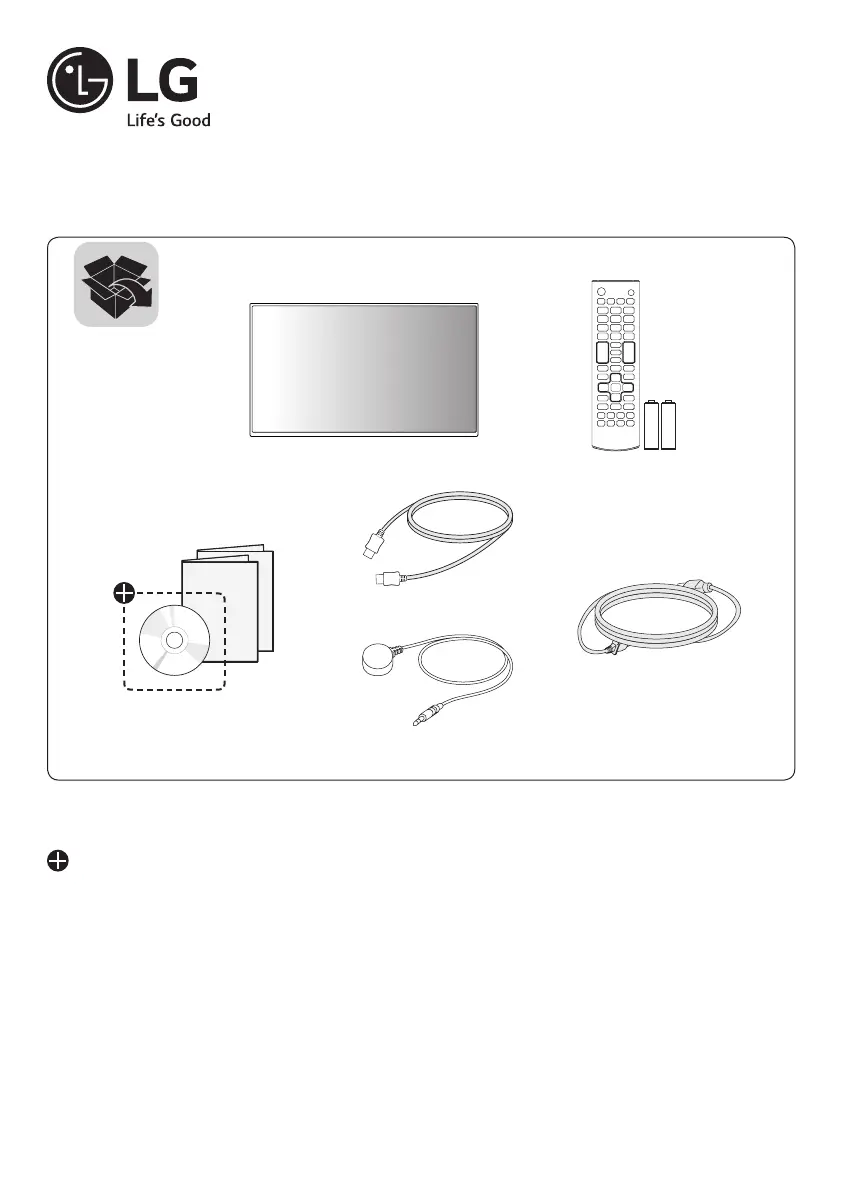
LG Digital Signage
(MONITOR SIGNAGE)
49XS2D 55XS2D
*MFL70182601*
AAA
Depending upon country / Závisí na zemi / Afhængigt af landet / En función del país / Maan
mukaan / Selon pays / Abhängig vom Land /  / Országfüggő / Tergantung
pada negaranya / A seconda del Paese /  / 지역에 따라 다름 / Afhankelijk
van het land / Avhengig av land / Zależnie od kraju / Dependendo do país / 
 / Závisí od krajiny / Beroende på land / 視國家,地區而定 / Ülkeye bağlı / 
/ Mamlakatga bog’liq ravishda / 国によって異なります / Depende do país /


Questions and Answers

  • W
    wriveraAug 8, 2025
    What to do if no image is displayed on my LG Digital Signage?
    • G
      Gail VelazquezAug 8, 2025
      If no image is displayed on your LG Digital Signage, first, check the signal cable connecting the PC and the product. If the connection is correct, ensure that the signal from your PC's graphics card is within the product's vertical or horizontal frequency range. If not, adjust the frequency range according to the specifications in this manual. Also, press the INPUT menu on the remote control to check the input signal.
  • E
    Evan WilliamsAug 13, 2025
    Why does the screen image look abnormal on my LG 49XS2D?
    • T
      Terry OconnellAug 13, 2025
      If the screen image on your LG Digital Signage looks abnormal, ensure that the graphics card resolution and frequency are supported by the product. If the frequency is out of range, set the recommended resolution in the [Control Panel] ? [Display] ? [Setting] menu. Also, make sure that the proper input signal is connected to the signal port; connect the signal cable that matches the source input signal.
  • M
    Marissa WilsonAug 17, 2025
    How to fix abnormal screen color on LG Digital Signage?
    • R
      rhondawatkinsAug 17, 2025
      If the screen color on your LG Digital Signage is abnormal, set the number of colors to more than 24 bits (true color) by selecting [Control Panel] ? [Display] ? [Settings] ? [Color Table] in Windows. Also, check the connection status of the signal cable. Note that several pixels (red, green, blue, white, or black color) may appear on the screen; this is not a malfunction of the LCD, but a unique characteristic.
  • D
    Dean MacdonaldAug 22, 2025
    What to do if the audio function does not work on my LG 49XS2D?
    • P
      Patricia WuAug 22, 2025
      If you're experiencing issues with the audio function on your LG Digital Signage, check if the audio cable is connected properly, and adjust the volume. Also, ensure that the sound is set properly and select the appropriate equalizer sound. Try adjusting the volume again as well.
  • P
    Patricia HarrisAug 26, 2025
    Why does after-image appear on my LG Digital Signage?
    • B
      Brooke CallahanAug 26, 2025
      If you notice after-image appearing on your LG Digital Signage, use the screen-saver function, especially if you use a fixed image for a long time, as the pixels may be damaged. Also, be aware that when a dark image is displayed after an image with high contrast (black and white or gray), it may cause image sticking, which is normal for LCD screen products.
  • R
    Ryan SmithAug 30, 2025
    What to do if the operation does not work normally on my LG 49XS2D Digital Signage?
    • M
      Michael GordonAug 30, 2025
      If the operation of your LG Digital Signage does not work normally, check if the Timer is set and review the power control settings. Also, consider whether there was a power interruption.
  • S
    snelsonSep 3, 2025
    What to do if the 'Unknown Product' message appears when connecting my LG Digital Signage?
    • A
      Albert RiversSep 3, 2025
      Check if the Plug and Play function is supported by referring to the graphics card user manual.

LG 49XS2D Specifications

General IconGeneral
Screen Size49 inches
Panel TechnologyIPS
Response Time8 ms
Life Time50, 000 hours
Operating Hours24/7
OrientationLandscape / Portrait
Operating Temperature0°C to 40°C
Storage Temperature-20°C to 60°C
Standby Power Consumption0.5 W
Resolution1920 x 1080 (Full HD)
Viewing Angle (H x V)178 x 178 degrees
InputHDMI, DVI-D, USB
OutputAudio
External ControlRS232C, RJ45
Power Consumption120 W

Related product manuals