EasyManua.ls Logo

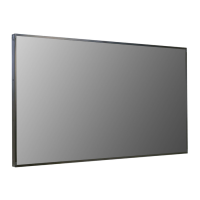
LG 49XS4F - User Manual

LG 49XS4F
125 pages
Print Icon
To Next Page IconTo Next Page
Loading...
OWNER’S MANUAL
LG Digital Signage
(MONITOR SIGNAGE)
49XS4F
55XS4F
Please read this manual carefully before operating your set and retain it
for future reference.
www.lg.com
Copyright © 2019 LG Electronics Inc. All Rights Reserved.

Table of Contents

Other manuals for LG 49XS4F

Questions and Answers

  • M
    Mary ElliottSep 18, 2025
    Why is the audio not working on my LG 49XS4F Digital Signage?
    • K
      Krista FreySep 18, 2025
      If the audio function on your LG Digital Signage is not working, verify that the audio cable is properly connected. Then, adjust the volume and ensure the sound settings are correctly configured. You may also want to select the appropriate equalizer sound.
  • H
    Helen FloresAug 25, 2025
    What to do if screen color is abnormal on LG 49XS4F?
    • J
      Jocelyn HolmesAug 25, 2025
      If the screen color on your LG Digital Signage appears abnormal, set the color depth to more than 24 bits (true color) via the Windows Control Panel's Display settings. Check the signal cable's connection status and try re-inserting the PC graphics card. Note that some pixels of red, green, blue, white, or black may appear, which is normal for LCD panels and not a malfunction.
  • C
    Chad ClementsAug 26, 2025
    What to do if the audio function does not work on LG 49XS4F?
    • A
      Alexander RussoAug 26, 2025
      If the audio isn't working on your LG Digital Signage, first ensure the audio cable is properly connected. Then, adjust the volume and verify that the sound settings are correctly configured. Also, try selecting an appropriate equalizer sound.
  • I
    iromeroAug 27, 2025
    Why screen image looks abnormal on LG 49XS4F Digital Signage?
    • P
      Pamela HensleyAug 27, 2025
      If the screen image on your LG Digital Signage looks abnormal, check that the graphics card resolution and frequency are supported by the product. Ensure the correct input signal is connected to the appropriate signal port using the matching signal cable.
  • M
    Maria BennettSep 22, 2025
    How to fix abnormal screen color on LG 49XS4F?
    • J
      Jordan CarrollSep 22, 2025
      If the screen color on your LG Digital Signage is abnormal, set the number of colors to more than 24 bits (true color) via (Control Panel) (Display) (Settings) (Color Table) in Windows. Also, check the connection status of the signal cable and re-insert the PC graphics card if necessary. Note that several pixels (red, green, blue, white, or black color) may appear on the screen, which is not a malfunction of the LCD, but a unique characteristic of the LCD panel.
  • R
    Rachel WilliamsSep 23, 2025
    What to do if LG Digital Signage shows 'Unknown Product' message?
    • S
      sleeSep 23, 2025
      If the 'Unknown Product' message appears when your LG Digital Signage is connected, check if the Plug and Play function is supported by referring to the graphics card user manual.
  • E
    Elizabeth ThompsonSep 9, 2025
    What to do if my LG 49XS4F suddenly turned off?
    • E
      escobarmarioSep 9, 2025
      If your LG Digital Signage suddenly turned off, check the power control settings and timer settings. The power may have been interrupted.
  • C
    Charles WardSep 12, 2025
    Why does my LG 49XS4F Digital Signage show 'Unknown Product'?
    • C
      curtis70Sep 12, 2025
      If the 'Unknown Product' message appears when your LG Digital Signage is connected, check if the function is supported by referring to the graphics card user manual.
  • D
    David HenrySep 3, 2025
    What to do if the screen is displayed abnormally on LG 49XS4F?
    • W
      williamsjasonSep 3, 2025
      If the screen is displayed abnormally on your LG Digital Signage, the proper input signal might not be connected to the signal port. Connect the signal cable that matches the source input signal.
  • P
    Patricia MckinneySep 1, 2025
    Why does the screen image look abnormal on my LG Digital Signage?
    • A
      andrewestradaSep 1, 2025
      If the screen image on your LG Digital Signage looks abnormal, check if the graphics card resolution and frequency are supported by the product. If the frequency is out of range, set to the recommended resolution in the (Control Panel) (Display) (Setting) menu. (The settings may differ depending on your operating system.)

LG 49XS4F Specifications

General IconGeneral
Panel TechnologyIPS
Contrast Ratio1200:1
Viewing Angle (H x V)178° x 178°
Operating Hours24/7
OrientationLandscape / Portrait
Weight14.5 kg
Operating Temperature0°C to 40°C
Operating SystemWebOS
Screen Size49 inches
Response Time8 ms
Surface TreatmentAnti-glare
InputHDMI, DisplayPort, USB
External ControlRS-232C
Color Gamut72%
Native Resolution1, 920 x 1, 080 (FHD)
Brightness500 nit (Typ.)
OutputRS-232C

Related product manuals