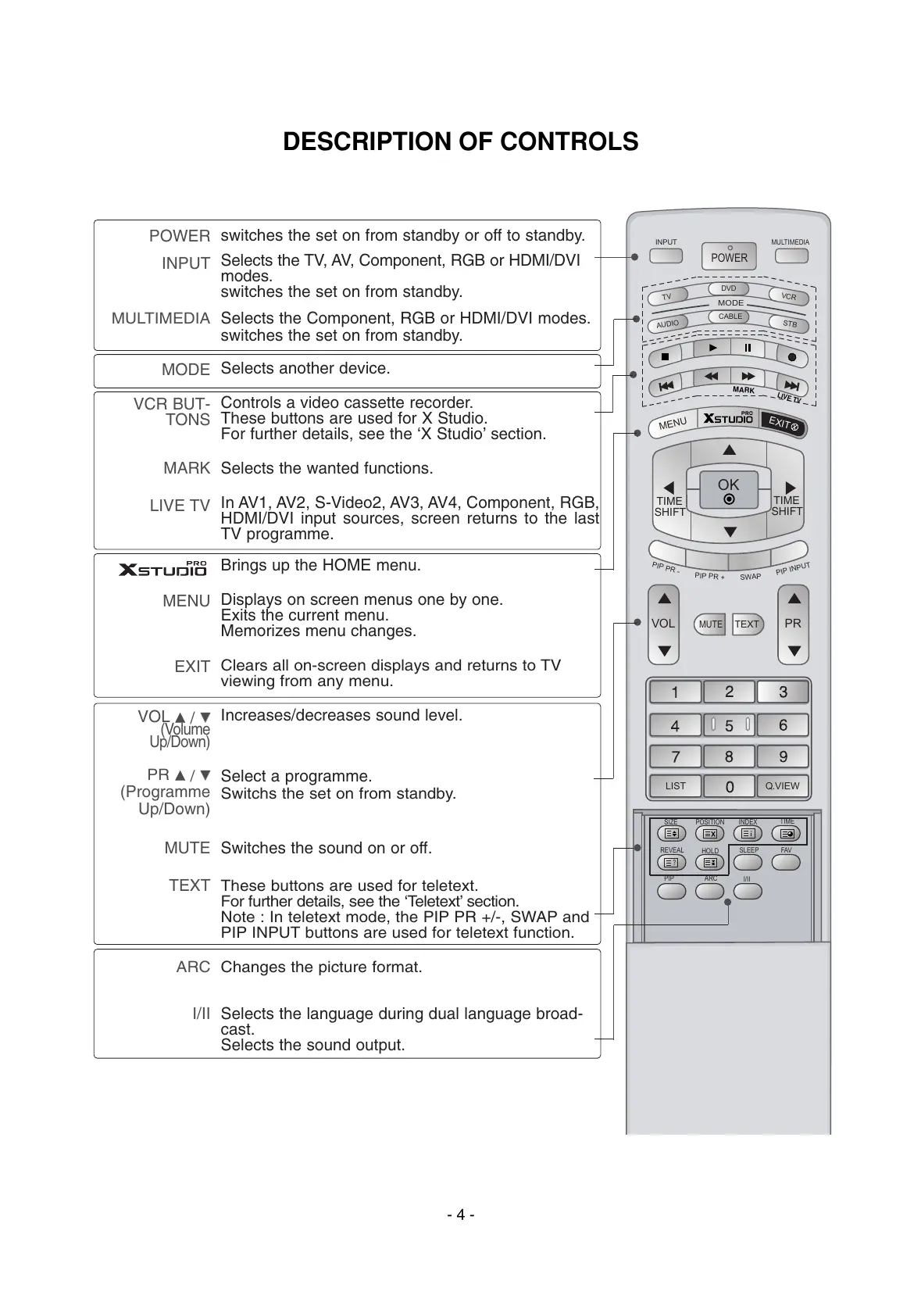
POWER
INPUT
MULTIMEDIA
MODE
VCR BUT-
TONS
MARK
LIVE TV
MENU
EXIT
VOL
DD
/
EE
(Volume
Up/Down)
PR
DD
/
EE
(Programme
Up/Down)
MUTE
TEXT
ARC
I/II
switches the set on from standby or off to standby.
Selects the TV, AV, Component, RGB or HDMI/DVI
modes.
switches the set on from standby.
Selects the Component, RGB or HDMI/DVI modes.
switches the set on from standby.
Selects another device.
Controls a video cassette recorder.
These buttons are used for X Studio.
For further details, see the ‘X Studio’ section.
Selects the wanted functions.
In AV1, AV2, S-Video2, AV3, AV4, Component, RGB,
HDMI/DVI input sources, screen returns to the last
TV programme.
Brings up the HOME menu.
Displays on screen menus one by one.
Exits the current menu.
Memorizes menu changes.
Clears all on-screen displays and returns to TV
viewing from any menu.
Increases/decreases sound level.
Select a programme.
Switchs the set on from standby.
Switches the sound on or off.
These buttons are used for teletext.
For further details, see the ‘Teletext’ section.
Note : In teletext mode, the PIP PR +/-, SWAP and
PIP INPUT buttons are used for teletext function.
Changes the picture format.
Selects the language during dual language broad-
cast.
Selects the sound output.



 To Next Page