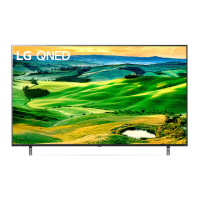
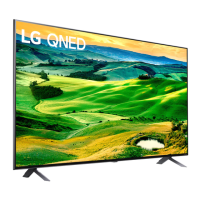
Need help?
Do you have a question about the LG 50QNED80TSA and is the answer not in the manual?
Guides users on how to read and utilize the manual effectively for future reference.
Details optional accessories and model-specific compatibility, advising users to consult dealers.
Provides guidance on safe handling and transportation of the TV to prevent damage.
Explains how to properly place and secure the TV on a flat surface or table.
Details methods for securely attaching the TV to a wall using brackets or ropes.
Guides on installing an optional wall mount, including VESA compatibility and secure attachment.
Instructions for connecting external antenna and cable sources for TV reception.
Explains how to connect devices via HDMI, including supported audio formats and cable recommendations.
Provides information on connecting USB devices, including compatibility with USB hubs.
Details how to use the IR Blaster to control external devices like set-top boxes and Blu-ray players.
Lists supported external devices and general connection notes, including PC mode considerations.
Specifies the required power input voltage and frequency for the TV operation.
Details the television system and external antenna impedance for broadcast reception.
Outlines the recommended operating and storage temperature and humidity levels.
Specifies the tilt angle range suitable for wall mount installation for optimal viewing.
Details wireless LAN and Bluetooth specifications for the LGSBWAC12 module.
Details wireless LAN and Bluetooth specifications for the LGSBWAC97 module.
Details wireless LAN and Bluetooth specifications for the LGSBWAC95 module.
Details wireless LAN and Bluetooth specifications for the LGSBWAC03 module.
Provides steps to resolve issues where the TV cannot be controlled by the remote.
Offers solutions for problems with no picture or sound output from the TV.
Explains potential causes and solutions for the TV unexpectedly turning off.
Addresses common display anomalies like pixel defects, brightness variations, and image sticking.
Explains normal operational sounds like cracking noise and electrical humming.
Highlights critical safety warnings regarding TV stability and preventing tip-over injuries.
Explains the meaning of various electrical safety symbols used in the manual.
Provides guidance on the proper disposal of electronic waste according to WEEE directives.
Outlines essential conditions the user must meet to validate the warranty claim.
Provides crucial notes on installation, usage, and warranty validity conditions.
States LG's limitations regarding third-party warranties and product usage design.
Specifies the warranty duration for Televisors, Monitors, and Projectors.
Defines what manufacturing defects are covered under the product's warranty.
Details the procedure for requesting technical assistance and warranty service.
Lists conditions and scenarios that are explicitly excluded from the product warranty coverage.
 General
| Screen Size | 50 inches |
|---|---|
| Display Type | QNED |
| Refresh Rate | 120 Hz |
| Operating System | webOS |
| Processor | α7 Gen5 AI Processor 4K |
| HDMI Ports | 4 |
| USB Ports | 2 |
| Audio Output | 20W |
| Bluetooth | Yes |
| Wi-Fi | Yes |
| Resolution | 3840 x 2160 (4K) |
| HDR Support | Yes |


 To Next Page