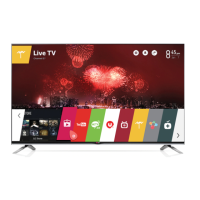
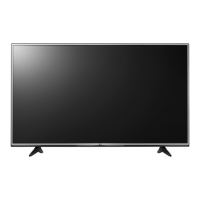
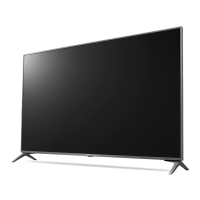
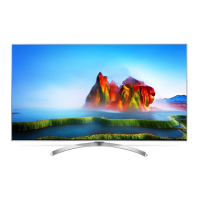
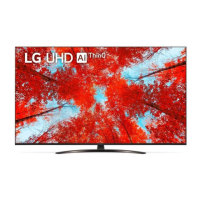
This document is an owner's manual for an LG LED TV, which utilizes an LCD screen with LED backlights. It provides comprehensive information on safety, preparation, usage, connections, troubleshooting, specifications, and regulatory compliance.
Function Description:
The LG LED TV is designed for home entertainment, offering a range of features for viewing various content. It supports both digital and analogue TV broadcasting systems, including DVB-T/T2/C/S/S2 for digital and PAL B/B, PAL B/G, PAL D/K, PAL-I, SECAM B/G, SECAM D/K, and NTSC-M for analogue. The TV can store up to 3000 DVB-T/T2 & Analogue TV programmes and 6000 DVB-S/S2 programmes. It features multiple input options, including HDMI and USB, allowing connection to various external devices such as Blu-ray players, HD receivers, DVD players, VCRs, audio systems, USB storage devices, PCs, and gaming consoles. The TV also supports CI modules for encrypted (pay) services in digital TV mode. The Magic Remote Control enhances user interaction with features like voice recognition, quick access to menus and apps, and media content control.
Important Technical Specifications:
- Broadcasting Systems:
- Digital TV: DVB-T/T2 (some models), DVB-T/T2/C/S/S2 (some models).
- Analogue TV: PAL B/B, PAL B/G, PAL D/K, PAL-I, SECAM B/G, SECAM D/K, NTSC-M.
- Programme Coverage: VHF, UHF, C-Band (some models), Ku-Band (some models), CATV.
- External Antenna Impedance: 75 Ω.
- CI Module Dimensions: 100.0 mm (W) x 55.0 mm (H) x 5.0 mm (D).
- HDMI Audio Formats Supported: True HD (48 kHz), Dolby Digital / Dolby Digital Plus (32 kHz / 44.1 kHz / 48 kHz), PCM (32 kHz / 44.1 kHz / 48 kHz / 96 kHz / 192 kHz).
- HDMI Deep Colour: Supports 4K @ 50/60 Hz (4:4:4, 4:2:2, 4:2:0) and, for specific ports (3,4), 4K @ 100/120 Hz (4:4:4, 4:2:2, 4:2:0) on certain models.
- Recommended HDMI Cable: Ultra High Speed HDMI®/™ cable (3 m or less).
- USB Port Compatibility: Supports USB 2.0 extension cables if the USB device does not fit directly.
- Wireless Module (LGSBWAC95/LGSBWAC03) Specifications:
- Wireless LAN (IEEE 802.11a/b/g/n/ac) Frequency Range: 2,400 to 2,483.5 MHz, 5,150 to 5,725 MHz, 5,725 to 5,850 MHz.
- Output Power (Max.): 19 dBm (2.4 GHz), 18 dBm (5.15-5.725 GHz), 13.5 dBm (5.725-5.850 GHz) for LGSBWAC95; 18.5 dBm (2.4 GHz), 19.5 dBm (5.15-5.725 GHz), 11.5 dBm (5.725-5.850 GHz) for LGSBWAC03.
- Bluetooth Frequency Range: 2,400 to 2,483.5 MHz.
- Bluetooth Output Power (Max.): 9 dBm.
- Environment Condition:
- Operating Temperature: 0 °C to 40 °C.
- Operating Humidity: Less than 80%.
- Storage Temperature: -20 °C to 60 °C.
- Storage Humidity: Less than 85%.
- Wall Mounting Bracket (VESA Standard): Various models support different VESA dimensions (e.g., 200x200, 300x300, 400x400, 600x400, 1281x125, 1586x125 mm) with M6 or M8 standard screws.
Usage Features:
- Turning on/off: The TV can be turned on or off using the power button on the TV or the Magic Remote. Holding the power button for a specific duration will close all running apps and stop any recording.
- Menu Navigation: The TV's physical button allows access and adjustment of menus. The Magic Remote provides more extensive control, including scrolling through programmes, adjusting volume, changing input sources, and accessing quick settings.
- Magic Remote Control: To use the Magic Remote, it must be paired with the TV by inserting batteries and pressing the Wheel (OK) button while pointing at the TV. Deregistration is possible by holding the Back and Home buttons simultaneously for five seconds.
- Connections: External devices are connected via HDMI or USB ports. For optimal connection, HDMI cables and USB devices should have bezels less than 10 mm thick, 18 mm width, and an 8 mm wire diameter.
- Outdoor Antenna/Satellite Dish: The TV connects to a wall antenna socket or satellite dish using a 75 Ω RF cable. Signal amplifiers are recommended for poor image quality.
- CI Module: For encrypted digital TV services, a CI module must be inserted correctly into the COMMON INTERFACE slot.
- PC Mode: In PC mode, users may need to adjust resolution, refresh rate, brightness, and contrast to mitigate noise or unclear pictures.
Maintenance Features:
- Cleaning: The TV should be cleaned gently with a soft/dry cloth after unplugging the power cord. Avoid spraying water or other liquids directly onto the TV. Do not use chemicals like glass cleaner, air fresheners, insecticides, lubricants, wax, abrasives, thinner, benzene, or alcohol, as these can damage the product or screen.
- Battery Replacement: When the "Magic Remote battery is low" message appears, replace the 1.5 V AA batteries, ensuring correct polarity. Do not mix new and old batteries or expose them to excessive heat.
- Moving the TV: When moving the TV, ensure it is turned off, unplugged, and all cables are removed. For larger TVs, two or more people are recommended. Hold the TV by the top and bottom frame, avoiding the transparent part, speaker, or speaker grill. The screen should face away from you to prevent damage.
- Mounting: The manual provides instructions for mounting the TV on a table or wall. For wall mounting, VESA standard brackets and screws should be used, and professional installation is recommended. It is advised to connect all cables before installing fixed wall mounts.
- Troubleshooting: The manual includes a section to address common issues such as the remote control not working, no image/sound, sudden TV shutdown, no signal in PC mode, and abnormal display or generated sounds. For example, "cracking" noises are attributed to plastic thermal contraction, and "humming" noises to high-speed switching circuits, both considered normal.

 Need help?


 To Next Page

 General