Need help?
Do you have a question about the LG 55EF9500 and is the answer not in the manual?
General safety advice for operating the TV, including water, cleaning, and ventilation.
Explains hazard symbols and specific warnings for electric shock, fire, and chemical content.
Safety guidelines for power cord handling and using approved accessories.
Instructions for servicing and precautions for handling batteries.
Safety measures for environment, ventilation, and installation.
Specific warnings related to battery usage and high voltage equipment.
Guidelines to prevent permanent image retention on the screen.
Federal Communications Commission compliance information for US users.
Regulations regarding radio frequency interference and exposure limits.
Information on LG's product recycling and take-back program.
Guidelines for safe and comfortable 3D viewing, including break times.
Warnings for users with health conditions or visual impairments regarding 3D viewing.
Recommendations for different age groups when viewing 3D content.
Important cautions and maintenance tips for using 3D glasses.
Information on supported licenses and where to find more details.
Instructions on how to obtain open source code and license terms.
Steps for unpacking, attaching stand, connecting devices, and ensuring network readiness.
Process for unpacking the TV and verifying all included accessories.
List of optional accessories compatible with specific models.
Identification of key TV components like screen, speakers, sensors, and buttons.
How to perform basic functions and navigate menus using the joystick.
Essential safety measures and techniques for moving the TV to prevent damage.
Detailed instructions and safety precautions for attaching the TV stand.
Guidelines for placing the TV on a table, including ventilation space.
Procedures for securely attaching the TV to a wall mount.
Methods for organizing and securing cables using the provided holder.
Detailed instructions, cautions, and notes for wall mounting.
Instructions for connecting external TV signal sources like antennas or cable boxes.
Guidance on connecting common AV devices and using HDMI.
Explanation of HDMI connection for transmitting digital signals and the ARC feature.
Instructions for transmitting digital video signals using DVI to HDMI connection.
How to connect devices using component cables for analog signals.
How to connect devices using composite cables for analog signals.
Instructions and tips for connecting a PC to the TV using HDMI or DVI.
Visual guides for establishing HDMI or DVI to HDMI connections.
Steps for connecting the TV to an audio system using an optical cable.
Instructions and notes on connecting and using headphones with the TV.
Guide to connecting USB storage devices and accessing multimedia files via SmartShare.
Instructions for replacing the remote battery and basic operation.
Detailed explanation of each button's function on the Magic Remote.
Procedures for pairing and unpairing the Magic Remote with the TV.
How to access the TV's built-in user guide for information.
Precautions for optimal remote performance and avoiding interference.
Comprehensive details on the TV's technical specifications, including power, environment, dimensions, and weight.
Specifications for the TV's wireless LAN and Bluetooth modules.
Safe and effective methods for cleaning the TV's screen, frame, and stand.
Solutions for common issues like remote control, no display, or sudden power off.
Recommendations for safe installation, placement, and handling of televisions.
Step-by-step guide to configure network settings for internet connectivity.
Steps to troubleshoot and fix common network connection issues.
Instructions for installing the SmartShare PC software on a computer.
Guide to connect a smartphone to the TV for media sharing via SmartShare.
Process for checking and updating the TV's firmware.
Instructions for setting up Wi-Fi Direct for direct device connections.
Guide to using Miracast for wireless video and sound streaming.
Instructions for setting up Intel WiDi for wireless display mirroring.
Steps for checking Wi-Fi connectivity and reducing interference.
Information on how different materials affect radio frequency signals.
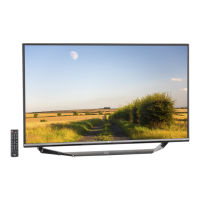
Summary of the EG9600 TV's main features and selling points.
Comprehensive list of the TV's technical features, picture quality, audio, and connectivity.
Details on the warranty duration and the process for obtaining service.
List of conditions and damages not covered by the limited warranty.
Contact information for customer assistance, product information, and service centers.
Information on pixel functionality and necessary preparations before calling for service.
 General
| Screen Type | oled |
|---|---|
| Features | tru-4k upscaler, tru-color generator |
| Tuner | digital |
| Screen Size | 54.6 inches, 55 inches |
| Resolution | 4k (2160p) |
| Refresh Rate | 60hz |
| HDR | no |
| Built-In Speakers | yes |
| Surround Sound | dolby digital |
| Speakers Output | 20 watts |
| Number Of Speakers | 2 |
| HDMI Ports | 3 |
| HDMI 2.1 Ports | 0 |
| USB Ports | 3 |
| RF Antenna | yes |
| Network | built-in wi-fi |
| Headphones Output | no |
| Digital Optical Audio Outputs | 1 |
| Component Video Inputs | 1 |
| Composite Video Inputs | 1 |
| DVI | 0 |
| SmartTV | webos |
| Streaming Services | netflix, youtube |
| Voice Assistant | other |
| Remote Control | magic |
| 3D | yes |
| Power Consumption | 153 kilowatt hours |
| Depth with Stand | 8.4 inches |
| Height with Stand | 29.9 inches |
| Width with Stand | 48.3 inches |
| Net Weight with Stand | 37.9 pounds |
| Depth without Stand | 2 inches |
| Height without Stand | 28.3 inches |
| Net Weight without Stand | 30 pounds |

 To Next Page