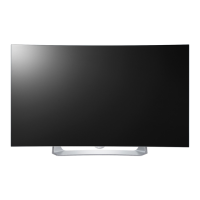
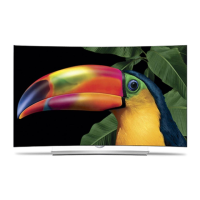
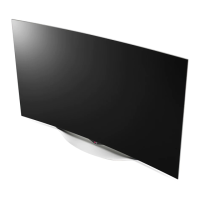
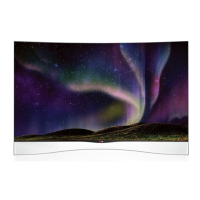
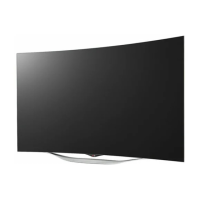
This document serves as a service manual for the LG OLED TV, specifically models 55EG910* and 55EG910*-ZB, built on the ED51E chassis. It provides comprehensive information for servicing, adjustment, and troubleshooting, intended for internal use by LG Electronics for training and service purposes.
Function Description
The LG OLED TV is a television receiver designed for displaying video and audio content. It supports various broadcasting systems and external input formats, including digital and analog television, HDMI, USB, and Miracast. A key feature is its OLED display technology, which offers superior picture quality, including deep blacks and vibrant colors. The TV also supports 3D viewing, with automatic and manual modes for different input sources.
Important Technical Specifications
General Specifications:
- Chassis: ED51E
- Models: 55EG910*, 55EG910*-ZB
- Power Voltage: AC 100-240V~, 50/60Hz.
- Operating Temperature: 25 °C ± 5 °C (77 °F ± 9 °F), CST: 40 °C ± 5 °C.
- Relative Humidity: 65 % ± 10 %.
Broadcasting Systems:
- Analog: PAL/SECAM B/G/I/D/K, SECAM L/L’.
- Digital: DVB-T/T2, C, S/S2.
- Program Coverage:
- Digital TV: VHF, UHF, C-Band, Ku-Band.
- Analog TV: VHF: E2 to E12, UHF: E21 to E69, CATV: S1 to S20, HYPER: S21 to S47.
- Receiving System: Analog: Upper Heterodyne; Digital: COFDM, QAM.
- DVB-T: Supports Guard Intervals (1/4, 1/8, 1/16, 1/32) and various modulation code rates (QPSK, 16-QAM, 64-QAM).
- DVB-T2: Supports Guard Intervals (1/4, 1/8, 1/16, 1/32, 1/128, 19/128, 19/256) and modulation code rates (QPSK, 16-QAM, 64-QAM, 256-QAM).
- DVB-S/S2: Supports symbol rates from 2 to 45 Msymbols/s and various Viterbi modes.
Optical Specifications (Module & Set):
- Max Luminance (Center 1-point / Full White Pattern):
- 2D: 120-150 cd/m²
- 2D peak: 360-450 cd/m²
- 3D: 48-60 cd/m²
- 3D peak: 144-180 cd/m²
- Contrast Ratio (Module): 120,000-150,000 (RF, AV SPEC OUT Test Condition: HDMI Over 720P).
- 3D Crosstalk: 1-3%.
- 3D Viewing Angle (Up + Down): 16-20°.
- Luminance Uniformity (2D Only): 70-80%.
- Response Time: G to G: 1-3 ms; MPRT: 8-12 ms.
External Input Support Format:
- Component (Y, CPB, PR): Supports resolutions from 720x480I to 1920x1080P at various H-freq and V-freq.
- HDMI INPUT (DTV mode): Supports resolutions from 640x480P to 1920x1080P at various H-freq and V-freq.
- HDMI INPUT (PC mode): Supports resolutions from 640x350 to 1920x1080 at various H-freq and V-freq.
- 3D Mode (DTV/HDMI/USB): Supports 2D to 3D conversion, Side by Side (Half), Top & Bottom, Checker Board, Frame Sequential, Row Interleaving, and Column Interleaving for various resolutions (1280x720, 1920x1080).
- Miracast Intel WIDI (3D supported mode manually): Supports 2D to 3D, Side by Side (Half), Top & Bottom for 1024x768p, 1280x720p, and 1920x1080p.
- USB, DLNA (3D) (3D supported mode automatically): Supports 2D to 3D, Side by Side (Half), Top & Bottom, Checker Board for 1080p and 2160p (photo).
Audio Specifications:
- Audio Practical Max Output, L/R (Distortion=10% max Output): 9-12W (Speaker: 8Ω Impedance).
Usage Features
The manual details several features related to the TV's operation and serviceability:
- Automatic Adjustment: Includes MAC address, CI+ key, Widevine key, ESN, and HDCP14/20 downloads via USB port. Communication protocol checks are also detailed for LAN inspection.
- Manual Adjustment: Covers Main PCB checks (MAC Address Download, CI+ Key Download, Widevine key Download, ESN Download, HDCP1.4/2.0 Download), Final assembly adjustments (White Balance, RS-232C functionality, PING Test, Factory Option setting, Ship-out mode), and other functions like USB Download for S/W updates.
- Function Inspect: Provides procedures for 3D function testing, HDMI ARC function inspection, HDMI MHL function inspection, and EYE-Q Green Function Inspection.
- Wi-Fi Test: Outlines steps to turn on Wi-Fi, select connection options, and connect to an Access Point.
- LNB Voltage and 22KHz Tone Check: Specific to DVB-S/S2 models, this ensures proper LNB operation.
- Tool Option Selection and Ship-out Mode: Details how to select tool options and set the unit to Stand-by mode after final inspection.
- GND and Hi-pot Auto-check: Describes the process for checking ground and high potential insulation.
- Joystick Function Check: Provides steps to test the Channel Up/Down, Volume Up/Down, and Enter functions of the joystick.
Maintenance Features
The manual emphasizes safety and provides detailed procedures for maintenance:
- Safety Precautions: Highlights the importance of using an isolation transformer, replacing parts with specified components, keeping wires away from high voltage/temperature parts, and performing AC leakage current checks before returning the receiver to the customer.
- Servicing Precautions: Includes guidelines for unplugging the AC cord, testing high voltage, cleaning electrical contacts, handling electrostatically sensitive devices, and general soldering techniques.
- Component Removal/Replacement: Provides specific instructions for removing and replacing ICs, "Small-Signal" Discrete Transistors, Power Output Transistor Devices, Diodes, Fuses, and Conventional Resistors.
- Circuit Board Foil Repair: Details procedures for repairing damaged copper patterns at IC connections and other areas using jumper wires.
- White Balance Adjustment: Explains the objective, how-it-works, conditions, and equipment needed for white balance adjustment, including specific commands and data ranges for Cool, Medium, and Warm color temperatures.
- Troubleshooting Guide: Includes a comprehensive repair process detail technical manual with flowcharts for various error symptoms, such as video errors (no video, color error, lag/stop), power errors (no power, off when on), audio errors (no audio, noise), function errors (remote control, Wi-Fi, camera, external device recognition), and exterior defects.
- Module Exchange: Provides a list of "Un-repairable Cases" such as brightness difference, line dim, crosstalk, press damage, burnt pixels, angle view color difference, brightness dot noise, half dead, green noise, line defect, and mura, for which module exchange is recommended.
- USB S/W Download: Instructions for updating the TV's software using a USB stick.

 Need help?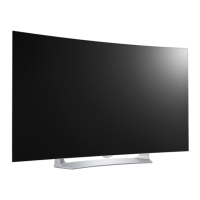

 To Next Page
 General