EasyManua.ls Logo

LG 55EC930V-ZA - User Manual

LG 55EC930V-ZA
124 pages
Print Icon
To Next Page IconTo Next Page
Loading...
1.
www.lg.com
P/NO : MFL68488316 (1502-REV01)
Printed in Korea
OWNER’S MANUAL
Please read this manual carefully before operating your set and retain it
for future reference.
*MFL68488316*
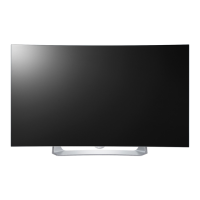
EC93**
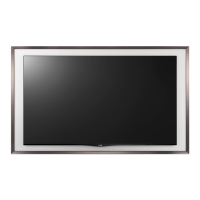
EC97**
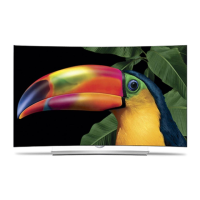
EC98**
T H E U L T I M A T E D I S P L A Y

Other manuals for LG 55EC930V-ZA

Questions and Answers

  • K
    Kevin LeonardAug 16, 2025
    How to fix my LG 55EC930V-ZA that turns off suddenly?
    • M
      Marissa ElliottAug 16, 2025
      If your LG OLED TV turns off suddenly, the power supply may be interrupted, so check the power control settings. Also, verify if the Automatic Standby, Sleep Timer, or Timer Power off feature is activated in the TIMERS settings. Additionally, if there is no signal while the TV is on, it will turn off automatically after 15 minutes of inactivity.
  • K
    Kevin HughesAug 18, 2025
    Why does my LG OLED TV turn off suddenly?
    • M
      Matthew MartinAug 18, 2025
      If your LG OLED TV suddenly turns off, first check the power control settings, as the power supply might be interrupted. Also, verify if the Automatic Standby, Sleep Timer, or Timer Power Off feature is activated within the TIMERS settings. Finally, be aware that the TV will automatically turn off after 15 minutes of inactivity if there is no signal while it is on.
  • B
    browngarrettAug 21, 2025
    Why does my LG OLED TV turn off by itself?
    • J
      Jacqueline HamiltonAug 21, 2025
      If your LG OLED TV suddenly turns off, here are a few things to check: * Review the power control settings, as the power supply might be interrupted. * See if the Automatic Standby (Depending on model) / Sleep Timer / Timer Power off feature is activated in the TIMERS settings. * Note that the TV will turn off automatically after 15 minutes of inactivity if there is no signal.
  • A
    Andrea PotterAug 25, 2025
    Why is my LG 55EC930V-ZA OLED TV showing no image and producing no sound?
    • A
      Adrienne WilsonAug 25, 2025
      If your LG OLED TV shows no image and produces no sound, first ensure that the TV is turned on. Next, check whether the power cord is properly connected to a working wall outlet. You can verify the outlet's functionality by connecting other products to it.
  • C
    Clarence HarrisonAug 28, 2025
    What to do if my LG 55EC930V-ZA displays ‘No signal’ or ‘Invalid Format’ when connecting to PC (HDMI / DVI)?
    • J
      Julie ZamoraAug 28, 2025
      If your LG OLED TV displays ‘No signal’ or ‘Invalid Format’ when connecting to a PC via HDMI or DVI, try turning the TV off and on using the remote control. If that doesn't work, reconnect the HDMI cable. As a further step, restart the PC while the TV is on.
  • R
    Richard AliAug 30, 2025
    How to fix LG OLED TV remote not working?
    • F
      frances01Aug 31, 2025
      If your LG OLED TV remote isn't working, start by checking the remote control sensor on the TV and try again. Ensure there are no obstacles blocking the path between the remote and the TV. Also, make sure the batteries in the remote are working and properly installed.
  • S
    stevepatelSep 2, 2025
    What to do if my LG 55EC930V-ZA OLED TV says ‘No signal’ when connecting to PC?
    • A
      Anna BakerSep 2, 2025
      If your LG OLED TV shows ‘No signal’ or ‘Invalid Format’ when connected to a PC via HDMI or DVI, try turning the TV off and on using the remote control. If that doesn't work, try reconnecting the HDMI cable. As a final step, restart your PC while the TV is powered on.
  • A
    amyayalaSep 5, 2025
    What to do if LG 55EC930V-ZA OLED TV says no signal when connected to PC?
    • M
      Melissa PerezSep 5, 2025
      If you see a ‘No signal’ or ‘Invalid Format’ message when connecting your PC to your LG OLED TV via HDMI/DVI, try the following: 1. Turn the TV off and on using the remote control. 2. Reconnect the HDMI cable. 3. Restart your PC while the TV is on.
  • M
    michaelhodgesSep 9, 2025
    What to do if I can't control my LG 55EC930V-ZA OLED TV with the remote?
    • R
      Richard BarnettSep 9, 2025
      If you are unable to control your LG OLED TV with the remote, first check the remote control sensor on the TV and try again. Then, ensure there are no obstacles between the remote and the TV. Finally, verify that the batteries in the remote are working and properly installed.
  • S
    Stacy WrightSep 12, 2025
    Why is there no picture or sound on my LG 55EC930V-ZA OLED TV?
    • D
      Daniel WoodSep 12, 2025
      If your LG OLED TV has no image and no sound, please check the following: * Make sure that the TV is turned on. * Verify that the power cord is properly connected to a wall outlet. * Test the wall outlet by plugging in other devices to see if it's working correctly.

Summary

Safety Instructions: Environmental and Power Precautions

Environmental Placement Warnings

Advises against placing the TV in environments with direct sunlight, high humidity, or near heat sources.

Power Plug and Cable Safety

Details safe handling of the mains plug, wet hands, and ensuring secure socket connection.

Safety Instructions: Usage and Child Safety

Cable Management and Electrical Outlet Safety

Warns against overloading outlets and proper cable routing to prevent hazards.

Child Safety and Battery Handling

Emphasizes keeping children away from the TV and safe disposal of batteries.

Flammable Substances Warning

Caution against storing flammable materials near the product due to fire risk.

Safety Instructions: Operational Hazards and Storms

Foreign Object Insertion and Screen Impact

Warns against inserting objects into the TV and protecting the screen from impacts.

Storm and Gas Leak Safety

Advises against touching the TV during storms and safety measures during gas leaks.

Product Modification and Service Contact

Prohibits unauthorized disassembly and advises contacting service centers for repair.

Long-Term Storage and Electrical Deterioration

Recommends unplugging for long periods to prevent dust-related fire hazards.

3 D Viewing Safety: Health Warnings

3 D Viewing Environment and Time Management

Recommends breaks during 3D viewing to prevent headaches and eye strain.

Health Conditions Affecting 3 D Viewing

Lists conditions like epilepsy or nausea that require refraining from 3D content.

Symptoms Requiring 3 D Viewing Discontinuation

Identifies symptoms like fatigue or dizziness that necessitate stopping 3D viewing.

Installation Procedure and Notes

Step-by-Step Installation Guide

Outlines the process of unpacking, connecting devices, and network setup.

Assembling and Preparing: Unpacking and Connections

Unpacking Contents and Initial Checks

Guides on checking product box contents and contacting dealers for missing items.

Using the Joystick Button

Basic Joystick Functions

Describes how to use the joystick for Power On/Off, Volume, and Program control.

Menu Navigation with Joystick

Explains how to adjust menus by moving the joystick and pressing it.

Lifting and Moving the TV Safely

General Precautions for Handling

Advice to avoid touching the screen and to handle the TV carefully to prevent damage.

Safe Transportation and Orientation

Guidance on transporting the TV upright and avoiding jolts or vibration.

Avoiding Frame Flexing and Pressure

Warns against applying excessive pressure that could damage the screen chassis.

Setting Up the TV: Detaching the Stand

EC93** and EC98** Stand Detachment

Step-by-step instructions and cautions for removing the stand from EC93** and EC98** models.

EC97** Stand Detachment Procedure

Instructions and safety notes for detaching the stand from the EC97** model.

TV Mounting: Table and Wall Options

Table Mounting and Ventilation Requirements

Instructions for placing the TV on a table, ensuring 10 cm ventilation space.

Wall Mounting Preparation and Safety

Steps to secure the TV to a wall, including bracket installation and safety cautions.

Wall Mounting: Platform and Bracket Details

Platform and Cabinet Stability Requirements

Emphasizes using a strong and stable platform or cabinet for TV support.

LG Wall Mount Bracket and VESA Standards

Information on using LG's wall mount bracket and VESA standard dimensions.

Wall Mounting: Model EC98 Specifications and Cautions

VESA Mounting Specifications for EC98**

Details VESA dimensions (400x400) and screw specifications for the 77EC98** model.

Wall Mounting Cautions and Accessory Notes

Warnings about over-tightening screws and using VESA-compliant accessories.

Wall Mount Installation: Guide Spacer and Stand Detachment

Guide Spacer Assembly for Wall Mounts

Steps to assemble guide spacers and attach them using VESA screws.

Detaching the Stand for Wall Hanging

Instructions on how to remove the stand before hanging the TV on the wall.

Wall Mount Installation: Stand Removal Type 2

Type 2 Stand Removal Procedure

Step-by-step guide for removing the stand for wall mounting, Type 2.

Built-in Camera: Usage and Preparation

Built-in Camera Capabilities and Legal Notes

Explains video call and motion recognition functions, plus legal responsibilities.

Preparing the Built-in Camera

Steps for pulling up the camera and adjusting its angle.

Built-in Camera: Operation and Shooting Range

Making Connections: Antenna Input

Making Connections: Satellite and HDMI Inputs

Making Connections: Audio and USB Inputs

Remote Control Overview and Battery Replacement

Magic Remote Control: Functions and Battery Care

Magic Remote Battery Replacement

Procedure for replacing batteries in the Magic Remote, including cautions.

Magic Remote Button Functions

Overview of key buttons like Power, Navigation, Wheel, and Colored buttons.

Magic Remote Control: Navigation and Voice Features

Navigation, Screen Remote, and Universal Control

Using BACK, Home, EXIT, and accessing Screen Remote/Universal Control menus.

Voice Recognition Setup and Usage

Instructions for enabling and using the voice recognition feature with the Magic Remote.

Magic Remote: Pairing, Unpairing, and Pointer Usage

Registering the Magic Remote

Steps to pair the Magic Remote with the TV for initial use.

Magic Remote Pointer Operation

How to activate, use, and troubleshoot the Magic Remote's pointer.

Magic Remote: Usage Precautions and User Guide Access

Maintenance: Cleaning Procedures and Precautions

Troubleshooting Common TV Issues

Remote Control Functionality Problems

Solutions for issues where the TV cannot be controlled by the remote.

Display and Sound Output Problems

Troubleshooting steps for scenarios with no image display or no sound.

TV Power and PC Connection Errors

Solutions for the TV turning off unexpectedly or PC connection display errors.

LG 55EC930V-ZA Specifications

General IconGeneral
Screen Size55 inches
Display TypeOLED
Resolution1920 x 1080
HDR SupportNo
Smart TVYes
HDMI Ports4
USB Ports3
Audio Output20W
CurvedYes
3DYes
Operating SystemwebOS
Built-in Wi-FiYes
BluetoothNo
Weight18.5 kg

Related product manuals