EasyManua.ls Logo

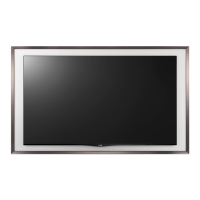
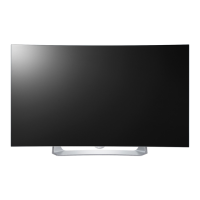
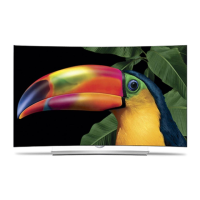
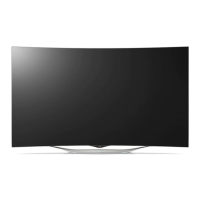
LG 55EC930T - User Manual

LG 55EC930T
80 pages
Print Icon
To Next Page IconTo Next Page
Loading...
www.lg.com
P/NO : MFL68027834 (1501-REV02)
Please read this manual carefully before operating your
set and retain it for future reference.
OWNER’S MANUAL
55EC930T
77EG970T
*MFL68027834*

Table of Contents

Questions and Answers

  • G
    Gregory HayesJul 27, 2025
    What to do if my LG 55EC930T has no image and no sound?
    • D
      dennis79Jul 27, 2025
      If your LG OLED TV isn't displaying an image or producing sound, first ensure the TV is powered on. Next, verify that the power cord is securely connected to a working wall outlet. To check the outlet, plug in another device to see if it functions correctly.
  • L
    lisaandersenAug 6, 2025
    Why does my LG OLED TV turn off by itself?
    • M
      Miranda GonzalezAug 6, 2025
      If your LG OLED TV turns off unexpectedly, start by checking your power control settings. Also, verify if the Sleep Timer or Time Power Off feature is enabled within the TIMERS settings. Note that the TV will automatically shut down after 15 minutes of inactivity if no signal is detected.
  • D
    devonmurphyAug 16, 2025
    How to fix LG 55EC930T OLED TV remote control not working?
    • D
      David ReedAug 16, 2025
      If you cannot control your LG OLED TV with the remote, first check the remote control sensor on the TV and try again. Make sure there are no obstructions between the remote and the TV. Finally, ensure the batteries in the remote are working and correctly installed.

Summary

IMPORTANT SAFETY INSTRUCTIONS

LICENSES

OPEN SOURCE SOFTWARE NOTICE INFORMATION

Information on obtaining source code under open source licenses and related terms.

INSTALLATION PROCEDURE

ASSEMBLING AND PREPARING

Covers unpacking, accessories, parts identification, setup, and installation of the TV.

MAKING CONNECTIONS

Instructions for connecting various external devices to the TV, including antennas, audio systems, and PCs.

MAGIC REMOTE FUNCTIONS

Details on how to register, use, and take precautions with the LG Magic Remote.

USING THE USER GUIDE

Instructions on how to access detailed TV information using the User Guide.

SPECIFICATIONS

Provides technical specifications for the TV, including wireless modules and dimensions.

EXTERNAL CONTROL DEVICE SETUP

Information on obtaining external control device setup details from the LG website.

MAINTENANCE

Guidelines for regular cleaning and upkeep of the TV to ensure optimal performance.

TROUBLESHOOTING

Common problems and their solutions for operating the TV.

LG 55EC930T Specifications

General IconGeneral
3D glasses quantity4
Annual energy consumption155 kWh
Supported 3D technologiesFPR 3D
AC input voltage100 - 240 V
AC input frequency50 - 60 Hz
Power consumption (standby)0.3 W
Power consumption (typical)106 W
Product colorBlack
VESA mounting-
Mercury content0 mg
Response time- ms
Display diagonal55 \
Display brightness- cd/m²
Display technologyOLED
Native aspect ratio16:9
Screen format adjustments4:3, 16:9
Picture processing technologyLG Triple XD Engine
Smart modesCinema, Game, Photo, Sports, Standard, Vivid
Lifestyle appsSkype
Sound modesGame, Movie, Music, News, Standard
RMS rated power20 W
Number of speakers2
HDMI version1.4
PC in (D-Sub)No
Headphone outputs1
USB 2.0 ports quantity3
Consumer Electronics Control (CEC)SimpLink
USB 3.2 Gen 1 (3.1 Gen 1) Type-A ports quantity0
Programming period8 day(s)
Weight and Dimensions IconWeight and Dimensions
Weight (without stand)- g

Related product manuals