EasyManua.ls Logo

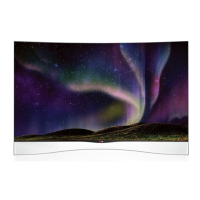
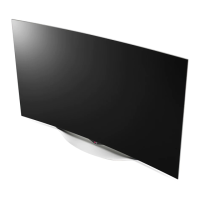
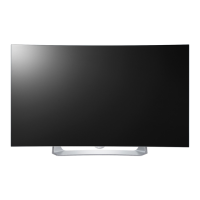
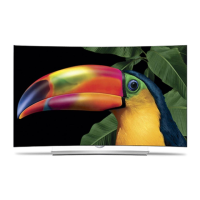
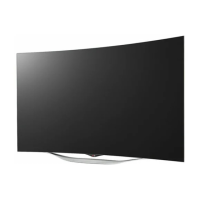
LG 55EA8800 - User Manual

LG 55EA8800
70 pages
Print Icon
To Next Page IconTo Next Page
Loading...
Please read this manual carefully before operating
your set and retain it for future reference.
www.lg.com
P/NO : MFL67652672 (1312-REV00)
OWNER’S MANUAL
55EA8800
"!

Other manuals for LG 55EA8800

Questions and Answers

  • V
    vphamAug 6, 2025
    What to do if LG OLED TV remote is not working?
    • J
      John JohnsonAug 6, 2025
      If you cannot control your LG OLED TV with the remote, try these steps: First, check the remote control sensor on the TV and try again. Second, make sure there are no obstacles between the remote and the TV. Finally, check that the batteries are working and properly installed ( to , to ).
  • Y
    Yvette EvansAug 10, 2025
    Why does my LG 55EA8800 OLED TV turn off suddenly?
    • A
      Albert Anderson MDAug 10, 2025
      Your LG OLED TV might be turning off suddenly due to a few reasons. The power supply may be interrupted, so check the power control settings. Also, the Auto sleep feature in the Time settings might be activated. Finally, if there is no signal while the TV is on, it will turn off automatically after 15 minutes of inactivity.
  • M
    Matthew PatelAug 14, 2025
    Why is my LG OLED TV showing no image and producing no sound?
    • K
      kristachaseAug 15, 2025
      If your LG OLED TV isn't displaying an image or producing sound, ensure the TV is turned on. Also, check that the power cord is properly connected to a wall outlet. To verify the outlet is working, connect another device to it.
  • I
    Ivan HernandezAug 19, 2025
    How to fix echo on LG 55EA8800 OLED TV?
    • G
      gmartinAug 19, 2025
      If you're experiencing echo on your LG OLED TV (hearing your voice played back), try changing the home theater audio setting to stereo instead of surround. Reducing the speaker volume may also help. Also, too much echo in the room can decrease audio quality. You can also test the microphone using the 'Echo / Sound Test Service'.
  • T
    Teresa GonzalezAug 23, 2025
    What to do if the notification window is not displayed on LG 55EA8800 when a call is received?
    • H
      holmesryanAug 23, 2025
      If the notification window isn't displayed on your LG OLED TV when you receive a call, first check that your status is not set as 'Do not disturb'. Also, when using certain TV functions, incoming calls can’t be received (e.g. during a software update, etc.). Finally, check ‘Privacy Settings’ is 'Allow calls from people in my contact list only'.
  • J
    Jessica HenryAug 27, 2025
    Why does my LG 55EA8800 OLED TV call end abruptly?
    • P
      philipsanchezAug 28, 2025
      If your LG OLED TV call ends abruptly, it might be because certain TV functions are activated (e.g. Sleep timer, etc.). Also, avoid unplugging the Video Call Camera during a call.
  • U
    ugatesSep 1, 2025
    What to do if the Skype menu does not appear on the Premium menu of LG OLED TV?
    • J
      Jessica JohnsonSep 1, 2025
      Connect the camera to your TV, then update the software. For details about how to update the software, refer to your TV manual.

Summary

Important Safety Instructions

General Safety Precautions

Covers warnings about electric shock, moisture, ventilation, heat, and panel care.

Installation and Setup

Lifting and Moving the TV Safely

Guidelines for safely lifting and moving the television.

Making Connections

HDMI Connection Guide

Details on connecting devices via HDMI for digital audio/video.

Magic Remote Control Functions

Magic Remote Control Overview

Explains the functions of buttons on the Magic Remote Control.

TV Operation and Features

Initial TV Setup Guide

Step-by-step guide for initial TV setup and language selection.

Maintenance and Troubleshooting

Common TV Issues and Solutions

Provides solutions for common problems like remote control issues or no image/sound.

Child Safety Guidelines

Proper Television Placement Matters

Guidelines for safe placement and installation of televisions.

LG 55EA8800 Specifications

General IconGeneral
BrandLG
Model55EA8800
CategoryOLED TV
LanguageEnglish

Related product manuals